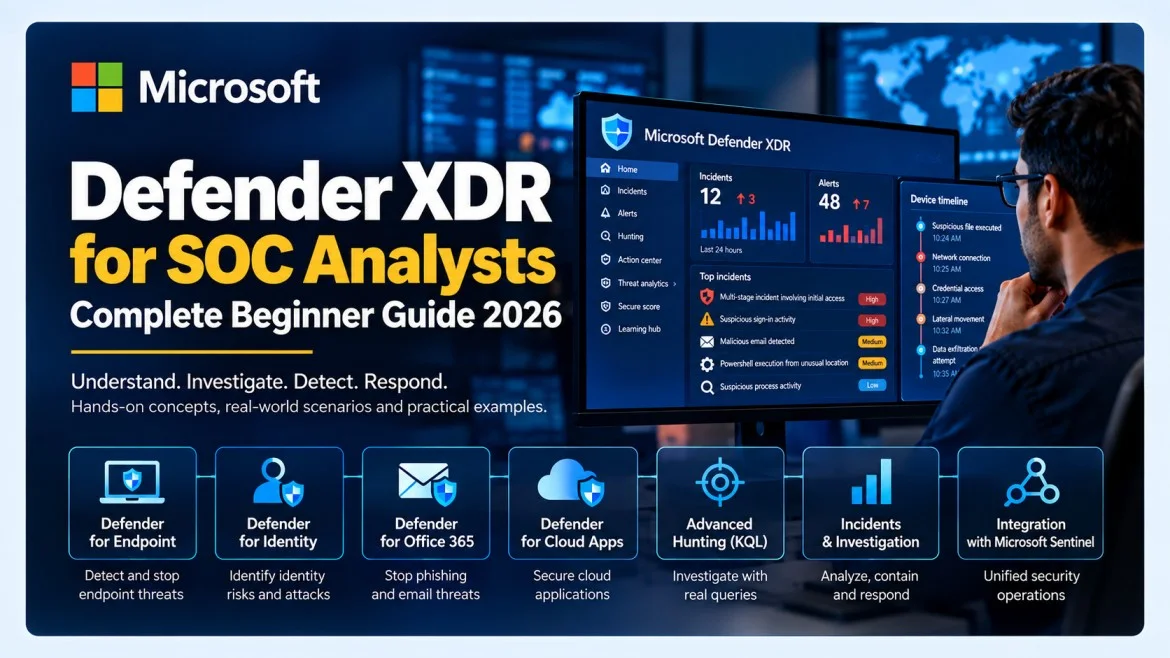
Microsoft Defender XDR for SOC Analysts: Complete Beginner Guide 2026
Understand how Microsoft Defender XDR connects endpoint, identity, email and cloud-app security into one incident-investigation workflow—and how SOC analysts use it for triage, hunting and response.
Microsoft Defender XDR helps security teams investigate and respond to threats across multiple attack surfaces from a unified security experience. Instead of forcing an analyst to investigate endpoint, identity, email and SaaS signals in separate tools, Defender XDR correlates signals and alerts into incidents that can be triaged as one attack story.
For SOC analysts, the practical value is simple: fewer isolated alerts, more context, faster investigation and better evidence for response decisions.
Build the fundamentals first with the SOC Analyst Training Program, the Microsoft Sentinel Tutorial for Beginners, and the Active Directory for Cybersecurity guide.
1. What Is Microsoft Defender XDR?
Microsoft Defender XDR is Microsoft's extended detection and response platform for coordinating prevention, detection, investigation and response across enterprise attack surfaces. It brings together telemetry and alerts involving endpoints, identities, email, collaboration workloads and cloud applications.
The platform's strength is correlation. A suspicious sign-in, a malicious email, a PowerShell process and an endpoint malware alert may look unrelated in isolation. Defender XDR can connect them when they involve the same user, device, mailbox or attack chain.
2. Why SOC Analysts Need Defender XDR
A modern SOC receives security signals from many sources. The challenge is not simply collecting alerts; it is deciding which alerts belong together, what happened first, which entities are affected and what response is justified.
L1 Analyst
Reviews incident severity, alerts, entities, attack story and initial evidence.
L2 Analyst
Performs deeper endpoint, identity and email investigation and coordinates containment.
Threat Hunter
Uses Advanced Hunting and KQL to uncover related activity not already surfaced by alerts.
SOC Lead
Reviews incident quality, alert noise, automation and operational coverage.
3. Microsoft Defender XDR Architecture
Endpoint telemetry ───────┐
Identity activity ────────┤
Email & collaboration ────┤
Cloud app activity ───────┤
                          ▼
                  Microsoft Defender XDR
                          │
           Alerts → Incidents → Entities
                          │
         Investigation → Hunting → Response
                          │
                          ▼
               Microsoft Sentinel (optional)
Microsoft continues to unify Defender XDR and Microsoft Sentinel experiences in the Microsoft Defender portal, reducing context switching between XDR and SIEM investigation.
4. Core Defender XDR Components
Microsoft Defender for Endpoint
Provides endpoint detection and response visibility for devices, including processes, files, network connections, device alerts and response actions.
Microsoft Defender for Identity
Provides identity-focused detections and investigation context, especially relevant to Active Directory, credential abuse and lateral movement.
Microsoft Defender for Office 365
Supports investigation of phishing, malicious attachments, URLs, mailbox threats and collaboration-based attacks.
Microsoft Defender for Cloud Apps
Adds visibility into SaaS and cloud application usage, risky sessions and app-related threats.
5. Alerts vs Incidents
| Term | Meaning | Example |
|---|---|---|
| Event | A recorded activity | PowerShell started |
| Alert | Suspicious activity identified by a detection | Suspicious PowerShell behavior |
| Incident | A case that groups related alerts and context | Phishing + credential theft + endpoint execution |
| Entity | An object involved in the incident | User, device, IP, mailbox, URL, file |
| Evidence | Data supporting the analyst conclusion | Process tree, email trace, sign-in activity |
An alert is a lead, not proof. The analyst must validate what happened, affected entities, timeline, business context and possible impact.
6. SOC Investigation Workflow
- Read the incident title and summary.
- Check severity, status and creation time.
- Review all related alerts.
- Identify users, devices, IPs, URLs, files and mailboxes.
- Review the timeline or attack story.
- Pivot into affected entities.
- Run hunting queries for related activity.
- Assess scope and business impact.
- Contain, remediate or escalate according to approved process.
- Document evidence, decisions and next steps.
7. Entities and Evidence
Common entities include user accounts, devices, IP addresses, email addresses, mailboxes, URLs, domains, files and cloud applications. Strong investigations pivot between these entities.
For example, from a phishing email you may pivot to the recipient, then to sign-in activity, then to the user's endpoint, then to a suspicious process tree.
This is why Active Directory knowledge and Windows Event IDs remain relevant even in modern XDR workflows.
8. Automated Investigation and Response
Automated Investigation and Response can investigate certain alerts and recommend or execute remediation actions depending on product configuration and organizational policy.
- Investigate suspicious files or processes
- Analyze impacted devices
- Quarantine malicious files
- Remediate email threats
- Coordinate response actions across security workloads
9. Advanced Hunting
Advanced Hunting lets analysts query Defender data proactively. Use it to investigate a hypothesis, search for related activity, validate an alert or create custom detections.
- Did the same process run on other devices?
- Did this user contact the same malicious domain earlier?
- Did other users receive the same email?
- Did this file hash appear elsewhere?
- Which devices connected to this IP?
Advanced Hunting uses Kusto Query Language (KQL), making Microsoft Sentinel KQL knowledge directly transferable.
10. Practical KQL Examples
Schema availability varies by environment. Validate these learning examples before operational use.
Suspicious PowerShell
DeviceProcessEvents
| where Timestamp > ago(24h)
| where FileName in~ ("powershell.exe","pwsh.exe")
| where ProcessCommandLine has_any ("EncodedCommand","FromBase64String","DownloadString","Invoke-Expression")
| project Timestamp, DeviceName, AccountName, FileName, ProcessCommandLine
| order by Timestamp desc
Known file hash
DeviceFileEvents
| where Timestamp > ago(7d)
| where SHA256 == "PUT_HASH_HERE"
| project Timestamp, DeviceName, FileName, FolderPath, SHA256
Suspicious domain
DeviceNetworkEvents
| where Timestamp > ago(24h)
| where RemoteUrl contains "example-domain.com"
| project Timestamp, DeviceName, InitiatingProcessFileName, RemoteUrl, RemoteIP
Phishing email activity
EmailEvents
| where Timestamp > ago(7d)
| where ThreatTypes has "Phish"
| project Timestamp, SenderFromAddress, RecipientEmailAddress, Subject, DeliveryAction, ThreatTypes
For more KQL practice, use the Microsoft Sentinel Tutorial.
11. Defender XDR vs Microsoft Sentinel
| Area | Defender XDR | Microsoft Sentinel |
|---|---|---|
| Primary role | XDR across Microsoft security workloads | SIEM and broader security operations |
| Data focus | Endpoint, identity, email, cloud app | Microsoft plus third-party, cloud, network and custom data |
| Investigation | Correlated XDR incidents and entities | SIEM incidents across wider data sources |
| Hunting | Advanced Hunting | KQL across Sentinel data |
| Unified use | Can be used together in the Microsoft Defender portal | |
When Sentinel is onboarded to the Defender portal, analysts can hunt across Defender XDR and Sentinel data in one experience and synchronize incident context.
12. Practical Scenario: Phishing to Endpoint Compromise
Phishing email
      ↓
User clicks link
      ↓
Credential theft
      ↓
Suspicious sign-in
      ↓
PowerShell execution
      ↓
Outbound connection
      ↓
Defender XDR incident
      ↓
SOC triage → hunt → contain → remediate
Step 1: Review the email
Check sender, recipient, subject, URL, attachment, delivery action and whether other users received the same message.
Step 2: Review the identity
Check sign-in anomalies, risky activity, unfamiliar source addresses and related identity alerts.
Step 3: Review the endpoint
Inspect the process tree. Did the browser launch PowerShell? Did PowerShell spawn another process or create a network connection?
Step 4: Hunt for scope
Search the URL, hash, process command line and IP address across the environment.
Step 5: Coordinate response
Depending on evidence and approved procedures, isolate a device, reset credentials, remove malicious email, block indicators and escalate.
Map behavior to adversary objectives using the MITRE ATT&CK Framework Guide.
13. Identity Investigations
Identity attacks can begin before endpoint malware is visible. Common areas include password spraying, credential theft, suspicious privileged access, account takeover and lateral movement with valid credentials.
Learn domain controllers, Kerberos, NTLM, groups and authentication events in the Active Directory guide.
14. Endpoint Investigations
- What process started first?
- What parent process launched it?
- Which account executed it?
- What command line was used?
- Did it create files or persistence?
- Did it connect externally?
- Did similar behavior occur elsewhere?
Use the Windows Event IDs guide as supporting knowledge.
15. Email and Collaboration Investigations
For phishing, review who sent the message, who received it, whether it was delivered or removed, which URLs or attachments were present, whether others were targeted and whether the user interacted with it.
16. Best Practices for SOC Analysts
- Prioritize context over severity.
- Start from the incident, then pivot into alerts.
- Review entity history and normal behavior.
- Hunt after validating suspicious activity.
- Separate evidence from assumptions.
- Do not automate containment before understanding false positives.
- Review closed incidents for tuning opportunities.
- Use MITRE ATT&CK mapping to explain attacker objectives.
17. Hands-On Lab Ideas
Use only authorized labs, evaluation tenants or safe training datasets.
- Review a sample incident and identify alerts, entities and timeline.
- Create benign PowerShell activity and hunt for it.
- Trace a safe sample phishing email across recipient and endpoint evidence.
- Analyze failed sign-ins and identity changes in a test account.
- Search a benign test indicator across multiple hunting tables.
- Compare one investigation in Defender XDR and Sentinel.
18. 60-Day Learning Roadmap
| Period | Focus | Goal |
|---|---|---|
| Days 1–10 | Windows, networking, identity | Understand devices, users, authentication and logs |
| Days 11–20 | Defender portal | Learn incidents, alerts, entities and timelines |
| Days 21–30 | Endpoint + email | Trace processes and phishing evidence |
| Days 31–40 | KQL + Advanced Hunting | Write and explain hunting queries |
| Days 41–50 | Sentinel integration | Understand SIEM vs XDR |
| Days 51–60 | Portfolio cases | Document three end-to-end investigations |
19. Interview Questions
What is Microsoft Defender XDR?
An XDR platform that correlates signals and supports investigation and response across Microsoft security workloads including endpoint, identity, email and cloud applications.
Alert vs incident?
An alert represents suspicious activity detected by one product or rule. An incident groups related alerts and context into a case.
What is Advanced Hunting?
A query-based threat-hunting capability that searches security telemetry using KQL.
Defender XDR vs Sentinel?
Defender XDR provides cross-domain XDR for Microsoft workloads; Sentinel provides SIEM across broader Microsoft and third-party data.
What are entities?
Objects involved in incidents, such as users, devices, mailboxes, IPs, URLs and files.
Why is KQL important?
KQL lets analysts search, filter, correlate and summarize telemetry for investigations and hunting.
How do you investigate phishing?
Review the message and indicators, pivot to identity and endpoint activity, hunt related evidence, determine scope and coordinate response.
20. Frequently Asked Questions
Is Defender XDR a SIEM?
No. Defender XDR is an XDR platform; Microsoft Sentinel provides SIEM capabilities. They can work together.
Do SOC analysts need KQL?
Basic triage can be done without deep KQL, but KQL becomes important for Advanced Hunting, investigations, detection engineering and Sentinel.
Is Defender XDR good for beginners?
Yes, but learn Windows, networking, identity and security events first so alerts and entities have context.
Does Defender XDR replace SOC analysts?
No. Automation reduces repetitive work, but analysts still validate evidence, assess impact, determine scope and improve detections.
What should I learn before Defender XDR?
Networking, Windows, Active Directory or Entra identity concepts, security logs, incident-response basics and simple KQL.
Is Defender XDR relevant to SC-200?
Yes. Microsoft security-operations learning includes Defender XDR, Sentinel, Entra ID and KQL concepts. Always check the current exam blueprint.
Final Takeaway
Microsoft Defender XDR becomes valuable when you stop thinking in terms of isolated alerts and start thinking in terms of attack stories, entities, evidence and scope.
A strong SOC analyst should answer five questions: What happened? Which entities are affected? How did the activity progress? How far did it spread? What response is justified by the evidence?
Build Practical SOC and Microsoft Security Skills
CybersecurityTRAIN focuses on practical security operations, SIEM, incident investigation, threat hunting and job-readiness skills.
Call/WhatsApp: +91 98857 89887
Email: trainings@thecyberseal.com