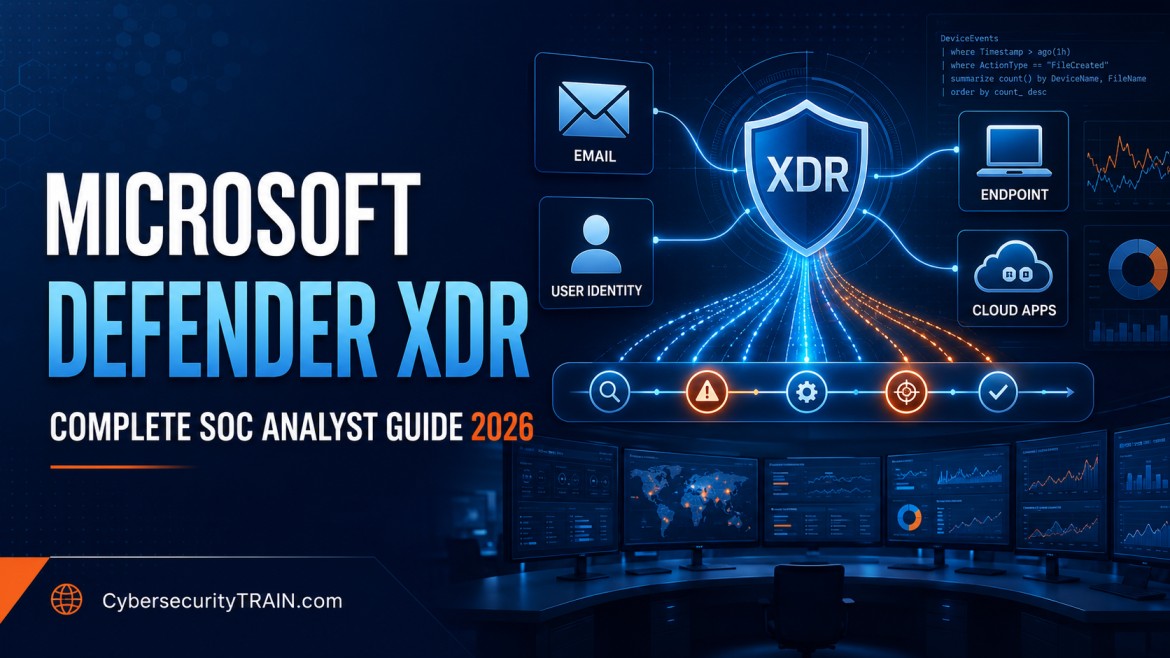
2026 Beginner-to-SOC Guide
Microsoft Defender XDR Tutorial for Beginners
Learn how modern SOC teams connect alerts across endpoints, identities, email and cloud applications—and turn scattered signals into a complete incident story.
Modern attacks rarely stay within a single device or security control.
A phishing email may steal a user’s credentials. The attacker may then sign in from an unusual location, access cloud applications, run malicious commands on an endpoint and attempt to move laterally through the organisation.
If every security tool produces a separate alert, the Security Operations Centre must manually connect the evidence. That slows investigation and makes it easier to miss the complete attack story.
Microsoft Defender XDR helps address this problem by bringing security signals from endpoints, identities, email and applications into a unified investigation and response experience.
For aspiring SOC analysts, Defender XDR is not simply another tool to add to a resume. It is a practical environment for learning how alerts become incidents, how evidence is correlated, how users and devices are investigated, how threats are contained and how Kusto Query Language—or KQL—is used for proactive hunting.
This Microsoft Defender XDR tutorial explains the platform from a beginner-friendly, SOC-focused perspective.
Simple explanation: Microsoft Defender XDR helps a security team see connected attacker activity across users, devices, email and cloud applications instead of investigating every alert in isolation.
What You Will Learn
By the end of this guide, you will understand:
- What Microsoft Defender XDR is and why SOC teams use it
- The difference between antivirus, EDR, XDR and SIEM
- The security products and data sources connected through Defender XDR
- The difference between an alert and an incident
- How a SOC analyst should investigate a Defender XDR incident
- How automated investigation and response supports analysts
- How advanced hunting and KQL are used to investigate threats
- How Microsoft Defender XDR works with Microsoft Sentinel
- Which Defender XDR skills are valuable for SOC careers
- How to build a safe and practical learning plan
Table of Contents
- What is Microsoft Defender XDR?
- Why SOC teams need XDR
- Antivirus vs EDR vs XDR vs SIEM
- Components of Microsoft Defender XDR
- How Defender XDR works
- Alerts vs incidents
- Incident investigation workflow
- Automated investigation and response
- Advanced hunting with KQL
- Practical KQL examples
- Defender XDR and Microsoft Sentinel
- Permissions and role-based access
- Practical learning lab
- Skills for SOC analysts
- Common beginner mistakes
- Learning roadmap
- Interview questions
- Frequently asked questions
What Is Microsoft Defender XDR?
Microsoft Defender XDR is Microsoft’s extended detection and response platform. It coordinates prevention, detection, investigation and response across multiple security domains, including:
- Endpoints
- Identities
- Email and collaboration
- Cloud applications
- Vulnerability information
Microsoft describes Defender XDR as a unified pre-breach and post-breach enterprise defence suite. Its purpose is to combine signals from different Microsoft security products and help analysts understand the complete sequence of an attack.
You can review the current product description in the official Microsoft Defender XDR documentation.
Consider this simplified scenario:
- A user receives a phishing email.
- The user opens a malicious link.
- The attacker obtains the user’s credentials.
- A suspicious sign-in occurs.
- A malicious process runs on the user’s laptop.
- The compromised identity accesses a cloud application.
Without cross-domain correlation, these activities may appear as separate alerts in different consoles. Defender XDR can connect relevant signals and group them into an incident, helping the analyst see the attack as a related sequence.
Why SOC Teams Need XDR
Security teams often manage many tools:
- Endpoint security
- Email security
- Identity protection
- Cloud application security
- SIEM
- Vulnerability management
- Threat intelligence
The problem is not only the number of alerts. The harder problem is determining which alerts are connected, which assets are affected, what the attacker did and what the organisation should do next.
An XDR platform helps SOC teams:
- Correlate related alerts
- Build an attack timeline
- Prioritise incidents
- Investigate users, devices, files, URLs and IP addresses
- Identify the scope of compromise
- Take response actions
- Hunt for similar activity
- Improve detections using investigation findings
SOC analyst mindset: Do not ask only, “Is this alert malicious?” Ask, “What happened before and after this activity, which entities were affected, and how far did the attacker progress?”
Antivirus vs EDR vs XDR vs SIEM
These terms are related, but they do not mean the same thing.
| Technology | Primary purpose | Typical data scope | SOC use |
|---|---|---|---|
| Antivirus | Prevent and detect known malicious files or behaviour | Individual endpoint | Basic malware prevention and detection |
| EDR | Detect, investigate and respond to endpoint threats | Endpoint processes, files, users and network activity | Endpoint investigation, isolation and remediation |
| XDR | Correlate and respond across multiple security domains | Endpoints, identities, email and applications | Cross-domain incident investigation and response |
| SIEM | Collect, retain, correlate and analyse security data from many sources | Cloud, network, identity, endpoint, application and third-party logs | Central monitoring, detection, hunting, compliance and reporting |
EDR provides deep endpoint visibility. XDR connects signals across multiple security domains. SIEM provides broader log collection and correlation across Microsoft and non-Microsoft technologies.
These tools are complementary. A mature SOC may use Microsoft Defender XDR for Microsoft security signals and Microsoft Sentinel for SIEM and SOAR capabilities across a wider environment.
For a deeper SIEM explanation, read the Microsoft Sentinel tutorial for beginners.
Components of Microsoft Defender XDR
The Defender XDR experience can bring together evidence from several Microsoft security products.
Microsoft Defender for Endpoint
Defender for Endpoint provides endpoint protection, detection and response across supported devices.
It can provide evidence such as:
- Process execution
- File activity
- Network connections
- Logged-on users
- Device alerts
- Vulnerability information
- Endpoint investigation and response actions
For a SOC analyst, endpoint telemetry helps answer questions such as:
- Which process created the suspicious file?
- Which user was logged on?
- Did PowerShell run?
- Did the device contact an unusual destination?
- Did the same activity occur on other devices?
Microsoft Defender for Identity
Defender for Identity uses identity-related signals to detect suspicious activity involving accounts and directory environments.
It can help investigate:
- Suspicious authentication
- Identity reconnaissance
- Credential misuse
- Privilege-related activity
- Lateral movement
- Compromised users
Identity context is critical because attackers often target accounts instead of attempting to break through a network perimeter directly.
Microsoft Defender for Office 365
Defender for Office 365 focuses on threats involving email and collaboration.
Relevant evidence may include:
- Malicious or suspicious messages
- URLs
- Attachments
- Sender information
- Delivery actions
- User-reported messages
- Post-delivery activity
If email investigation is new to you, use the phishing email investigation guide to understand headers, URLs, attachments, authentication results and response decisions.
Microsoft Defender for Cloud Apps
Defender for Cloud Apps provides visibility and control for supported cloud applications and user activity.
It can help identify:
- Suspicious cloud application activity
- Unusual access patterns
- Risky sessions
- Data access concerns
- Application-related threats
Microsoft Defender Vulnerability Management
Vulnerability information gives an analyst valuable context. A device alert becomes more urgent when the affected endpoint is exposed to a known weakness or has a high-risk configuration.
Vulnerability context should support prioritisation, but it should not replace investigation. Analysts must still determine whether exploitation occurred.
How Microsoft Defender XDR Works
At a high level, Defender XDR follows this flow:
- Connected security products collect telemetry.
- Individual products generate detections and alerts.
- Defender XDR correlates related alerts and evidence.
- Connected alerts are grouped into incidents.
- Analysts investigate the incident, entities and timeline.
- Automated and manual response actions help contain or remediate the threat.
- Analysts use advanced hunting to search for related activity.
- Findings are used to improve detections, playbooks and security controls.
The Microsoft Defender portal provides unified experiences for incidents and alerts, hunting, actions, submissions and threat analytics. Microsoft documents the current portal capabilities in its Defender portal overview.
Alerts vs Incidents in Microsoft Defender XDR
Beginners frequently use “alert” and “incident” interchangeably, but the distinction matters.
What is an alert?
An alert represents a detected suspicious or potentially malicious activity.
Examples include:
- A suspicious PowerShell command
- A malicious attachment
- An unusual sign-in
- Credential dumping behaviour
- Communication with a malicious domain
An alert is a signal that requires assessment. It is not automatic proof that a successful attack occurred.
What is an incident?
An incident is a collection of related alerts and evidence that may represent a broader attack.
An incident can include:
- Multiple alerts
- Affected users
- Devices
- Mailboxes
- Applications
- Files
- URLs
- IP addresses
- Investigation evidence
- Automated or manual response actions
Microsoft’s incidents and alerts overview explains how the Defender portal supports alert correlation, investigation and proactive hunting.
| Alert | Incident |
|---|---|
| Represents one detection | Represents a potentially connected attack story |
| May involve one product or entity | Can involve multiple products and entities |
| Requires validation | Requires scoping, containment and coordinated response |
| May be benign or false positive | May combine alerts into a higher-confidence investigation |
Step-by-Step Defender XDR Incident Investigation
A reliable investigation process is more important than clicking through the portal quickly.
Step 1: Review the incident summary
Start by reviewing:
- Incident title
- Severity
- Status
- Alert count
- Affected users and devices
- Detection sources
- First and last activity time
- Assigned analyst
- Incident classification
Do not make a decision using severity alone. Severity is a prioritisation signal, not the final verdict.
Step 2: Examine the attack story
Review the sequence of alerts and activities.
Ask:
- What appears to be the initial access method?
- Which activity occurred first?
- Did the attacker move from email to identity or endpoint activity?
- Did the incident involve persistence or privilege escalation?
- Was data accessed or transferred?
- Is the incident still active?
Map meaningful behaviour to MITRE ATT&CK when useful. The goal is not to attach as many technique labels as possible. The goal is to understand attacker behaviour.
Step 3: Investigate affected entities
Review every important entity:
- User account
- Device
- Mailbox
- File
- Process
- URL
- Domain
- IP address
- Cloud application
For a user, review authentication, risk, privilege, recent alerts and related devices.
For a device, review logged-on users, alerts, processes, network connections, exposure and timeline.
For a file, review its hash, prevalence, origin, signer, process relationships and presence on other devices.
Step 4: Build a timeline
Create a clear sequence:
- What happened first?
- Which account or device was initially affected?
- What activity followed?
- Were additional systems involved?
- Which response actions have already occurred?
A timeline prevents analysts from treating evidence as unrelated events.
Step 5: Determine scope
Search for the same:
- File hash
- URL or domain
- IP address
- Process command line
- User
- Device
- Email subject
- Sender
- Detection pattern
One affected endpoint may be part of a larger campaign. Advanced hunting can help identify similar activity across the environment.
Step 6: Establish a verdict
Your conclusion may be:
- True positive
- Benign positive
- False positive
- Informational or expected activity
- Undetermined and requiring escalation
Document the evidence supporting the decision. Avoid closing an alert only because the user says, “I did it.” The activity may still be unsafe, unauthorised or the result of account compromise.
Step 7: Contain and remediate
Depending on confirmed scope, authorised actions may include:
- Isolating a device
- Disabling or containing a compromised account
- Resetting credentials
- Revoking active sessions
- Blocking a file, URL, domain or indicator
- Quarantining malicious email
- Removing persistence
- Patching vulnerabilities
- Collecting an investigation package
- Escalating to incident response, legal, privacy or management teams
Follow the organisation’s approval and change-control procedures. Response actions can disrupt users and business services.
Step 8: Close with complete documentation
Record:
- What triggered the incident
- What evidence was reviewed
- What scope was identified
- What verdict was reached
- Which containment actions were taken
- Which remediation remains open
- Which detection or control should be improved
- Who owns the follow-up work
Professional habit: A closed incident without clear evidence and reasoning is difficult to audit, learn from or defend later.
Automated Investigation and Response
Automated investigation and response can analyse selected alerts and perform or recommend remediation actions.
Automation can help:
- Reduce repetitive analyst effort
- Collect evidence
- Analyse suspicious entities
- Identify related activity
- Recommend remediation
- Support faster containment
However, automation does not remove analyst responsibility.
The SOC analyst should verify:
- What triggered the automation
- Which evidence was collected
- Which actions were completed
- Which actions are pending
- Whether the action affected a legitimate user or business process
- Whether the threat has been fully contained
Automation is most effective when paired with good detection logic, appropriate permissions, tested playbooks and human oversight.
Advanced Hunting in Microsoft Defender XDR
Advanced hunting is a query-based threat-hunting capability in the Defender portal. It allows analysts to search available telemetry using KQL.
According to Microsoft’s advanced hunting overview, analysts can use it to inspect events proactively, locate indicators and investigate known or potential threats.
Common hunting objectives include:
- Finding similar activity across devices
- Investigating suspicious logons
- Tracing a process tree
- Searching for a file hash
- Identifying repeated malicious emails
- Reviewing connections to a suspicious destination
- Validating the scope of an incident
- Creating custom detections
Advanced hunting should begin with a clear question. Running large queries without a hypothesis can produce noise and waste time.
Start with five investigation questions
Before writing a query, ask:
- Which entity am I investigating?
- What timeframe is relevant?
- Which table contains the required data?
- Which fields identify the suspicious activity?
- What result would confirm or reject my hypothesis?
Practical Defender XDR KQL Examples
The following examples are defensive learning queries. Available tables, fields, retention and results depend on licensing, connected products, permissions and data availability. Validate queries in a lab or authorised environment before using them operationally.
1. Find repeated failed device logons
DeviceLogonEvents
| where Timestamp > ago(24h)
| where ActionType == "LogonFailed"
| summarize FailedAttempts=count(),
            TargetDevices=dcount(DeviceName)
    by AccountName, RemoteIP
| where FailedAttempts >= 5
| order by FailedAttempts desc
This query highlights accounts and remote IP addresses associated with repeated failed logons.
Possible explanations include:
- Password guessing
- A user entering an incorrect password
- An application using stale credentials
- A misconfigured service
The query identifies activity requiring investigation; it does not prove an attack.
2. Review PowerShell process activity
DeviceProcessEvents
| where Timestamp > ago(24h)
| where FileName in~ ("powershell.exe", "pwsh.exe")
| project Timestamp,
          DeviceName,
          AccountName,
          FileName,
          ProcessCommandLine,
          InitiatingProcessFileName
| order by Timestamp desc
PowerShell is a legitimate administrative tool. Analysts should investigate context such as:
- Parent process
- User
- Device
- Command line
- Execution time
- Related network activity
- Whether the activity matches approved administration
Learn more from PowerShell for SOC Analysts.
3. Review alerts by severity and detection source
AlertInfo
| where Timestamp > ago(7d)
| summarize AlertCount=count()
    by Severity, ServiceSource
| order by AlertCount desc
This provides a high-level view of alert distribution. It can help identify noisy sources, but alert counts alone do not measure SOC effectiveness.
4. Search for a suspicious SHA-256 hash
DeviceFileEvents
| where Timestamp > ago(30d)
| where SHA256 == "REPLACE_WITH_AUTHORISED_INDICATOR"
| project Timestamp,
          DeviceName,
          FileName,
          FolderPath,
          SHA256,
          InitiatingProcessAccountName
Replace the placeholder only with an indicator you are authorised to investigate. Do not upload sensitive internal indicators to unapproved public services.
5. Identify devices communicating with a suspicious IP
DeviceNetworkEvents
| where Timestamp > ago(7d)
| where RemoteIP == "REPLACE_WITH_AUTHORISED_IP"
| project Timestamp,
          DeviceName,
          InitiatingProcessFileName,
          InitiatingProcessCommandLine,
          RemoteIP,
          RemotePort,
          RemoteUrl
| order by Timestamp desc
Review the destination, process, user, frequency and whether the connection is expected.
For additional learning examples, see 25 KQL queries every SOC analyst should know.
From Hunting Query to Custom Detection
A useful hunting query can sometimes become a custom detection.
Before creating a detection:
- Define the threat behaviour.
- Confirm the required telemetry is consistently available.
- Test the query against historical data.
- Identify legitimate administrative activity.
- Add reasonable exclusions.
- Choose an appropriate severity.
- Document analyst investigation steps.
- Monitor false positives after deployment.
Microsoft explains that custom detection rules can run advanced hunting queries on a schedule to generate alerts and, where configured, perform response actions.
Detection engineering is not a one-time activity. Rules require tuning as environments, attacker behaviour and business processes change.
Microsoft Defender XDR and Microsoft Sentinel
Defender XDR and Microsoft Sentinel are increasingly experienced through the unified Microsoft Defender portal, but they still solve different parts of the security operations problem.
Defender XDR contributes:
- Microsoft security product signals
- Cross-domain alert correlation
- Incidents and attack stories
- Entity investigation
- Endpoint, identity, email and application response
- Advanced hunting across available Defender data
Microsoft Sentinel contributes:
- Cloud-native SIEM capabilities
- Broader Microsoft and third-party data ingestion
- Analytics rules
- Workbooks and reporting
- Threat hunting
- Automation and orchestration
- Longer-term and broader log-analysis use cases, depending on configuration
Microsoft states that Sentinel is generally available in the Defender portal. Its current documentation also says that, after 31 March 2027, Microsoft Sentinel will no longer be supported in the Azure portal and will be available only through the Defender portal. Organisations should verify the current transition guidance before planning operational changes.
The combination supports a unified SOC workflow:
Security telemetry
      ↓
Detections and alerts
      ↓
Correlated incidents
      ↓
Entity investigation
      ↓
Advanced hunting with KQL
      ↓
Containment and remediation
      ↓
Detection and playbook improvement
Permissions and Role-Based Access
SOC analysts should receive only the permissions required for their responsibilities.
Examples:
- An L1 analyst may need to view incidents, investigate evidence and perform limited approved actions.
- An L2 analyst may require deeper hunting and response capabilities.
- An incident responder may need device-isolation or live-response permissions.
- A detection engineer may require permission to create and manage detections.
- An administrator may manage platform configuration and access.
Do not give every analyst Global Administrator or unrestricted security permissions.
Microsoft recommends least-privilege access and provides unified role-based access control for supported security workloads. Review the current Microsoft Defender unified RBAC guidance before designing production roles.
How to Practise Defender XDR Safely
Access to full Defender capabilities may depend on licensing and tenant configuration. Beginners should not test detections or response actions in an employer’s production tenant without permission.
Safe learning options
- Microsoft Learn modules
- An authorised training tenant
- Product trials where eligibility and licensing permit
- Guided labs
- Sample or sanitised datasets
- Documented incident scenarios
- KQL practice using authorised telemetry
Beginner practical exercise
Create a fictional incident involving:
- A suspicious phishing email
- One affected user
- One endpoint
- A suspicious PowerShell process
- A connection to an unusual domain
Then prepare:
- Incident summary
- Affected-entity list
- Investigation timeline
- Three KQL hunting queries
- Evidence table
- Verdict
- Containment recommendations
- Lessons learned
If you need a broader practice environment, start with How to Build a SOC Home Lab.
Defender XDR Skills Required for SOC Analysts
Employers do not need beginners to memorise every portal option. They expect analysts to understand the investigation process.
Focus on these skills:
Security fundamentals
- Networking
- Windows and Linux
- Authentication
- Email security
- Active Directory and cloud identity
- Common attack techniques
Investigation
- Alert triage
- Incident scoping
- Timeline construction
- Entity investigation
- Evidence validation
- Severity assessment
- Documentation
Query and telemetry
- KQL fundamentals
- Endpoint process events
- Logon events
- Network events
- Email events
- Alert and incident data
Response
- Containment decisions
- Escalation
- Endpoint isolation concepts
- Account-remediation concepts
- Indicator blocking
- Email remediation
- Post-incident improvement
Communication
- Clear ticket notes
- Concise escalation summaries
- Business-impact explanation
- Handover between shifts
- Evidence-based recommendations
Understanding important Windows telemetry is also essential. Review Windows Event IDs Every SOC Analyst Should Know.
Common Beginner Mistakes
Closing an alert after checking only one field
A familiar username or device does not make the activity safe. Review the broader evidence.
Treating every alert as a confirmed attack
Alerts require validation. Legitimate tools, user mistakes and administrative activity can resemble malicious behaviour.
Relying only on automation
Automation helps collect and process evidence. The analyst remains responsible for understanding scope, impact and unresolved risk.
Running broad KQL queries without a question
Start with a hypothesis, timeframe, entity and relevant table.
Ignoring identity and email evidence
Endpoint investigation alone may miss the original phishing message or compromised identity.
Taking disruptive actions without approval
Device isolation, account disablement and email remediation can affect business operations. Follow authorised response procedures.
Writing weak investigation notes
“Checked and closed” is not sufficient. Document the evidence, decision and response.
30-Day Microsoft Defender XDR Learning Roadmap
| Week | Focus | Practical outcome |
|---|---|---|
| Week 1 | XDR, EDR, SIEM, incidents, alerts and entities | Explain the platform and investigation lifecycle |
| Week 2 | Endpoint, identity, email and cloud evidence | Investigate a fictional cross-domain incident |
| Week 3 | KQL and advanced hunting | Write and explain at least five defensive queries |
| Week 4 | Response, documentation and interview preparation | Produce a complete incident report and present the findings |
Week 1
- Understand antivirus, EDR, XDR and SIEM
- Learn alerts versus incidents
- Review severity, status and incident assignment
- Study users, devices, files, URLs and IP entities
Week 2
- Review endpoint process and network telemetry
- Study identity-related activity
- Practise phishing investigation
- Build an attack timeline
- Map selected behaviours to MITRE ATT&CK
Week 3
- Learn KQL operators such as
where,project,summarize,order byandjoin - Query device and alert tables
- Search for an authorised indicator
- Document expected false positives
- Convert one hunting idea into a detection specification
Week 4
- Practise containment decisions
- Write clear incident notes
- Create an escalation summary
- Complete a mock incident
- Prepare for tool-based interview questions
Microsoft’s current Security Operations Analyst learning path covers threat investigation, response and hunting using Defender XDR, Microsoft Sentinel and related Microsoft security technologies. See the official SC-200 course information.
Microsoft Defender XDR Interview Questions
1. What is Microsoft Defender XDR?
Microsoft Defender XDR is an extended detection and response platform that correlates security signals across endpoints, identities, email and applications to support unified detection, investigation and response.
2. What is the difference between an alert and an incident?
An alert represents an individual detection. An incident groups related alerts and evidence into a broader attack story for investigation and response.
3. How is Defender XDR different from Microsoft Sentinel?
Defender XDR focuses on correlation and response across Microsoft security products. Microsoft Sentinel is a cloud-native SIEM and SOAR platform designed to ingest and analyse broader Microsoft and third-party security data.
4. What is advanced hunting?
Advanced hunting is a query-based capability that allows analysts to proactively search available telemetry using KQL.
5. What should an analyst review first in an incident?
The analyst should review severity, affected entities, alert sources, timeframe and the attack story, then validate evidence before deciding on scope and response.
6. Why are process trees important?
Process trees show parent-child relationships between processes. They help determine how suspicious activity started and which commands or programs followed.
7. Does a high-severity incident always mean a confirmed breach?
No. Severity supports prioritisation, but analysts must validate the evidence, context, scope and business impact.
8. What is the role of KQL in Defender XDR?
KQL is used in advanced hunting to query security telemetry, investigate incidents, identify related activity and develop custom detections.
Frequently Asked Questions
Is Microsoft Defender XDR a SIEM?
No. Defender XDR is an extended detection and response platform. Microsoft Sentinel is Microsoft’s cloud-native SIEM and SOAR platform. They can work together through a unified security operations experience.
Is Microsoft Defender XDR the same as Microsoft 365 Defender?
Microsoft 365 Defender was renamed Microsoft Defender XDR. Older documentation, training material and interview questions may still use the previous name.
Do SOC analysts need to learn KQL for Defender XDR?
KQL is highly valuable for advanced hunting, incident scoping and custom detections. Beginners can start with simple filters and projections before learning summarisation, joins and more complex investigation queries.
Is Defender for Endpoint the same as Defender XDR?
No. Defender for Endpoint focuses on endpoint security and EDR capabilities. Defender XDR correlates signals across endpoints, identities, email and cloud applications.
Can a beginner practise Defender XDR for free?
Some Microsoft Learn content is freely available. Full hands-on platform capabilities may require an eligible licence, trial or authorised training environment. Licensing and trial availability can change, so verify current Microsoft terms.
What should an L1 SOC analyst know about Defender XDR?
An L1 analyst should understand incident queues, alert validation, entity investigation, evidence review, basic KQL, escalation, documentation and approved response procedures.
Can Defender XDR automatically respond to threats?
It supports automated investigation and response capabilities for eligible products and configurations. Analysts should still review automated findings, completed actions and remaining risk.
How does Defender XDR help with phishing investigations?
It can connect email evidence with affected identities, endpoints and subsequent activities, helping analysts determine whether a phishing message led to credential misuse or endpoint compromise.
Which certification covers Microsoft Defender XDR?
Microsoft’s Security Operations Analyst Associate certification and the SC-200 learning path cover investigation, response and hunting using Microsoft Defender XDR, Microsoft Sentinel and related security technologies. Always verify the current exam guide because objectives can change.
How long does it take to learn Defender XDR?
A beginner can understand the basic investigation workflow in several weeks, but operational competence requires continued practice with incidents, telemetry, KQL, response procedures and documentation.
Conclusion
Microsoft Defender XDR helps SOC teams connect evidence across endpoints, identities, email and cloud applications.
The most important skill is not memorising the portal. It is learning to investigate systematically:
- Review the incident.
- Understand the attack story.
- Investigate affected entities.
- Build a timeline.
- Determine scope.
- Validate the evidence.
- Contain and remediate.
- Document the decision.
- Improve the detection and response process.
Start with alerts and incidents, then learn entity investigation and basic KQL. After that, practise cross-domain investigations that combine email, identity and endpoint evidence.
That progression will help you build skills relevant to modern SOC environments and prepare you to explain your investigation process confidently during interviews.
Build Practical Microsoft SOC Skills
CybersecurityTRAIN.com helps learners build practical skills across alert triage, SIEM, KQL, Windows security, phishing investigation, incident response and SOC documentation.
- Explore the SOC Analyst Training Program
- Build guided experience through the CyberReady 360 Internship Program
- Get free cybersecurity career counselling
WhatsApp or call: +91 98857 89887
Email: trainings@thecyberseal.com
Career support may include resume review, interview preparation, LinkedIn guidance and role-focused mentoring. Employment outcomes depend on the learner’s skills, performance and market conditions.
About the Author
Sanjay Verma, CISSP, CCSP, C|CISO is a cybersecurity professional and mentor with extensive experience across enterprise security, cloud security, Zero Trust, managed security services, security architecture, risk management and career-focused cybersecurity training.
CybersecurityTRAIN.com is a cybersecurity training initiative and a unit of Cyberseal Infosec Solutions Pvt. Ltd.