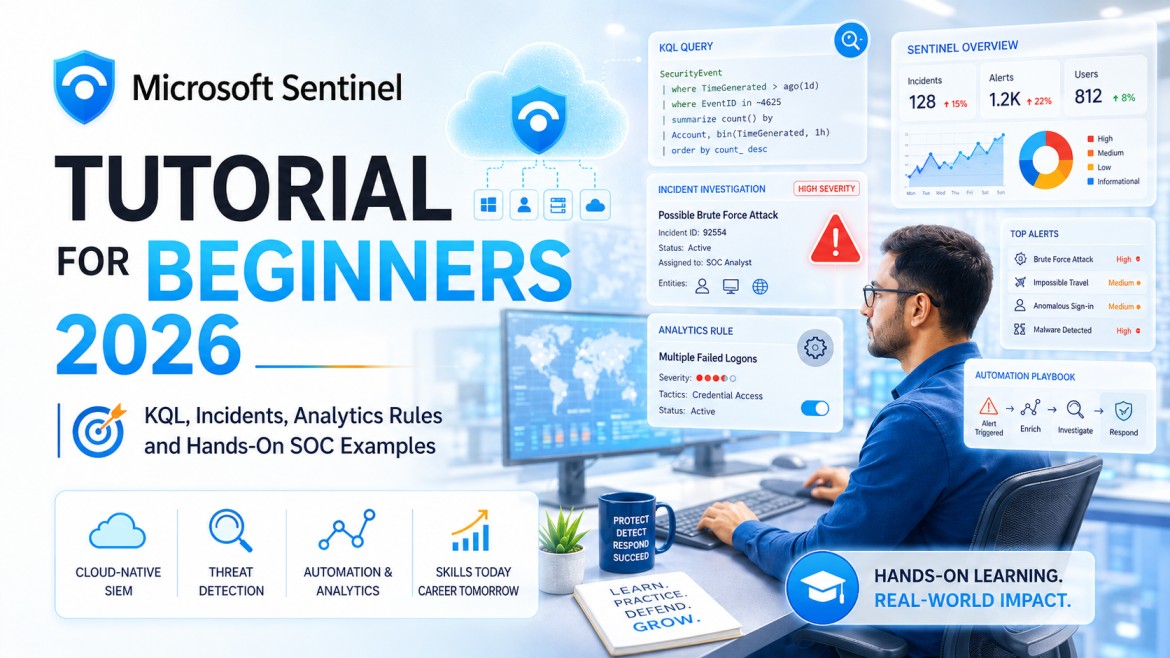
Microsoft Sentinel Tutorial for Beginners 2026: KQL, Incidents, Analytics Rules and Hands-On SOC Examples
Learn Microsoft Sentinel from the ground up. This complete tutorial explains architecture, data connectors, Log Analytics, KQL queries, analytics rules, incidents, workbooks, automation, threat hunting, UEBA, Defender XDR integration and practical SOC investigations.
Microsoft Sentinel is one of the most important cloud-native security platforms for SOC Analysts working in Microsoft-focused and hybrid environments. It helps security teams collect security data, identify suspicious behaviour, investigate incidents, hunt for threats and automate response workflows.
For beginners, Sentinel may initially appear complicated because it includes many connected components: data connectors, tables, KQL, analytics rules, incidents, entities, workbooks, automation rules, playbooks, watchlists, threat intelligence and behavioural analytics.
The easiest way to understand Microsoft Sentinel: Security data enters Sentinel, KQL and analytics examine that data, suspicious activity produces alerts, related alerts become incidents, analysts investigate those incidents, and automation helps perform repeatable response actions.
Important Platform Note for 2026
Microsoft is increasingly delivering Sentinel through the unified Microsoft Defender portal. Some organisations may still use the Azure portal, while others operate through Defender. The concepts in this guide remain relevant, but menu names and navigation can vary.
What Is Microsoft Sentinel?
Microsoft Sentinel is a cloud-native security platform that provides SIEM and security-operations capabilities. It helps organisations collect, analyse and investigate security data across cloud, on-premises and third-party environments.
Security Visibility
Collect logs and security telemetry from identities, endpoints, networks, applications, cloud platforms and security tools.
Threat Detection
Use analytics rules, behavioural analysis and threat intelligence to identify suspicious activity.
Incident Investigation
Group related alerts into incidents and examine entities, evidence, timelines and supporting data.
Automated Response
Use automation rules and playbooks to enrich, assign, tag and respond to incidents consistently.
Simple Example
Microsoft Entra ID sends sign-in logs to Sentinel. An analytics rule detects repeated failed logins followed by a successful login from an unfamiliar location. Sentinel creates an alert, groups it into an incident and displays the user account and IP address as entities for investigation.
Azure Sentinel vs Microsoft Sentinel
The product was originally known as Azure Sentinel. Microsoft later renamed it Microsoft Sentinel to reflect its broader role across Microsoft, multi-cloud, hybrid and third-party environments.
| Term | Meaning |
|---|---|
| Azure Sentinel | The product's previous name. It may still appear in older videos, articles, job descriptions and learning material. |
| Microsoft Sentinel | The current product name used in Microsoft documentation and certification content. |
| Microsoft Defender portal | Microsoft's unified security-operations experience where Sentinel and Defender capabilities can be accessed together. |
| Azure portal | The traditional management experience used by many existing Sentinel deployments. |
When searching for jobs or tutorials, use both “Azure Sentinel” and “Microsoft Sentinel.” Many employers still use the older name in job descriptions.
How Microsoft Sentinel Fits into a SOC
Security-Operations Workflow
Typical SOC Users
SOC Analyst L1
Monitors incidents, validates alerts, gathers evidence and escalates.
SOC Analyst L2
Performs deeper investigation, containment coordination and rule tuning.
Threat Hunter
Uses KQL and hypotheses to search for suspicious activity not already detected.
Detection Engineer
Creates and tests analytics rules, detections, mappings and content.
Sentinel Engineer
Configures workspaces, connectors, permissions, retention, automation and integrations.
SOC Lead
Reviews coverage, service quality, incident metrics, automation and operational effectiveness.
Microsoft Sentinel Architecture Explained
| Component | Purpose | Beginner Example |
|---|---|---|
| Workspace | Stores and organises log data. | A central location for identity, endpoint and firewall logs. |
| Data Connector | Connects a data source to Sentinel. | Microsoft Entra ID connector for sign-in logs. |
| Table | Stores a particular type of data in rows and columns. | SigninLogs, SecurityEvent or DeviceProcessEvents. |
| KQL | Queries and analyses security data. | Find failed logins for a specific user. |
| Analytics Rule | Runs detection logic against data. | Detect repeated failed logins from one IP address. |
| Alert | Represents suspicious activity detected by a rule or product. | Potential brute-force attempt. |
| Incident | Groups alerts and investigation context. | Several alerts involving the same user and IP address. |
| Workbook | Provides visual dashboards and reports. | Sign-in failures by country and user. |
| Playbook | Automates workflows through Logic Apps. | Send a Teams notification when a critical incident opens. |
Understanding the Log Analytics Workspace
A Log Analytics workspace is a central data store used by Sentinel for log analysis. Security data is organised into tables that can be queried using KQL.
Important Workspace Considerations
- Data sources and connected environments
- Data retention requirements
- Access permissions
- Geographic and regulatory requirements
- Ingestion volume
- Operational and compliance use cases
- Cost management
A Sentinel engineer focuses on architecture, ingestion and configuration. A SOC Analyst mainly focuses on the data, incidents, entities and investigation workflow built on top of that architecture.
Content Hub and Sentinel Solutions
The Content hub provides packaged Sentinel solutions for Microsoft and third-party technologies. A solution may include data connectors, analytics rules, workbooks, parsers, hunting queries and automation content.
Examples of Solution Areas
- Microsoft Entra ID
- Microsoft Defender XDR
- Windows Security Events
- AWS
- Azure activity
- Firewalls and proxies
- Threat-intelligence platforms
- Third-party endpoint and network-security products
Use Content hub solutions as a starting point. Do not enable every available analytics rule without understanding its data requirements, expected behaviour and false-positive impact.
Microsoft Sentinel Data Connectors
Data connectors help Sentinel ingest or access data from Microsoft and third-party sources.
Microsoft-Native Connectors
- Microsoft Entra ID
- Microsoft Defender XDR
- Microsoft Defender for Cloud
- Microsoft 365
- Azure Activity
Infrastructure Connectors
- Windows Security Events
- Linux Syslog
- CEF
- Network devices
- Firewalls and proxies
Cloud Connectors
- AWS CloudTrail
- Cloud security services
- SaaS applications
- Identity providers
Custom Integration Options
- APIs
- Azure Monitor Agent
- Custom logs
- Logic Apps
- Event streaming
Connector Health Checks
- Is data still arriving?
- Has the volume suddenly dropped?
- Are expected tables being populated?
- Are timestamps current?
- Are connector permissions still valid?
- Are collection rules correctly configured?
Important Microsoft Sentinel Tables
| Table | Typical Data | Common Investigation |
|---|---|---|
| SigninLogs | Interactive Microsoft Entra sign-ins | Failed login, risky location, unfamiliar device |
| AADNonInteractiveUserSignInLogs | Non-interactive identity activity | Token and background authentication investigation |
| AuditLogs | Directory and administrative changes | User, role, application and policy changes |
| SecurityEvent | Windows Security Events | Logins, account changes and process events |
| Syslog | Linux and network-device messages | Authentication and service events |
| CommonSecurityLog | CEF-formatted security data | Firewall, proxy and network-security analysis |
| AzureActivity | Azure control-plane operations | Resource changes and administrative actions |
| DeviceProcessEvents | Defender endpoint process activity | PowerShell, command line and process-tree investigation |
| EmailEvents | Microsoft email-security telemetry | Phishing, malware and suspicious-message analysis |
| SecurityAlert | Security alerts | Alert review and correlation |
| SecurityIncident | Incident metadata | Status, owner, severity and incident trends |
Available tables depend on enabled connectors, licensing, portal experience and product integrations.
What Is KQL?
Kusto Query Language, or KQL, is the query language used to explore, filter, summarise and analyse data in Microsoft Sentinel and other Microsoft security services.
KQL in Simple Words
A table contains security records. A KQL query tells Sentinel which records to examine, how to filter them, which columns to display and how to group or summarise the results.
Basic KQL Structure
Common KQL Operators
| Operator | Purpose | Example |
|---|---|---|
| where | Filters records | | where ResultType != 0 |
| project | Selects columns | | project TimeGenerated, IPAddress |
| summarize | Groups and calculates results | | summarize count() by UserPrincipalName |
| extend | Creates a calculated column | | extend AccountDomain = tostring(...) |
| sort / order | Sorts results | | order by FailedAttempts desc |
| distinct | Returns unique values | | distinct IPAddress |
| join | Combines data from tables | SigninLogs | join AuditLogs |
| render | Visualises query output | | render timechart |
20 Practical KQL Queries for SOC Analysts
Table and column availability varies between environments. Treat these examples as learning templates and validate them against your own Sentinel schema before using them in production detections.
1. Find Failed Microsoft Entra Sign-ins
2. Count Failed Sign-ins by User
3. Count Failed Sign-ins by IP Address
4. Successful Sign-ins from Multiple Countries
5. Windows Failed Logins — Event ID 4625
6. Windows Successful Logins — Event ID 4624
7. New User Accounts — Event ID 4720
8. Users Added to Privileged Groups
9. Suspicious PowerShell Commands
10. Office Applications Launching Command Shells
11. Phishing Emails
12. Emails from a Suspicious Sender
13. High-Severity Security Alerts
14. Open High-Severity Incidents
15. Incidents by Severity
16. Incidents Created per Day
17. Azure Administrative Operations
18. Failed Azure Operations
19. Firewall Denies from CommonSecurityLog
20. Top Data-Generating Tables
Microsoft Sentinel Analytics Rules
Analytics rules use detection logic to identify activity that may require investigation. They may create alerts and incidents when their conditions are met.
Scheduled Rules
Run KQL at defined intervals and evaluate a selected lookback period.
Near-Real-Time Rules
Evaluate supported data with a short delay for faster detection.
Microsoft Security Rules
Create incidents from alerts generated by connected Microsoft security products.
Anomaly and Behavioural Detection
Use statistical and behavioural methods to identify unusual activity.
Important Rule Components
- Rule name and description
- Severity
- MITRE ATT&CK tactics and techniques
- KQL query
- Frequency and lookup period
- Alert threshold
- Entity mappings
- Custom details
- Incident grouping
- Automated response
Common Beginner Mistake
A query returning records does not automatically make a good detection. A production rule must consider normal behaviour, data quality, business context, threshold, severity, false positives and response actions.
Alerts, Incidents, Entities and Evidence
| Term | Meaning |
|---|---|
| Event | A recorded activity or log entry. |
| Alert | Suspicious activity detected by Sentinel or a connected product. |
| Incident | A case that groups related alerts and investigation context. |
| Entity | An object involved in the activity, such as an account, IP address, host, mailbox, application or file. |
| Evidence | Supporting events, alerts, logs and contextual information. |
| Bookmark | A saved query result or finding used during investigation and hunting. |
Recommended Incident Review Order
- Read the incident title and description.
- Check severity, status and creation time.
- Review all associated alerts.
- Identify users, hosts, IPs and other entities.
- Review the incident timeline.
- Examine supporting events and raw data.
- Search for related activity.
- Assess business and user impact.
- Document findings.
- Close, escalate or coordinate response.
Microsoft Sentinel Workbooks
Workbooks provide interactive visualisation and reporting for security data. They can display trends, charts, tables, maps and investigation summaries.
Useful Workbook Use Cases
- Authentication and sign-in trends
- Incident volume and severity
- Data-connector health
- Firewall and network activity
- Threat-intelligence matches
- Microsoft Entra ID security
- MITRE ATT&CK coverage
- Operational SOC metrics
A dashboard helps visualise security activity, but analysts should always validate findings against underlying records and raw logs.
Automation Rules and Playbooks
Automation Rules
Automation rules apply standard actions when incidents are created or updated. They can help assign owners, change status, add tags, adjust severity and trigger playbooks.
Playbooks
Playbooks are automated workflows built using Azure Logic Apps. They can connect Sentinel with email, Teams, ticketing systems, identity services and other platforms.
Enrichment Examples
- Check IP reputation
- Retrieve user details
- Look up a file hash
- Add threat-intelligence context
Notification Examples
- Send email
- Post to Microsoft Teams
- Create a ServiceNow ticket
- Notify the incident owner
Response Examples
- Disable an account
- Revoke sessions
- Block an indicator
- Isolate an endpoint
Governance Considerations
- Approval requirements
- Permissions
- Error handling
- Logging and auditing
High-impact automated actions should be carefully tested and authorised. Incorrect automation can disable legitimate users, block business services or remove valuable evidence.
Threat Intelligence in Microsoft Sentinel
Threat intelligence provides information about indicators such as malicious IP addresses, domains, URLs and file hashes.
How SOC Teams Use Threat Intelligence
- Enrich incidents with indicator context
- Match logs against known malicious indicators
- Support prioritisation
- Investigate relationships between activity
- Track indicator confidence and validity
An indicator match is not automatically a confirmed incident. Analysts should validate timestamp, direction, context, source reliability and the role of the affected asset.
User and Entity Behaviour Analytics
UEBA helps identify activity that differs from expected behaviour for users and entities. It can enrich investigations with behavioural and contextual insights.
Examples of Useful Behavioural Context
- Unusual sign-in location
- Unexpected device use
- Rare administrative activity
- Changes in resource access
- Activity inconsistent with peer behaviour
- Multiple suspicious events involving the same entity
UEBA supports analyst judgement; it does not replace it. Behaviour that appears unusual may still have a legitimate business explanation.
Watchlists in Microsoft Sentinel
Watchlists allow analysts to upload reference data that can be used in KQL queries, investigations and detections.
Watchlist Examples
- Privileged accounts
- Critical assets
- Approved IP addresses
- VIP users
- High-risk vendors
- Known administrative tools
Threat Hunting in Microsoft Sentinel
Threat hunting is the proactive search for suspicious activity that may not have generated a security alert.
Threat-Hunting Process
- Create a hypothesis.
- Identify required data sources.
- Write or adapt KQL.
- Review results and outliers.
- Validate suspicious findings.
- Create bookmarks and investigation notes.
- Escalate confirmed activity.
- Convert useful findings into detections.
Example Hypothesis
An attacker may be using encoded PowerShell commands after compromising a workstation. The analyst searches endpoint process events for encoded command-line parameters, unusual parent processes and outbound network activity.
MITRE ATT&CK Mapping
Sentinel content can be mapped to MITRE ATT&CK tactics and techniques. This helps security teams understand attacker behaviour and review detection coverage.
| Activity | Possible ATT&CK Area |
|---|---|
| Password spraying | Credential Access |
| PowerShell execution | Execution |
| New privileged account | Persistence / Privilege Escalation |
| Suspicious archive creation | Collection |
| Large outbound transfer | Exfiltration |
ATT&CK mapping improves understanding and reporting, but mapping a rule to a technique does not prove that the activity is malicious.
Microsoft Defender XDR Integration
Microsoft Sentinel can integrate with Microsoft Defender XDR so analysts can investigate identity, endpoint, email, application and cloud signals in a more unified workflow.
Benefits
- Unified incident experience
- Endpoint, identity and email context
- Advanced hunting across supported data
- Improved entity relationships
- Coordinated response actions
- Reduced switching between security portals
Sentinel Log Analytics tables and Defender XDR advanced-hunting tables are related but not always identical. Analysts must understand which query environment and schema they are using.
Hands-On Investigation 1: Suspicious Login
1Review the Incident
Check the incident severity, title, user entity, IP address, time, location and associated alerts.
2Review Sign-in History
3Assess Context
- Does the user recognise the login?
- Is the location expected?
- Was MFA completed?
- Is the device known?
- Did a successful login follow repeated failures?
- Was there suspicious activity after login?
4Respond
If compromise is confirmed, follow the approved process for session revocation, password reset, account protection, evidence preservation and escalation.
Hands-On Investigation 2: Phishing Email
Investigation Areas
- Sender address and domain
- Reply-to address
- Recipients
- Subject and message content
- URLs and attachments
- Threat verdict
- Delivery action
- User clicks and credential entry
- Similar messages across the organisation
A complete phishing investigation examines both the message and the user's actions. Removing the email may not be enough if the user clicked a link, downloaded a file or entered credentials.
Hands-On Investigation 3: Suspicious PowerShell
Questions to Ask
- Who executed the command?
- What was the parent process?
- Was the command encoded or obfuscated?
- Did it download or execute content?
- Was the activity expected for the user?
- Did the process create network connections?
- Were files created or modified?
- Are other devices affected?
Five Beginner Microsoft Sentinel Projects
1. Failed-Login Dashboard
Build queries and a workbook showing failed sign-ins by user, IP, application and country.
2. Windows Security Monitoring
Investigate Events 4624, 4625, 4720 and privileged-group changes.
3. Phishing Investigation
Create a documented investigation using email, URL and identity data.
4. Suspicious PowerShell Detection
Build a query, detection concept and incident-response checklist.
5. Incident Metrics Workbook
Visualise incidents by severity, status, owner and creation date.
Portfolio Requirement
Document the objective, data, query, findings, screenshots, limitations and lessons learned.
Common Sentinel Troubleshooting Problems
| Problem | What to Check |
|---|---|
| No data in a table | Connector configuration, permissions, collection rule, table name and time range. |
| Analytics rule creates no alerts | Query output, schedule, lookback period, threshold and rule status. |
| Too many false positives | Baseline behaviour, exclusions, threshold, entity context and suppression. |
| Playbook does not run | Permissions, trigger type, managed identity, connection and automation-rule configuration. |
| Workbook is empty | Data source, query schema, time range, parameters and permissions. |
| Query column not found | Current schema, connector version and exact field name. |
| Data arrives late | Ingestion delay, source latency, connector health and transformation pipeline. |
SC-200 Certification Roadmap
Microsoft's Security Operations Analyst certification is aligned with professionals who monitor, investigate and respond to security threats using Microsoft security technologies.
Recommended Learning Sequence
- Security and networking fundamentals
- Microsoft cloud and identity basics
- Microsoft Defender XDR concepts
- Microsoft Sentinel architecture
- Data connectors and tables
- KQL fundamentals
- Analytics and incidents
- Threat hunting
- Automation and response
- Hands-on labs and practice assessment
Always use the current official SC-200 study guide because exam objectives can change. Do not prepare only from old videos or question dumps.
Official resources: Microsoft Security Operations Analyst Certification and Official SC-200 Study Guide .
Microsoft Sentinel Interview Questions
| Question | Strong Answer |
|---|---|
| What is Microsoft Sentinel? | A cloud-native security platform providing SIEM, analytics, investigation, hunting and automated-response capabilities. |
| What is KQL? | The query language used to search, filter, summarise and analyse security data. |
| What is a data connector? | A configuration that brings or exposes security data from a source to Sentinel. |
| What is the difference between an alert and incident? | An alert represents detected suspicious activity; an incident groups related alerts and context for investigation. |
| What is an analytics rule? | Detection logic that evaluates data and may generate alerts and incidents. |
| What is a workbook? | An interactive dashboard for visualising and reporting security data. |
| What is a playbook? | A Logic Apps workflow used to automate enrichment, notification or response. |
| What is UEBA? | Behavioural analytics that helps identify unusual user and entity activity. |
| How do you reduce false positives? | Review normal behaviour, improve query logic, add context, adjust thresholds and document justified exclusions. |
| How would you investigate a suspicious login? | Review user, IP, location, device, MFA, history, subsequent activity and business context before deciding response. |
60-Day Microsoft Sentinel Learning Plan
1Days 1–10: Foundations
- Learn SOC and SIEM concepts.
- Review Azure and identity fundamentals.
- Understand events, alerts and incidents.
- Learn common log sources.
2Days 11–20: Sentinel Architecture
- Study workspaces and data connectors.
- Explore Content hub.
- Review important tables.
- Understand roles and permissions.
3Days 21–30: KQL
- Practise where, project and summarize.
- Learn time filtering and sorting.
- Write queries for identity and Windows logs.
- Build at least twenty queries.
4Days 31–40: Detection and Incidents
- Study analytics-rule components.
- Review entity mapping.
- Investigate sample incidents.
- Practise incident documentation.
5Days 41–50: Hunting and Automation
- Practise hunting hypotheses.
- Create bookmarks.
- Explore watchlists and UEBA.
- Build one safe notification playbook.
6Days 51–60: Projects and Interviews
- Complete three documented projects.
- Create one workbook.
- Create one analytics-rule concept.
- Practise Sentinel interview questions.
- Review the current SC-200 study guide.
Common Beginner Mistakes
Learning Only the Interface
Menu navigation changes. Data, queries and investigation methods are more durable skills.
Copying KQL Without Understanding
Analysts must understand the table, columns, filters and expected output.
Ignoring Data Quality
A detection cannot work reliably if the required data is missing or delayed.
Closing Incidents Too Quickly
Validate entities, timeline, impact and related activity before closure.
Automating High-Risk Actions Early
Test response workflows carefully and use approvals where required.
Ignoring Business Context
The same activity may be normal for an administrator and suspicious for a standard user.
Recommended CybersecurityTRAIN Resources
Final Microsoft Sentinel Job-Readiness Checklist
- I understand SIEM and SOC fundamentals.
- I know how data connectors populate tables.
- I can explain common Sentinel components.
- I can write and explain basic KQL.
- I can investigate failed logins.
- I can investigate phishing and endpoint activity.
- I understand analytics rules and entity mapping.
- I can explain alerts and incidents.
- I understand workbooks and dashboards.
- I understand automation rules and playbooks.
- I understand UEBA, watchlists and threat hunting.
- I have completed at least three documented projects.
- I can explain my findings and limitations clearly.
Microsoft Sentinel Success Formula
- Understand security data.
- Learn KQL deeply.
- Practise real investigations.
- Study detection logic.
- Document incidents clearly.
- Use automation safely.
- Build practical projects.
- Keep learning as the platform evolves.
Learn Microsoft Sentinel with Practical SOC Guidance
At CybersecurityTRAIN.com, we help beginners and working professionals develop practical SOC skills through structured learning, SIEM concepts, log analysis, investigation workflows, Windows events, phishing analysis, incident response, interview preparation and guided projects.
Our SOC learning path includes:
- Security-operations fundamentals
- Microsoft Sentinel concepts
- KQL fundamentals
- Alert and incident investigation
- Windows and identity logs
- Phishing and endpoint analysis
- MITRE ATT&CK
- Practical projects
- Resume and interview preparation
- Internship guidance
Training cannot guarantee a job or certification result, but structured mentorship and hands-on practice can significantly improve your confidence and job readiness.
Explore SOC Analyst Training Explore CyberReady 360 Internship Get Career GuidanceCall or WhatsApp: +91 98857 89887
Frequently Asked Questions
1. What is Microsoft Sentinel?
Microsoft Sentinel is a cloud-native security platform that supports SIEM, threat detection, investigation, hunting and automated response.
2. Is Azure Sentinel the same as Microsoft Sentinel?
Yes. Azure Sentinel was the product's earlier name. Microsoft Sentinel is the current name.
3. Is Microsoft Sentinel suitable for beginners?
Yes, but learners should first understand networking, security fundamentals, logs, SIEM and incident response.
4. What is KQL in Microsoft Sentinel?
KQL is the query language used to search, filter, summarise and analyse security data.
5. Do I need coding for KQL?
KQL is a query language rather than a traditional programming language. Basic logical thinking and regular practice are sufficient to begin.
6. What is a Sentinel data connector?
A data connector integrates a source such as Microsoft Entra ID, Windows, a firewall or cloud service with Sentinel.
7. What is the difference between an alert and an incident?
An alert represents detected suspicious activity. An incident groups alerts and supporting context for investigation.
8. What is an analytics rule?
An analytics rule is detection logic that evaluates security data and may generate alerts and incidents.
9. What is a Microsoft Sentinel workbook?
A workbook is an interactive dashboard used to visualise and report security data.
10. What is a Sentinel playbook?
A playbook is an Azure Logic Apps workflow used for security enrichment, notification or response automation.
11. What is UEBA?
User and Entity Behaviour Analytics helps identify unusual activity and enrich investigations with behavioural context.
12. Is Microsoft Sentinel useful for SOC careers?
Yes. Sentinel skills are relevant to SOC monitoring, investigation, threat hunting, detection engineering and Microsoft cloud security.
13. Is SC-200 related to Microsoft Sentinel?
Yes. The SC-200 certification covers security-operations tasks involving Microsoft Sentinel and Microsoft Defender technologies.
14. How long does it take to learn Sentinel?
A beginner can develop foundational Sentinel and KQL knowledge in approximately six to eight weeks with consistent study and labs. Professional proficiency requires continued practical experience.
15. Which KQL queries should beginners practise?
Start with failed sign-ins, successful logins, Windows events, privileged changes, phishing emails, PowerShell activity and incident summaries.
16. Where can I learn Microsoft Sentinel practically?
CybersecurityTRAIN.com provides structured SOC learning, practical investigation guidance, SIEM concepts, projects and interview preparation.