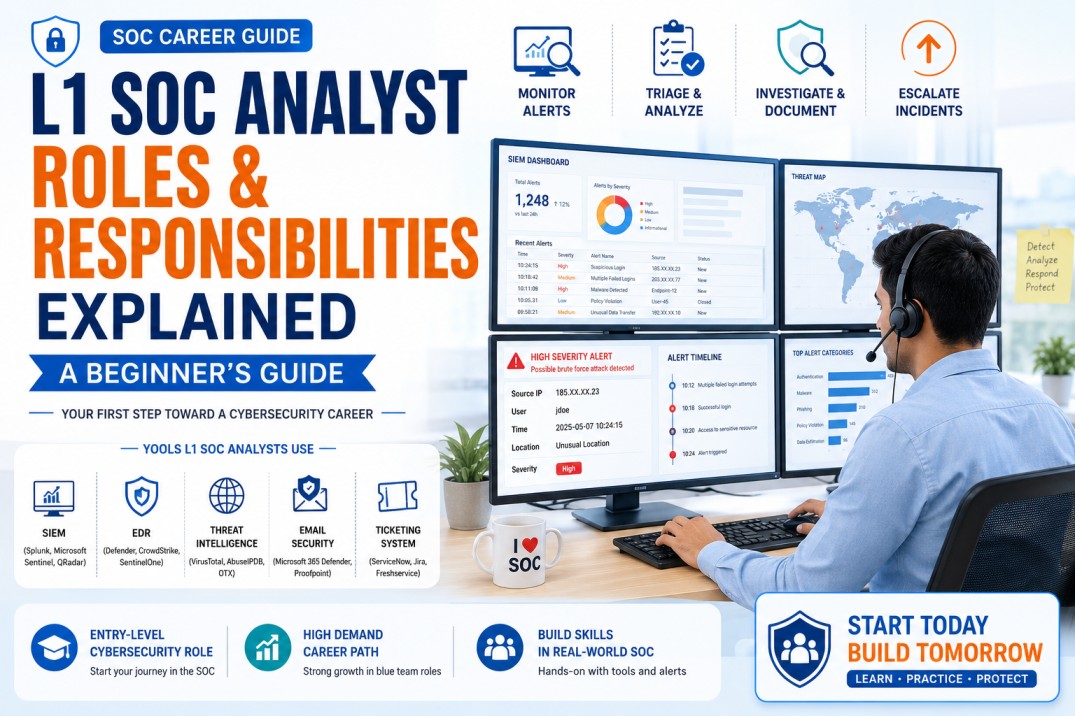
L1 SOC Analyst Roles and Responsibilities Explained: A Beginner’s Guide
An L1 SOC Analyst is often the first line of defense in a Security Operations Center. This beginner-friendly guide explains what L1 SOC Analysts do, how alerts are triaged, what tools are used, when incidents are escalated, and how freshers can prepare for SOC jobs.
If you are planning to start a career in cybersecurity, one of the most common entry-level roles is L1 SOC Analyst. Many freshers, graduates, IT support engineers, network support engineers and career switchers begin their cybersecurity journey through SOC roles.
A Security Operations Center, or SOC, is a team responsible for monitoring, detecting, analyzing and responding to cybersecurity threats. The L1 SOC Analyst usually works at the first level of security monitoring. Their job is to review alerts, validate suspicious activity, collect evidence, document findings and escalate real threats to higher-level analysts.
Simple definition: An L1 SOC Analyst monitors security alerts, performs initial investigation, separates false positives from real threats, documents evidence and escalates confirmed incidents to L2 or incident response teams.
The role may look technical from the outside, but with the right foundation in networking, logs, SIEM, Windows events, phishing analysis and incident response process, beginners can prepare for this role step by step.
What Is an L1 SOC Analyst?
An L1 SOC Analyst is a first-level cybersecurity analyst who monitors security alerts and performs initial analysis. L1 analysts usually work with SIEM tools, EDR alerts, email security alerts, firewall logs, authentication logs, threat intelligence and ticketing systems.
Their main responsibility is not to perform advanced malware reverse engineering or deep forensic analysis. Their main responsibility is to identify whether an alert is suspicious, collect the right evidence, follow the playbook and escalate when required.
Example
A SIEM tool generates an alert for multiple failed login attempts followed by a successful login from a new country. The L1 SOC Analyst checks the user, source IP, login time, device, location, previous activity and policy. If suspicious, the analyst escalates the case to L2 for deeper investigation.
Many SOC activities are mapped to industry-recognized cybersecurity work concepts. NIST NICE, for example, establishes a common language for describing cybersecurity work and required knowledge and skills across roles. :contentReference[oaicite:1]{index=1}
SOC Levels Explained: L1 vs L2 vs L3
A SOC team is usually divided into different levels so alerts and incidents can be handled properly.
| SOC Level | Main Focus | Typical Responsibilities |
|---|---|---|
| L1 SOC Analyst | Initial monitoring and alert triage | Review alerts, validate suspicious activity, collect evidence, create tickets, escalate incidents. |
| L2 SOC Analyst | Deeper investigation and containment support | Analyze correlated events, investigate attack patterns, recommend containment, tune alerts. |
| L3 SOC Analyst / Threat Hunter | Advanced investigation and proactive threat hunting | Perform deep analysis, threat hunting, detection engineering, malware analysis and advanced incident response. |
| SOC Manager | Team management and reporting | Manage SOC operations, SLA, metrics, staffing, customer communication and leadership reporting. |
Beginner tip: L1 is not a “small” role. It is the foundation of SOC operations. Good L1 analysts reduce noise, identify real incidents early and help the organization respond faster.
Daily Roles and Responsibilities of an L1 SOC Analyst
The daily work of an L1 SOC Analyst depends on the organization, SOC maturity, tools and shift model. However, most L1 SOC roles include the following responsibilities.
1. Monitor Security Alerts
L1 analysts monitor alerts from SIEM, EDR, email security, firewall, IDS/IPS, cloud security and identity tools.
2. Perform Initial Alert Triage
They check whether an alert is a false positive, benign activity, policy violation or potential security incident.
3. Validate Suspicious Activity
They review logs, user details, source IPs, destination domains, timestamps, device details and previous activity.
4. Create and Update Tickets
They document investigation steps, evidence, severity, impact, affected users and recommended next actions.
5. Escalate Confirmed Incidents
If the alert looks suspicious or harmful, L1 analysts escalate it to L2, incident response or the relevant support team.
6. Follow SOC Playbooks
They follow documented steps for phishing, malware, failed login, suspicious process, data leakage and other common alerts.
Typical L1 SOC Responsibilities List
- Monitor SIEM dashboards and security alerts.
- Review alert details and identify affected users, systems and assets.
- Check source IP, destination IP, domain, URL, file hash and user activity.
- Use threat intelligence to check suspicious IPs, domains, URLs and hashes.
- Analyze basic Windows security logs and authentication events.
- Investigate phishing emails and suspicious attachments or links.
- Identify false positives and document why the alert is not malicious.
- Escalate real incidents to L2 with proper evidence.
- Create, update and close tickets based on SOC process.
- Follow SLAs and shift handover procedures.
- Communicate clearly with internal teams or customers.
- Maintain investigation notes and evidence for audit and review.
Tools Used by L1 SOC Analysts
L1 SOC Analysts work with multiple tools. Beginners do not need to master every tool immediately, but they should understand what each tool is used for.
| Tool Category | Purpose | Examples |
|---|---|---|
| SIEM | Collects, correlates and alerts on security logs. | Splunk, IBM QRadar, Microsoft Sentinel, Elastic Security |
| EDR/XDR | Detects endpoint threats, suspicious processes and malware activity. | Microsoft Defender, CrowdStrike, SentinelOne, Palo Alto Cortex |
| Email Security | Detects phishing, malicious attachments and suspicious email links. | Microsoft Defender for Office 365, Proofpoint, Mimecast |
| Firewall / Proxy | Provides network and web traffic logs. | Palo Alto, Fortinet, Cisco, Zscaler |
| Threat Intelligence | Checks reputation of IPs, domains, URLs and file hashes. | VirusTotal, AbuseIPDB, URLScan, AlienVault OTX |
| Ticketing Tool | Tracks incidents, requests, escalations and SLA. | ServiceNow, Jira, Freshservice, Zendesk |
| Identity Logs | Helps investigate login activity, MFA events and account compromise. | Microsoft Entra ID, Okta, Duo, Active Directory |
SIEM knowledge is especially important for L1 roles because many alerts are reviewed from SIEM dashboards. You can also read our detailed guide: SIEM Tools Explained for Beginners.
Alert Triage Process Explained
Alert triage is the process of reviewing a security alert and deciding what action is required. This is one of the most important tasks for an L1 SOC Analyst.
Simple L1 Alert Triage Flow
- Understand what the alert is saying.
- Identify affected user, device, IP, domain or application.
- Check logs before and after the alert time.
- Validate whether the activity is expected or suspicious.
- Check threat intelligence for IP, domain, URL or hash.
- Assign severity based on impact and confidence.
- Document evidence clearly.
- Close as false positive or escalate as potential incident.
Example: Suspicious Login Alert
Important: L1 analysts should not close alerts quickly without evidence. A good closure note explains why the alert is false positive, expected activity or not actionable.
Common Alerts Handled by L1 SOC Analysts
L1 SOC Analysts usually handle high-volume and repeatable alerts. These alerts may come from SIEM, EDR, email security, identity tools, firewall or cloud platforms.
| Alert Type | What L1 Analyst Checks | Possible Action |
|---|---|---|
| Multiple Failed Logins | User, source IP, location, time, successful login after failures. | Close if expected, escalate if brute force or compromise suspected. |
| Phishing Email | Sender, headers, URLs, attachments, domain reputation, user clicks. | Escalate if malicious link, credential harvesting or malware is suspected. |
| Malware Detection | Endpoint name, file hash, detection name, action taken, user activity. | Confirm quarantine or escalate if malware is active. |
| Suspicious PowerShell | Command line, parent process, user, host, script behavior. | Escalate if encoded, downloaded or suspicious command is found. |
| Blocked URL Access | URL category, user, destination, action, business justification. | Document block or escalate if repeated malicious attempts are seen. |
| New Admin Account | Who created it, when, approval/change ticket, user privileges. | Escalate if unauthorized or no change record exists. |
| Data Exfiltration Alert | User, file type, destination, volume, DLP policy, business reason. | Escalate immediately if sensitive data movement is suspicious. |
Phishing is one of the most common SOC investigation areas. MITRE ATT&CK describes phishing as electronically delivered social engineering used by adversaries to gain access to victim systems. :contentReference[oaicite:2]{index=2}
When Should an L1 SOC Analyst Escalate?
Escalation is a critical responsibility. L1 analysts should escalate when an alert has enough evidence to suggest real risk, active compromise or business impact.
Escalate When You See:
- Confirmed malicious IP, domain, URL or file hash.
- Successful login after multiple failed attempts from suspicious location.
- Malware detected but not quarantined.
- Suspicious PowerShell or command execution.
- Unauthorized admin account creation.
- User clicked a phishing link and entered credentials.
- Impossible travel or unusual login pattern.
- Large data transfer to unknown destination.
- Repeated alerts from the same host or user.
- Activity involving critical servers or privileged accounts.
Escalation Quality Matters
Do not escalate with only “please check.” A good escalation includes alert summary, timeline, affected user/host, evidence reviewed, why it is suspicious, severity, and recommended next action.
Sample Escalation Note
Skills Required for L1 SOC Analyst Jobs
Beginners often think they must become experts in every cybersecurity tool before applying for SOC jobs. That is not true. For L1 roles, employers usually expect strong fundamentals, learning ability, logical thinking and basic investigation skills.
Technical Skills
- Networking basics
- DNS, HTTP, HTTPS
- Windows security logs
- Linux basics
- SIEM fundamentals
- Phishing analysis
- Basic malware concepts
- Incident response basics
Analytical Skills
- Alert interpretation
- Timeline building
- Pattern recognition
- False positive analysis
- Evidence collection
- Risk-based thinking
- Attention to detail
- Root cause thinking
Tool Skills
- SIEM dashboards
- EDR alerts
- Email security tools
- Threat intelligence portals
- Ticketing tools
- Basic firewall/proxy logs
- Identity logs
- Case management
Soft Skills
- Clear communication
- Ticket documentation
- Shift handover
- Team coordination
- Customer communication
- Patience during repetitive alerts
- Ownership mindset
- Willingness to learn
Important Windows Event IDs for L1 SOC Analysts
Windows security logs are very common in SOC environments. L1 analysts should understand key event IDs related to login, account changes, privilege usage and process execution.
| Event ID | Meaning | Why It Matters |
|---|---|---|
| 4624 | Successful logon | Useful for identifying successful access and unusual login patterns. |
| 4625 | Failed logon | Useful for brute force and failed authentication investigation. |
| 4672 | Special privileges assigned | Useful for detecting privileged account activity. |
| 4688 | Process creation | Useful for suspicious command, PowerShell or malware execution analysis. |
| 4720 | User account created | Useful for detecting unauthorized account creation. |
| 4728 | User added to security-enabled global group | Useful for privilege escalation investigation. |
| 4740 | User account locked out | Useful for brute force or repeated failed login investigation. |
| 1102 | Audit log cleared | Can indicate suspicious attempt to hide activity. |
For a deeper beginner guide, read: Windows Event IDs Every SOC Analyst Should Know.
A Day in the Life of an L1 SOC Analyst
Here is a realistic example of what an L1 SOC Analyst may do during a shift.
| Time | Activity | What the Analyst Does |
|---|---|---|
| Start of Shift | Shift handover | Reviews open incidents, pending escalations, priority alerts and known issues. |
| First Hour | Alert queue review | Checks SIEM dashboards, high-priority alerts and SLA timelines. |
| Mid Shift | Investigation | Analyzes phishing, failed login, malware, suspicious URL and EDR alerts. |
| Throughout Shift | Ticket updates | Documents evidence, updates status, escalates real incidents and closes false positives. |
| End of Shift | Handover | Shares pending tickets, escalated incidents, critical observations and follow-up actions. |
Reality Check
L1 SOC work can be repetitive, especially in the beginning. But this repetition builds pattern recognition, investigation discipline and confidence in handling real security alerts.
Common Mistakes Beginners Make in SOC Roles
Closing Alerts Without Evidence
Every alert closure should have a clear reason. “Looks fine” is not a professional SOC note.
Escalating Without Context
L2 analysts need evidence, timeline, affected assets and your analysis, not just an alert screenshot.
Ignoring Time Zones
Always check timestamps carefully. SOC teams often work across global time zones.
Not Understanding Normal Behavior
You cannot detect abnormal behavior if you do not understand what normal activity looks like.
Depending Only on Tools
Tools generate alerts, but analysts must validate context, impact and risk.
Poor Ticket Writing
Good SOC analysts write clear, structured and professional tickets that others can understand quickly.
30-Day Beginner Roadmap to Prepare for L1 SOC Analyst Jobs
This plan is useful for freshers and beginners who want to build practical SOC readiness.
| Timeline | Learning Focus | Practical Output |
|---|---|---|
| Days 1–5 | Networking basics, DNS, HTTP, HTTPS, ports, protocols. | Create a networking cheat sheet for SOC. |
| Days 6–10 | Windows logs, Event IDs, authentication events. | Prepare notes on 10 important Windows Event IDs. |
| Days 11–15 | SIEM basics, alerts, dashboards, log search. | Practice writing simple SIEM investigation queries. |
| Days 16–20 | Phishing analysis, headers, links, attachments, user clicks. | Create 3 phishing investigation reports. |
| Days 21–25 | Incident response basics, escalation, ticket writing. | Write 5 sample SOC tickets with evidence. |
| Days 26–30 | Interview preparation and scenario practice. | Prepare answers for 25 SOC interview questions. |
Best portfolio idea: Create a small SOC portfolio with sample phishing investigation, failed login analysis, Windows Event ID notes, SIEM alert triage and sample escalation tickets.
L1 SOC Analyst Resume Keywords
Use relevant keywords in your resume only if you understand them and can explain them in interviews.
Core Keywords
- SOC Monitoring
- Alert Triage
- SIEM
- Incident Response
- Log Analysis
Technical Keywords
- Windows Event Logs
- Phishing Analysis
- EDR Alerts
- Threat Intelligence
- MITRE ATT&CK
Process Keywords
- Ticketing
- Escalation
- SLA
- Shift Handover
- Playbooks
Common L1 SOC Analyst Interview Questions
| Interview Question | Strong Beginner Answer |
|---|---|
| What does an L1 SOC Analyst do? | An L1 SOC Analyst monitors alerts, performs initial triage, validates suspicious activity, documents evidence and escalates confirmed incidents to L2 or IR teams. |
| What is alert triage? | Alert triage is the process of reviewing an alert, checking evidence, identifying severity and deciding whether to close, monitor or escalate. |
| What is SIEM? | SIEM stands for Security Information and Event Management. It collects and correlates logs from different sources and generates security alerts. |
| How do you investigate a phishing email? | I check sender address, headers, SPF/DKIM/DMARC results, URLs, attachments, domain reputation, user clicks and whether credentials or malware may be involved. |
| What is a false positive? | A false positive is an alert that looks suspicious but is actually legitimate or expected activity after investigation. |
| When should you escalate an alert? | I escalate when there is evidence of compromise, malicious indicators, critical asset involvement, privileged account activity, or business impact. |
| What is MITRE ATT&CK? | MITRE ATT&CK is a knowledge base of adversary tactics and techniques used to understand attack behavior and improve detection and response. |
| What is Event ID 4625? | Windows Event ID 4625 indicates a failed logon attempt and is useful for investigating brute force or authentication failures. |
| What should a good SOC ticket include? | It should include alert summary, affected user/host, timeline, evidence, analysis, severity, action taken and escalation reason. |
| What is the difference between L1 and L2 SOC Analyst? | L1 performs initial monitoring and triage, while L2 performs deeper investigation, correlation, containment support and advanced analysis. |
For more interview preparation, read: Top 40 SOC Analyst Interview Questions and Answers for Beginners.
Useful External Resources
Related CybersecurityTRAIN.com Guides and Courses
Final Thoughts: Is L1 SOC Analyst a Good Career Starting Point?
Yes. L1 SOC Analyst is one of the best cybersecurity entry points for beginners because it gives exposure to real alerts, logs, incidents, tools, tickets and security operations processes.
This role helps you build the foundation for future growth into L2 SOC Analyst, Incident Responder, Threat Hunter, Detection Engineer, Cloud Security Analyst, GRC Analyst or Security Engineer roles.
Final career message: A good L1 SOC Analyst is not someone who only watches alerts. A good L1 SOC Analyst understands context, validates evidence, documents clearly and escalates with confidence.
Want to Become a Job-Ready SOC Analyst?
At CybersecurityTRAIN.com, we help students, freshers and working professionals build practical SOC Analyst skills through hands-on training in SIEM, alert triage, phishing investigation, Windows logs, incident response, MITRE ATT&CK and interview preparation.
If you want to start your cybersecurity career with a practical blue-team path, explore our SOC Analyst Training Program.
Explore SOC Analyst Training Read SOC Career RoadmapCall or WhatsApp: +91 98857 89887
Frequently Asked Questions
1. What is an L1 SOC Analyst?
An L1 SOC Analyst is a first-level security analyst who monitors alerts, performs initial investigation, documents evidence and escalates confirmed incidents to higher-level analysts.
2. Is L1 SOC Analyst a good job for freshers?
Yes. L1 SOC Analyst is one of the most common entry-level cybersecurity roles for freshers, especially those interested in security monitoring, SIEM and incident response.
3. What skills are required for an L1 SOC Analyst?
Important skills include networking basics, SIEM, log analysis, Windows Event IDs, phishing analysis, incident response basics, threat intelligence and ticket documentation.
4. Does an L1 SOC Analyst need coding?
Coding is not usually mandatory for entry-level L1 SOC roles. However, basic scripting knowledge in Python or PowerShell can help in career growth.
5. What tools does an L1 SOC Analyst use?
L1 SOC Analysts commonly use SIEM, EDR, email security tools, firewall/proxy logs, threat intelligence platforms and ticketing systems.
6. What is alert triage in SOC?
Alert triage is the process of reviewing a security alert, checking evidence, deciding whether it is false positive or suspicious, and taking appropriate action.
7. What is the difference between L1 and L2 SOC Analyst?
L1 analysts perform initial monitoring and triage. L2 analysts perform deeper investigation, correlation, containment support and advanced analysis.
8. Can I become an SOC Analyst without experience?
Yes, but you need practical preparation. Learn networking, SIEM basics, logs, phishing analysis, Windows Event IDs and incident response. Build sample investigation projects for your resume.
9. What should I learn first for SOC Analyst jobs?
Start with networking basics, Windows logs, SIEM fundamentals, phishing analysis and incident response workflow.
10. What is the career path after L1 SOC Analyst?
After L1, you can grow into L2 SOC Analyst, Incident Responder, Threat Hunter, Detection Engineer, Cloud Security Analyst, GRC Analyst or Security Engineer roles.
11. Is SOC Analyst better than ethical hacking for beginners?
It depends on your interest. SOC is better if you like defensive security, monitoring and investigation. Ethical hacking is better if you like offensive testing, web security and exploitation labs.
12. Where can I learn SOC Analyst skills practically?
You can explore the SOC Analyst Training Program at CybersecurityTRAIN.com, which focuses on practical SIEM, log analysis, phishing investigation, incident response and interview readiness.