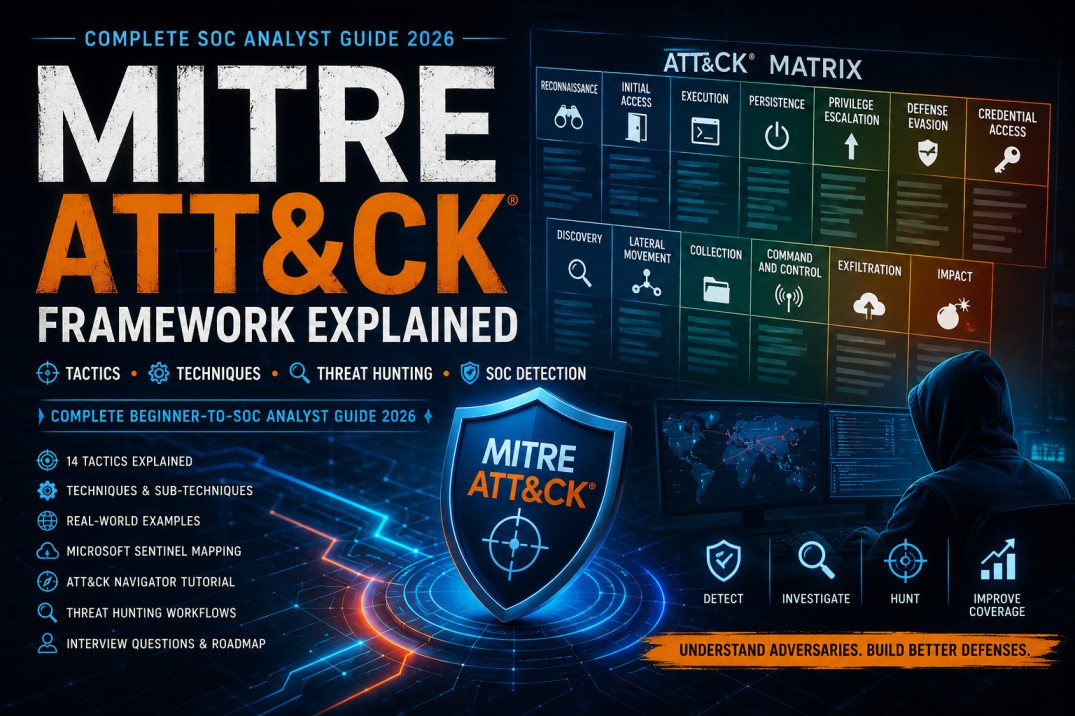
MITRE ATT&CK Framework Explained for Beginners: Tactics, Techniques, Threat Hunting and SOC Detection
Learn how security teams use MITRE ATT&CK to describe attacker behaviour, map incidents, build detections, conduct threat hunting, identify coverage gaps and improve SOC investigations.
Cybersecurity tools generate thousands of alerts, but an alert name alone does not always explain what an attacker is trying to accomplish. MITRE ATT&CK helps security professionals describe suspicious behaviour using a shared and structured language.
Instead of saying only, “PowerShell was used,” a SOC Analyst can explain that command and scripting activity was observed during the execution phase and may be related to a specific ATT&CK technique or sub-technique.
MITRE ATT&CK in one sentence: It is a knowledge base that organises adversary behaviour into the objectives attackers pursue and the methods they use to achieve those objectives.
Important Version Note
ATT&CK is updated regularly. Technique names, relationships, platforms, detection guidance and catalogue structure may change. Always verify current details on the official ATT&CK website before building permanent detections, training material or audit reports.
What Is MITRE ATT&CK?
MITRE ATT&CK is a publicly accessible knowledge base of adversary behaviour derived from real-world observations. It focuses on how attackers interact with systems during malicious operations.
ATT&CK is not a security product, vulnerability scanner or compliance certification. It is a structured model that security teams can use for:
- Threat detection
- Incident investigation
- Threat hunting
- Detection engineering
- Cyber-threat intelligence
- Adversary emulation
- Security-control assessment
- Blue-team and red-team planning
- Coverage-gap analysis
- Security reporting
Simple Analogy
Imagine a map of attacker behaviour. Each column represents an objective, such as gaining access or stealing credentials. Under each objective are methods the attacker may use. Security teams can map alerts, logs and controls to this behaviour map.
Why SOC Analysts Should Learn ATT&CK
Understand Attacker Behaviour
ATT&CK helps analysts move beyond individual indicators and understand what an attacker may be trying to achieve.
Improve Incident Reports
Analysts can describe suspicious activity using recognised tactic and technique names and identifiers.
Build Better Detections
Detection engineers can align analytics with behaviours rather than relying only on known malicious IP addresses or file hashes.
Conduct Threat Hunting
Hunters can choose techniques as hypotheses and search for related evidence across endpoints, identities, networks and cloud systems.
Assess Coverage
Organisations can visualise which techniques are covered by active detections and where meaningful gaps remain.
Prepare for Interviews
ATT&CK is frequently discussed in SOC, SIEM, incident-response and threat-hunting interviews.
The Four Core ATT&CK Concepts
| Concept | Meaning | Question It Answers | Example |
|---|---|---|---|
| Tactic | The adversary's tactical objective. | Why is the attacker performing the action? | Credential Access |
| Technique | A method used to achieve a tactical objective. | How is the attacker pursuing the objective? | Brute Force |
| Sub-technique | A more specific form of a technique. | Which specific variation is being used? | Password Spraying |
| Procedure | A real implementation of a technique or sub-technique. | How did a particular actor or tool perform it? | A campaign attempting one password against many accounts. |
Concept Flow
A technique can support more than one tactic. ATT&CK is not always a strict left-to-right sequence, and real attacks do not need to use every tactic.
ATT&CK Domains and Platforms
Enterprise
Covers traditional enterprise networks, identities, cloud technologies, operating systems, applications and infrastructure.
Mobile
Covers adversary behaviour affecting mobile devices and mobile communication environments.
ICS
Covers behaviour affecting industrial-control systems and operational technology.
Enterprise techniques may apply to different platforms, including Windows, Linux, macOS, SaaS, identity providers, cloud infrastructure, containers, network devices and other technologies represented in the current ATT&CK catalogue.
How to Read the Enterprise ATT&CK Matrix
The Enterprise Matrix displays tactics as columns and associated techniques under each column. Selecting a technique opens information such as:
- Technique identifier
- Description
- Applicable platforms
- Known procedures
- Related groups and software
- Detection strategies and analytics
- Data components
- Mitigation guidance
- References
Do Not Treat the Matrix as a Checklist of Tools
ATT&CK describes behaviour. It does not state that purchasing one product provides complete coverage. Effective detection depends on telemetry, configuration, analytics, testing, analyst capability and operational response.
Enterprise ATT&CK Tactics Explained
The following sections explain widely used Enterprise tactics in simple language. Verify the current official matrix when exact catalogue structure or identifiers are required.
1. Reconnaissance
The attacker gathers information that may help plan a future operation. This activity may occur before direct compromise.
Examples
- Searching public employee profiles
- Identifying exposed systems
- Collecting email addresses
- Scanning internet-facing infrastructure
- Researching technologies used by the organisation
Defensive Visibility
External attack-surface monitoring, web-server logs, threat intelligence and unusual scanning patterns may provide useful evidence.
2. Resource Development
The adversary prepares infrastructure, accounts, capabilities or content that can support an operation.
Examples
- Registering a lookalike domain
- Creating fraudulent accounts
- Acquiring servers or hosting
- Preparing malware
- Creating a phishing website
Defensive Visibility
Domain monitoring, brand-protection services, threat intelligence and certificate-transparency monitoring may help identify preparations.
3. Initial Access
The attacker attempts to gain an initial foothold in the target environment.
Common Examples
- Phishing
- Exploitation of a public-facing application
- Use of valid accounts
- Supply-chain compromise
- External remote-service abuse
Useful Data
- Email-security logs
- Web-application firewall logs
- Identity sign-in events
- Endpoint telemetry
- VPN and remote-access logs
4. Execution
The attacker runs malicious code or commands within the target environment.
Common Examples
- PowerShell execution
- Command-shell activity
- Malicious scripts
- User execution of a harmful attachment
- Abuse of interpreters or system utilities
Useful Data
- Process creation
- Command-line telemetry
- Script-block logs
- Parent-child process relationships
- Application-control logs
5. Persistence
The attacker attempts to maintain access through restarts, credential changes or interruption of the original access path.
Common Examples
- Scheduled tasks
- Startup entries
- New accounts
- Modified authentication processes
- Cloud-account or application changes
Useful Data
- Task-scheduler events
- Registry changes
- Account creation
- Service installation
- Directory and application audit logs
6. Privilege Escalation
The adversary attempts to obtain higher permissions than originally available.
Common Examples
- Exploiting a local vulnerability
- Abusing misconfigured permissions
- Adding an account to a privileged group
- Token manipulation
- Abusing elevated services
Useful Data
- Group-membership changes
- Privilege-assignment events
- Process tokens
- Service changes
- Cloud-role assignments
7. Defence Evasion
The attacker attempts to avoid detection, hide activity or weaken security controls.
Common Examples
- Disabling security tools
- Deleting logs
- Masquerading files or processes
- Obfuscating commands
- Using trusted system utilities
Useful Data
- Security-product health alerts
- Log-clearing events
- Process metadata
- Command-line telemetry
- Configuration changes
ATT&CK catalogue structures evolve. Confirm the current treatment of tactics and technique mappings in the latest official version.
8. Credential Access
The adversary attempts to obtain passwords, hashes, tokens, keys, tickets or other authentication material.
Common Examples
- Password spraying
- Credential dumping
- Keylogging
- Kerberos-ticket attacks
- Stealing browser credentials or tokens
Useful Data
- Authentication failures
- Identity-risk alerts
- Access to credential stores
- Suspicious LSASS access
- Token and session activity
9. Discovery
The attacker attempts to understand the compromised environment, available users, systems, applications, permissions and network structure.
Common Examples
- Listing users or groups
- Querying domain information
- Scanning internal systems
- Identifying security tools
- Discovering cloud resources
Useful Data
- Command-line events
- Directory-service queries
- Network-connection telemetry
- Cloud API calls
- Process execution
10. Lateral Movement
The attacker attempts to move from one compromised system or account to additional systems.
Common Examples
- Remote Desktop Protocol
- Remote services
- Pass-the-hash or pass-the-ticket activity
- Administrative shares
- Internal credential reuse
Useful Data
- Remote logins
- Network connections
- Authentication patterns
- Service creation
- File-share access
11. Collection
The adversary gathers data that may later be stolen or used to support the operation.
Common Examples
- Collecting files
- Taking screenshots
- Capturing input
- Gathering email or cloud data
- Creating archives
Useful Data
- File access
- Archive creation
- Screen-capture activity
- Mailbox and cloud audit logs
- Large internal data movement
12. Command and Control
The attacker establishes communication with compromised systems to send instructions, receive results or maintain control.
Common Examples
- Web-based communication
- DNS tunnelling
- Encrypted channels
- Proxy use
- Regular beaconing
Useful Data
- DNS queries
- Proxy logs
- Firewall connections
- Endpoint network telemetry
- TLS and certificate metadata
13. Exfiltration
The attacker removes data from the target environment.
Common Examples
- Uploading data to cloud storage
- Transferring data through a command-and-control channel
- Sending archives externally
- Using web services for data transfer
- Moving data to removable media
Useful Data
- Proxy and firewall logs
- Cloud-application audit records
- Data-loss prevention alerts
- Network-flow data
- Unusual outbound volume
14. Impact
The attacker attempts to manipulate, interrupt, destroy or deny access to systems, services or data.
Common Examples
- Data encryption
- Data destruction
- Service interruption
- Account-access removal
- Resource hijacking
Useful Data
- Mass file changes
- Backup modification
- Service failures
- Endpoint and storage alerts
- Large-scale permission changes
Data Sources, Data Components and Analytics
ATT&CK does not only describe attacker behaviour. It also helps defenders understand what information may be required to observe that behaviour.
| Concept | Purpose | Example |
|---|---|---|
| Data Source | A broad subject or type of collected information. | Process, network traffic, user account or file |
| Data Component | A specific property or activity available from a data source. | Process creation or user-account authentication |
| Detection Strategy | A structured defensive approach for detecting behaviour. | Correlating process, command-line and network activity |
| Analytic | Logic or analysis designed to identify suspicious patterns. | Detecting encoded PowerShell launched by a document application |
| Mitigation | A security concept or control that reduces technique success. | Least privilege or application control |
Technique mapping without data validation creates misleading coverage. Before claiming that a technique is detected, verify that the required telemetry is collected, parsed, retained and continuously monitored.
Practical Mapping Example 1: Phishing Attack
Consider an attacker who sends a malicious email, persuades a user to open an attachment, executes PowerShell, downloads another file and communicates with external infrastructure.
| Observed Activity | Possible ATT&CK Area | Evidence |
|---|---|---|
| Malicious email delivered | Initial Access — Phishing | Email gateway and message trace |
| User opens attachment | Execution — User Execution | Endpoint process and file telemetry |
| PowerShell runs | Execution — Command and Scripting Interpreter | Process creation and command line |
| Payload downloaded | Command and Control — Ingress Tool Transfer | Network and endpoint events |
| External beaconing begins | Command and Control | DNS, proxy and network telemetry |
One incident can map to several tactics and techniques. The mapping should reflect observed evidence, not assumptions about what the attacker might have done.
Practical Mapping Example 2: Suspicious PowerShell
Possible Mapping
- Execution through a command or scripting interpreter
- Potential obfuscation or compressed information
- Possible ingress tool transfer if content is downloaded
- Potential defence evasion depending on observed behaviour
Evidence Required
- Full command line
- Parent and child processes
- User context
- Network connections
- Files created or modified
- Security-tool response
PowerShell is a legitimate administrative tool. Its presence alone does not prove malicious activity. Context and behaviour determine whether the event should be escalated.
Practical Mapping Example 3: Credential Attack
Suppose one IP address attempts the same password against many user accounts and later successfully authenticates to one account.
Possible ATT&CK Mapping
- Credential Access
- Brute Force
- Password Spraying, where the observed pattern supports it
- Valid Accounts after successful compromise
SOC Investigation Questions
- How many accounts were targeted?
- Was one password attempted across many users?
- Did a successful login follow?
- Was MFA completed?
- Is the IP associated with a trusted service?
- What did the account do after login?
Practical Mapping Example 4: Ransomware
A ransomware incident may include several behaviours before the final encryption stage.
Illustrative Ransomware Behaviour Chain
Possible Evidence
- Malicious email or exploitation alert
- Unexpected scripting activity
- Credential dumping
- Remote administration
- Archive creation
- Large outbound transfers
- Mass file modification
- Backup deletion or modification
Using ATT&CK in Microsoft Sentinel
Microsoft Sentinel allows security teams to associate ATT&CK tactics and techniques with analytics rules, incidents, hunting queries and bookmarks.
How Sentinel Uses ATT&CK
- Map analytics rules to techniques
- Display technique information in incidents
- Filter hunting queries by tactic or technique
- Associate bookmarks with techniques
- Visualise active detection coverage
- Review available but inactive detection content
1Open the ATT&CK Coverage View
In the Microsoft Defender portal, open Microsoft Sentinel and navigate to the ATT&CK coverage area under threat management. Navigation can differ depending on portal updates and permissions.
2Review Active Detections
Examine which techniques are associated with active scheduled and near-real-time analytics rules.
3Review Available Content
Identify detection rules that are available but not currently enabled. Validate data requirements and operational value before activating them.
4Identify Meaningful Gaps
Prioritise gaps based on relevant threats, business assets, available telemetry and realistic adversary scenarios.
Microsoft Sentinel may support a different ATT&CK version from the latest MITRE catalogue. Document the version used when reporting coverage or comparing mappings.
Read our complete Microsoft Sentinel Tutorial for Beginners .
ATT&CK Navigator Tutorial
ATT&CK Navigator is a web-based tool for exploring and annotating ATT&CK matrices. It can be used to visualise:
- Detection coverage
- Threat-group behaviour
- Incident techniques
- Red-team plans
- Blue-team priorities
- Assessment results
- Technique frequency
- Coverage improvements over time
1Create a New Layer
Open ATT&CK Navigator and select the relevant matrix, such as Enterprise.
2Select Techniques
Select techniques relevant to a threat, incident, security tool or assessment.
3Add Scores or Colours
Create a consistent scoring model. For example:
4Add Comments
Record data sources, analytics, limitations, owners and planned improvements.
5Export the Layer
Save the Navigator layer for comparison, reporting or future updates.
Open the official ATT&CK Navigator .
How to Assess Detection Coverage Correctly
Colouring a technique green does not prove that the organisation can detect every possible implementation of that technique.
| Coverage Level | Question to Ask |
|---|---|
| Telemetry | Are the required events collected and retained? |
| Parsing | Are the important fields available and accurate? |
| Analytic | Does detection logic identify meaningful behaviour? |
| Testing | Has the analytic been tested against representative behaviour? |
| Monitoring | Are alerts reviewed within an appropriate timeframe? |
| Response | Can the organisation contain and remediate the activity? |
| Maintenance | Is the detection reviewed as systems and threats change? |
Avoid the Coverage Percentage Trap
A high percentage of mapped techniques may look impressive but can be misleading. Organisations should prioritise relevant threats, critical assets and tested detections rather than trying to cover every cell equally.
Threat Hunting with ATT&CK
ATT&CK can help hunters convert broad concerns into structured hypotheses.
1Select a Relevant Technique
Choose a technique based on threat intelligence, recent incidents, business risks or known coverage gaps.
2Define the Hypothesis
Example: “An adversary may be using encoded PowerShell to download or execute a payload on employee workstations.”
3Identify Required Data
- Process creation
- Command line
- Parent process
- Network connections
- File creation
- User context
4Search and Analyse
Use KQL, SPL, AQL, EQL or another query language to identify outliers and supporting evidence.
5Document and Operationalise
Record findings, investigate suspicious activity and convert useful hunt logic into a tested detection where appropriate.
ATT&CK vs Cyber Kill Chain
| Area | MITRE ATT&CK | Cyber Kill Chain |
|---|---|---|
| Primary purpose | Detailed classification of adversary behaviour | High-level attack-lifecycle model |
| Granularity | Tactics, techniques, sub-techniques and procedures | Broad attack phases |
| Sequence | Not necessarily linear | Often presented as a sequence |
| SOC use | Detection mapping, hunting and incident analysis | Understanding the general attack progression |
| Coverage analysis | Detailed technique-level assessment | High-level phase coverage |
The two models can complement each other. The Kill Chain provides a broad lifecycle view, while ATT&CK offers deeper behavioural detail.
ATT&CK vs NIST Cybersecurity Framework
| Area | MITRE ATT&CK | NIST Cybersecurity Framework |
|---|---|---|
| Focus | Adversary behaviour | Cybersecurity risk management |
| Primary users | SOC, detection, intelligence, red and blue teams | Security leaders, risk, governance and operational teams |
| Typical use | Detection, hunting, emulation and incident mapping | Governance, risk outcomes and security programmes |
| Level | Technical and behavioural | Organisational and outcome-focused |
ATT&CK can support operational threat-detection activities within a broader cybersecurity programme governed through frameworks such as NIST CSF.
Five Beginner MITRE ATT&CK Projects
1. Phishing Incident Map
Map a simulated phishing incident from email delivery through execution and external communication.
2. Windows Event-ID Mapping
Map authentication, account creation, group changes and process events to relevant ATT&CK behaviour.
3. Sentinel Detection Layer
Create a Navigator layer showing which techniques are addressed by five Sentinel analytics rules.
4. Ransomware Behaviour Map
Build a sequence of possible ransomware behaviours and identify required telemetry.
5. Threat-Hunting Workbook
Select three techniques and create hypotheses, data requirements, queries and findings.
Portfolio Requirement
Explain why each mapping is supported by evidence and identify limitations or assumptions.
MITRE ATT&CK Interview Questions
| Question | Strong Beginner Answer |
|---|---|
| What is MITRE ATT&CK? | A knowledge base that organises observed adversary behaviour into tactics, techniques, sub-techniques and procedures. |
| What is a tactic? | The adversary's objective or reason for performing an action. |
| What is a technique? | A method an adversary uses to achieve a tactical objective. |
| What is a sub-technique? | A more specific variation of a technique. |
| What is a procedure? | A specific real-world implementation of a technique by an actor, campaign or tool. |
| How do SOC teams use ATT&CK? | For incident mapping, detection engineering, threat hunting, intelligence and coverage analysis. |
| Does ATT&CK describe a strict attack sequence? | No. Real attacks can use techniques in different orders and may repeat or skip tactics. |
| What is ATT&CK Navigator? | A web-based tool for exploring and annotating ATT&CK matrices. |
| What is ATT&CK coverage? | An assessment of whether relevant telemetry, analytics and response capabilities address selected adversary behaviours. |
| Can one event map to multiple techniques? | Yes, depending on the observed behaviour and supporting evidence. |
| Is ATT&CK a preventive-control framework? | It primarily models adversary behaviour, though it also links to defensive information such as mitigations and detections. |
| How does Sentinel use ATT&CK? | Sentinel can associate analytics, incidents, hunts and bookmarks with tactics and techniques and display coverage. |
30-Day MITRE ATT&CK Learning Plan
1Days 1–5: Learn the Model
- Understand tactics, techniques and sub-techniques.
- Learn procedures and data components.
- Explore Enterprise, Mobile and ICS domains.
- Open the official Enterprise Matrix.
2Days 6–10: Study Major Tactics
- Initial Access
- Execution
- Persistence
- Privilege Escalation
- Credential Access
3Days 11–15: Study Movement and Objectives
- Discovery
- Lateral Movement
- Collection
- Command and Control
- Exfiltration and Impact
4Days 16–20: Map Real Scenarios
- Phishing
- Password spraying
- PowerShell
- Ransomware
- Cloud-account compromise
5Days 21–25: Learn Navigator and Coverage
- Create a Navigator layer.
- Add scores and comments.
- Map five detections.
- Identify telemetry gaps.
- Document limitations.
6Days 26–30: Threat Hunting and Interviews
- Create three hunt hypotheses.
- Write related SIEM queries.
- Document investigation outcomes.
- Practise interview questions.
- Publish one safe portfolio project.
Common ATT&CK Mistakes
Mapping Without Evidence
Select a technique only when logs or other evidence support the observed behaviour.
Using ATT&CK as a Linear Timeline
Real attackers may repeat, skip or use techniques in different orders.
Claiming Full Coverage
One analytic rarely covers every implementation of a technique.
Ignoring Data Quality
A detection cannot be reliable when required logs are missing or incomplete.
Using Outdated Technique Information
ATT&CK changes over time. Record and verify the version used.
Confusing ATT&CK with a Compliance Standard
ATT&CK models adversary behaviour; it does not certify an organisation's overall security programme.
Recommended CybersecurityTRAIN Resources
Final ATT&CK Job-Readiness Checklist
- I can explain tactics, techniques and sub-techniques.
- I understand that ATT&CK is not strictly linear.
- I can map evidence from an incident to relevant behaviour.
- I understand data sources and data components.
- I can explain how detections support technique coverage.
- I can use ATT&CK Navigator.
- I can create a threat-hunting hypothesis.
- I can explain ATT&CK use in Microsoft Sentinel.
- I understand ATT&CK vs Kill Chain and NIST CSF.
- I record the ATT&CK version used in formal work.
- I avoid claiming complete coverage without testing.
- I have completed at least two ATT&CK projects.
ATT&CK Success Formula
- Understand adversary objectives.
- Study behaviours, not only alert names.
- Map only what the evidence supports.
- Validate telemetry.
- Create testable analytics.
- Use ATT&CK for hunting and coverage.
- Document limitations.
- Keep mappings current.
Learn MITRE ATT&CK Through Practical SOC Investigations
At CybersecurityTRAIN.com, we help learners develop practical SOC capabilities through structured training, SIEM concepts, log analysis, Microsoft Sentinel, Windows events, phishing investigation, incident response, ATT&CK mapping and interview preparation.
Our SOC learning path includes:
- Security-operations fundamentals
- SIEM and Microsoft Sentinel
- MITRE ATT&CK concepts
- Incident mapping
- Detection and threat hunting
- Windows and identity logs
- Phishing and endpoint investigations
- Practical projects
- Resume and interview guidance
- Internship opportunities
Training cannot guarantee a job, but structured learning, practical projects and experienced mentorship can improve your cybersecurity readiness and confidence.
Explore SOC Analyst Training Explore CyberReady 360 Internship Get Career GuidanceCall or WhatsApp: +91 98857 89887
Frequently Asked Questions
1. What is MITRE ATT&CK?
It is a knowledge base that organises observed adversary behaviour into tactics, techniques, sub-techniques and procedures.
2. Is MITRE ATT&CK a security tool?
No. It is a behavioural knowledge base and model used by security professionals and security products.
3. What is a tactic in ATT&CK?
A tactic represents the objective or reason why an adversary performs an action.
4. What is a technique?
A technique represents how an adversary may achieve a tactical objective.
5. What is a sub-technique?
A sub-technique describes a more specific variation of a technique.
6. What is a procedure?
A procedure is a specific implementation or real-world use of a technique by an actor, campaign or tool.
7. Is ATT&CK an attack lifecycle?
It reflects phases and objectives within adversary operations, but it should not be treated as a strict linear sequence.
8. Why do SOC Analysts use ATT&CK?
They use it for incident mapping, investigation, threat hunting, detection development and coverage assessment.
9. What is ATT&CK Navigator?
Navigator is a web-based tool for exploring, scoring, colouring and annotating ATT&CK matrices.
10. Can one alert map to multiple techniques?
Yes. The mapping depends on the behaviours and evidence represented by the alert.
11. What is ATT&CK coverage?
It is an assessment of whether relevant telemetry, detections and response capabilities address selected adversary behaviours.
12. Does a mapped detection provide complete technique coverage?
Not necessarily. One detection may observe only a particular implementation or variation of a technique.
13. How does Microsoft Sentinel use ATT&CK?
Sentinel can map analytics, incidents, hunts and bookmarks to tactics and techniques and provide a coverage view.
14. Is ATT&CK useful for threat hunting?
Yes. Techniques can be used to create hypotheses, identify data needs and structure proactive searches.
15. Is MITRE ATT&CK a compliance framework?
No. It primarily models adversary behaviour. It can support security assessments but does not replace governance or compliance frameworks.
16. How frequently is ATT&CK updated?
MITRE publishes versioned releases and smaller corrections. Always check the current official version before formal use.
17. Can beginners learn ATT&CK?
Yes. Beginners should first understand security fundamentals, common attacks, logs and incident response.
18. Where can I learn ATT&CK practically?
CybersecurityTRAIN.com includes ATT&CK concepts within practical SOC, SIEM, investigation and threat-hunting learning paths.