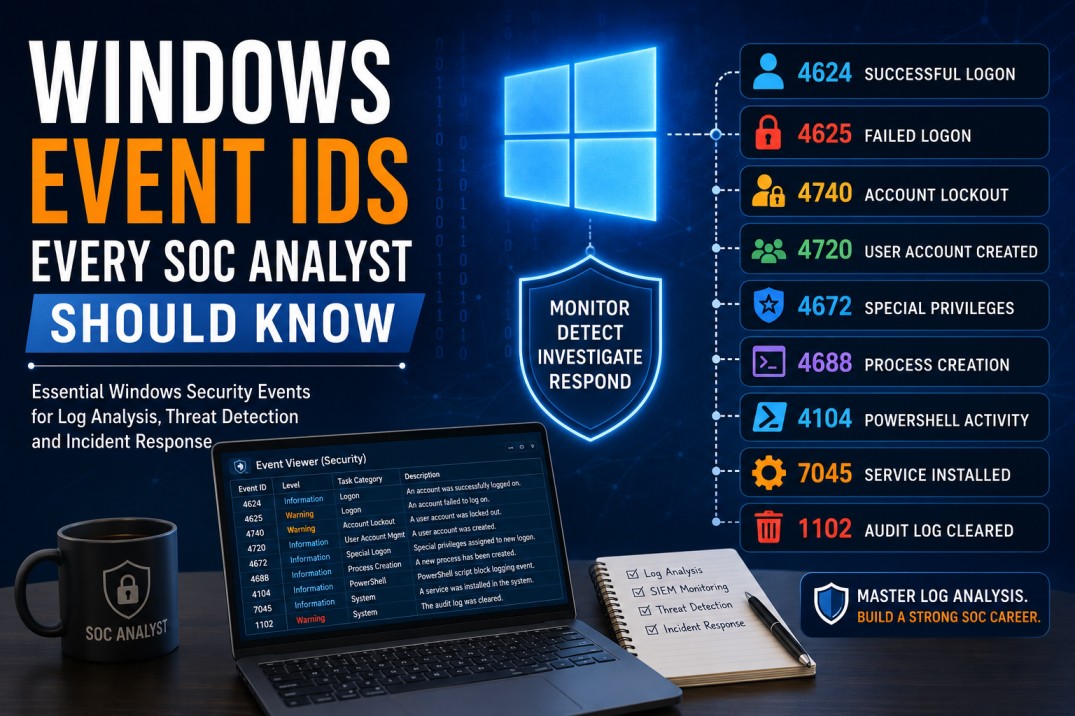
Windows Event IDs Every SOC Analyst Should Know
Windows Event IDs are one of the most important log sources for SOC Analysts. This beginner-friendly guide explains the key Windows security events used to investigate logons, failed logins, account lockouts, privilege usage, user creation, group changes, PowerShell activity, service installation and suspicious process execution.
In a Security Operations Center, many investigations begin with logs. When an alert says “possible brute-force attack,” “suspicious login,” “new admin user created,” or “malware executed,” a SOC Analyst often checks Windows Event Logs to understand what actually happened.
Windows Event IDs help analysts answer important questions:
- Who logged in?
- Was the login successful or failed?
- Which machine was accessed?
- Was the account locked out?
- Was a new user created?
- Was a user added to an admin group?
- Was a suspicious process executed?
- Was a new service installed?
- Was the security log cleared?
Simple SOC truth: A SOC Analyst does not need to memorize every Windows Event ID. But you should know the important ones and understand how to use them during investigations.
This guide explains the most useful Windows Event IDs for beginner and entry-level SOC Analysts.
What Are Windows Event IDs?
Windows Event IDs are numeric identifiers assigned to specific activities logged by Windows. Each Event ID represents a type of event, such as successful login, failed login, account lockout, user creation, process creation, service installation or audit log clearing.
For SOC Analysts, Event IDs are useful because they convert system activity into searchable evidence. In SIEM tools such as Splunk, Microsoft Sentinel, QRadar or Elastic, analysts can search these event IDs to investigate suspicious activity.
Example
If a SIEM alert says there are multiple failed logins, the analyst may search for Event ID 4625. If the attacker later succeeds, the analyst may also search for Event ID 4624.
Why Windows Event IDs Matter for SOC Analysts
Windows is widely used in enterprise environments. Active Directory, Windows servers, user workstations, domain controllers and business applications all generate security-relevant events. These events are very important for detecting attacks such as credential theft, brute-force attempts, lateral movement, privilege escalation and malware execution.
SOC Analysts Use Windows Event IDs To Investigate:
- Successful and failed logons
- Brute-force attacks
- Account lockouts
- Suspicious administrator activity
- New user account creation
- User added to privileged group
- Service installation
- Suspicious process execution
- PowerShell activity
- Event log clearing
- Lateral movement attempts
Career tip
Windows Event IDs are common in SOC interviews. Interviewers often ask about Event ID 4624, 4625, 4672, 4720, 4732, 4740, 4688, 7045 and 1102.
Where Are Windows Event Logs Found?
Windows Event Logs can be viewed locally using Event Viewer. In enterprise environments, these logs are usually forwarded to a SIEM or log management platform.
Common Windows Log Locations
| Log Location | What It Contains | Why SOC Analysts Use It |
|---|---|---|
| Security Log | Logons, failed logons, account changes, privilege use, audit events | Most important for authentication and account investigation. |
| System Log | Service activity, driver events, system startup/shutdown, service installation | Useful for suspicious service or system-level activity. |
| Application Log | Application errors, application activity, software-specific events | Useful for application-related security events. |
| PowerShell Operational Log | PowerShell script block logging and command activity | Useful for detecting suspicious PowerShell execution. |
| Sysmon Logs | Enhanced process, network, file, registry and image load events | Very useful for deeper endpoint investigation when Sysmon is deployed. |
Important: Some events only appear if the right auditing policy is enabled. A SOC cannot investigate what it does not log.
Windows Event IDs for Logon and Authentication
Authentication events help SOC Analysts investigate account compromise, brute-force attacks, lateral movement, RDP activity and suspicious access patterns.
1 Event ID 4624 — Successful Logon
Event ID 4624 means an account successfully logged on. Microsoft says this event is generated when a logon session is created on the destination machine. It is one of the most important event IDs for SOC investigations. :contentReference[oaicite:1]{index=1}
Why SOC Analysts Care
- Detect successful login after multiple failures
- Identify unusual login times
- Check logins from suspicious hosts
- Investigate lateral movement
- Review admin account usage
Important Fields to Check
- Account Name
- Logon Type
- Source Network Address
- Workstation Name
- Authentication Package
- Logon Process
- Target Server
Investigation example
If a user logs in successfully from a server they normally never access, check whether the login followed failed login attempts, whether the user has admin privileges, and whether suspicious commands were executed after login.
2 Event ID 4625 — Failed Logon
Event ID 4625 means an account failed to log on. Microsoft’s audit policy reference lists Event ID 4625 as “An account failed to log on.” :contentReference[oaicite:2]{index=2}
Why SOC Analysts Care
- Detect brute-force attacks
- Identify password spraying attempts
- Find repeated failures against privileged accounts
- Investigate failed RDP or VPN logins
- Detect attempts against disabled or unknown accounts
Important Fields to Check
- Account Name
- Failure Reason
- Status and Sub Status
- Source Network Address
- Logon Type
- Workstation Name
Red flag
Many Event ID 4625 entries for multiple users from the same IP may indicate password spraying. Many failures for one user from one source may indicate brute-force activity.
3 Event ID 4634 — Logoff
Event ID 4634 means an account was logged off. Microsoft Sentinel’s Windows security event set reference includes user sign-in and sign-out events such as 4624 and 4634. :contentReference[oaicite:3]{index=3}
Why SOC Analysts Care
- Helps build user activity timeline
- Confirms session termination
- Supports investigation of unusual session duration
- Useful during incident reconstruction
4 Event ID 4648 — Logon Using Explicit Credentials
Event ID 4648 indicates that a logon was attempted using explicit credentials. This can be normal for administrative work, but it can also be useful for detecting lateral movement or credential misuse.
Why SOC Analysts Care
- Detect use of alternate credentials
- Investigate lateral movement
- Identify admin account usage from unusual hosts
- Correlate with remote access activity
Analyst tip: Event 4648 should not be treated as malicious by itself. Check source host, target host, account used, timing and whether the activity matches normal admin work.
5 Event ID 4672 — Special Privileges Assigned to New Logon
Event ID 4672 indicates that special privileges were assigned to a new logon. This commonly appears when privileged accounts log in.
Why SOC Analysts Care
- Monitor privileged account usage
- Detect admin logins at unusual times
- Correlate with account compromise events
- Track high-risk user activity
Red flag
Event ID 4672 for a domain admin account from an unusual workstation or during non-business hours should be investigated carefully.
Windows Event IDs for Account Management
Account management events help SOC Analysts detect unauthorized user creation, deletion, password resets and account changes.
6 Event ID 4720 — User Account Created
Event ID 4720 means a user account was created. This is important because attackers may create new accounts to maintain access.
Why SOC Analysts Care
- Detect unauthorized user creation
- Investigate persistence attempts
- Monitor helpdesk/admin account activity
- Correlate with privileged group additions
What to Check
- Who created the account?
- What account was created?
- Was it created during business hours?
- Was it later added to a privileged group?
- Was it used for login shortly after creation?
7 Event ID 4722 — User Account Enabled
Event ID 4722 means a user account was enabled. This can be normal, but it may be suspicious if an old or disabled account is re-enabled unexpectedly.
8 Event ID 4725 — User Account Disabled
Event ID 4725 means a user account was disabled. This is useful for account lifecycle monitoring and incident response actions.
9 Event ID 4726 — User Account Deleted
Event ID 4726 means a user account was deleted. Unauthorized deletion of accounts may indicate malicious activity, insider risk or cleanup attempts.
10 Event ID 4723 and 4724 — Password Change or Reset
Event ID 4723 is related to password change attempts, while Event ID 4724 is related to password reset attempts. These events are useful during compromised account investigations.
Investigation example
If a user reports account compromise, check password reset events, successful logons, MFA activity, mailbox rule creation and privileged group changes around the same timeframe.
Windows Event IDs for Group and Privileged Access Changes
Attackers often try to increase privileges after gaining access. Group membership changes are therefore very important for SOC Analysts.
11 Event ID 4728 — Member Added to Global Security Group
Event ID 4728 indicates a member was added to a security-enabled global group. This is important when the group is privileged.
12 Event ID 4732 — Member Added to Local Security Group
Event ID 4732 indicates a member was added to a security-enabled local group. This can be important when users are added to local administrators groups.
13 Event ID 4756 — Member Added to Universal Security Group
Event ID 4756 indicates a member was added to a security-enabled universal group. In Active Directory environments, this may be important for privilege and access monitoring.
Why SOC Analysts Care
- Detect privilege escalation
- Monitor admin group changes
- Identify unauthorized access expansion
- Investigate insider activity
- Correlate with new account creation
High-risk scenario
Event ID 4720 shows a new user account was created, and Event ID 4732 shows the same user was added to the local Administrators group. This should be investigated immediately.
Windows Event IDs for Account Lockout and Kerberos/NTLM Authentication
14 Event ID 4740 — User Account Locked Out
Event ID 4740 means a user account was locked out. It is useful for detecting brute-force attacks, password spraying, misconfigured services or user password issues.
What to Check
- Locked account name
- Caller computer name
- Time of lockout
- Failed login events before lockout
- Whether multiple accounts were locked
- Whether a single source is causing lockouts
Analyst tip
One account lockout may be a user issue. Many lockouts across multiple accounts may indicate password spraying or a misconfigured service account.
15 Event ID 4768 — Kerberos Authentication Ticket Requested
Event ID 4768 is generated when the Key Distribution Center issues a Kerberos Ticket Granting Ticket on a domain controller. Microsoft describes it as an event generated each time the KDC issues a Kerberos TGT. :contentReference[oaicite:4]{index=4}
16 Event ID 4769 — Kerberos Service Ticket Requested
Event ID 4769 is related to Kerberos service ticket requests. It can be useful in domain authentication and lateral movement investigations.
17 Event ID 4771 — Kerberos Pre-Authentication Failed
Event ID 4771 is useful when investigating Kerberos authentication failures. Repeated pre-authentication failures may indicate password guessing, password spraying or misconfigured systems.
18 Event ID 4776 — NTLM Authentication Attempt
Event ID 4776 is related to NTLM authentication. It can help identify NTLM-based authentication failures or account misuse patterns.
Windows Event IDs for Process Execution, Services and PowerShell
Process execution and service events are important because attackers often run commands, scripts, tools and malware after gaining access.
19 Event ID 4688 — New Process Created
Event ID 4688 indicates a new process was created. This event is extremely useful if command-line auditing is enabled.
Why SOC Analysts Care
- Detect suspicious PowerShell
- Identify malware execution
- Review command-line activity
- Investigate living-off-the-land techniques
- Correlate process execution with user login activity
Suspicious Process Examples
- powershell.exe with encoded commands
- cmd.exe launching suspicious scripts
- wscript.exe or cscript.exe executing unknown files
- rundll32.exe executing unusual DLL paths
- regsvr32.exe used with remote content
- certutil.exe downloading files
20 Event ID 4104 — PowerShell Script Block Logging
Event ID 4104 appears in PowerShell operational logs when script block logging is enabled. It is useful for reviewing suspicious PowerShell commands and scripts.
Why SOC Analysts Care
- Detect encoded or obfuscated PowerShell
- Review downloaded scripts
- Identify credential theft commands
- Investigate suspicious automation
- Correlate with malware or lateral movement
Red flag
PowerShell with encoded commands, hidden windows, remote downloads or suspicious web requests should be reviewed carefully.
21 Event ID 7045 — New Service Installed
Event ID 7045 is generated when a new service is installed on the system. Attackers may create services for persistence or remote execution.
What to Check
- Service name
- Service file path
- Account used to create the service
- Timestamp
- Whether the service name is suspicious
- Whether the binary path is unusual
Analyst tip: A new service installed from a temporary folder, user profile folder or unusual path can be suspicious.
22 Event ID 4697 — Service Installed in the System
Event ID 4697 can also indicate that a service was installed. Depending on auditing and log source, analysts may look at both 7045 and 4697 when investigating suspicious service activity.
Windows Event IDs for Scheduled Tasks, Shares and File Access
23 Event ID 4698 — Scheduled Task Created
Event ID 4698 means a scheduled task was created. Attackers may create scheduled tasks for persistence, execution or repeated malicious activity.
What to Check
- Task name
- Task action
- Command or script path
- User who created the task
- Execution schedule
- Whether the task name tries to look legitimate
24 Event ID 5140 — Network Share Accessed
Event ID 5140 indicates a network share object was accessed. It can help investigate lateral movement, file access and suspicious share enumeration.
25 Event ID 5145 — Detailed File Share Access
Event ID 5145 provides more detailed information about file share access. It can be useful when investigating unauthorized file access or data exposure.
26 Event ID 4663 — Object Access Attempt
Event ID 4663 indicates an attempt to access an object such as a file, folder or registry key, when auditing is configured. It can be useful for sensitive file access monitoring.
Windows Event IDs for Defense Evasion and Audit Changes
Attackers may try to hide their activity by clearing logs or changing audit settings. These events should be treated seriously.
27 Event ID 1102 — Audit Log Cleared
Event ID 1102 indicates that the audit log was cleared. This is a high-risk event because attackers often clear logs to remove evidence.
Why SOC Analysts Care
- Detect possible evidence destruction
- Investigate insider activity
- Correlate with admin logins
- Review activity before log clearing
- Escalate if unauthorized
High-risk alert
If Event ID 1102 occurs on a critical server or domain controller, investigate immediately. Check who cleared the log, from where, and what happened before the clearing event.
28 Event ID 4719 — System Audit Policy Changed
Event ID 4719 indicates that system audit policy was changed. Attackers may change auditing to reduce visibility.
29 Event ID 4616 — System Time Changed
Event ID 4616 means the system time was changed. Time changes can affect log timelines and may be suspicious in some investigations.
Windows Defender and Malware-Related Event IDs
Microsoft Defender events can help SOC Analysts investigate malware detections and endpoint protection activity.
30 Event ID 1116 — Malware Detected
Event ID 1116 is commonly associated with Microsoft Defender detecting malware. SOC Analysts should check the threat name, file path, action taken and affected host.
31 Event ID 1117 — Malware Action Taken
Event ID 1117 is commonly associated with action taken against detected malware, such as quarantine or removal.
32 Event ID 5007 — Defender Configuration Changed
Event ID 5007 can indicate configuration changes in Microsoft Defender. Security teams should review unexpected changes to protection settings.
Windows Event ID Cheat Sheet for SOC Analysts
| Event ID | Meaning | SOC Investigation Use |
|---|---|---|
| 4624 | Successful logon | Investigate successful access, lateral movement, unusual logins. |
| 4625 | Failed logon | Detect brute-force, password spraying and failed access attempts. |
| 4634 | Logoff | Build user session timelines. |
| 4648 | Logon using explicit credentials | Investigate lateral movement or alternate credential use. |
| 4672 | Special privileges assigned | Monitor privileged account logons. |
| 4720 | User account created | Detect unauthorized account creation. |
| 4722 | User account enabled | Detect re-enabled dormant or disabled accounts. |
| 4725 | User account disabled | Track account lifecycle and response actions. |
| 4726 | User account deleted | Investigate unauthorized account deletion. |
| 4728 | Member added to global security group | Monitor privileged group changes. |
| 4732 | Member added to local security group | Detect local admin privilege changes. |
| 4740 | User account locked out | Investigate brute-force, password issues or spraying attempts. |
| 4768 | Kerberos TGT requested | Investigate domain authentication activity. |
| 4769 | Kerberos service ticket requested | Support Kerberos and lateral movement investigations. |
| 4771 | Kerberos pre-authentication failed | Investigate password guessing or authentication failures. |
| 4776 | NTLM authentication attempt | Investigate NTLM authentication failures or misuse. |
| 4688 | New process created | Detect suspicious command execution and malware activity. |
| 4104 | PowerShell script block logging | Investigate suspicious PowerShell commands. |
| 7045 | New service installed | Detect persistence or suspicious service creation. |
| 4698 | Scheduled task created | Detect persistence through scheduled tasks. |
| 1102 | Audit log cleared | Detect possible evidence destruction. |
| 4719 | Audit policy changed | Detect visibility reduction or audit tampering. |
Practical Investigation Example 1: Brute-Force Attack
Scenario: SIEM generates an alert for multiple failed logins for one user account.
Events to Check
- 4625: Failed logon attempts
- 4624: Successful logon after failures
- 4740: Account lockout
- 4771/4776: Kerberos or NTLM authentication failures
Investigation Questions
- Which account was targeted?
- How many failed logins occurred?
- What source IP or host caused the failures?
- Was there a successful login after failures?
- Was MFA triggered or bypassed?
- Were other accounts targeted from the same source?
- Is the source internal, VPN, cloud or external?
Possible conclusion
Multiple failed logons followed by a successful logon from an unusual IP may indicate credential compromise and should be escalated based on severity.
Practical Investigation Example 2: Suspicious Admin Account Creation
Scenario: A new user account was created and added to an administrator group.
Events to Check
- 4720: User account created
- 4732: Member added to local security group
- 4728: Member added to global security group
- 4624: Successful logon by new account
- 4672: Special privileges assigned
Investigation Questions
- Who created the account?
- Was the action approved?
- Was the account added to an admin group?
- Was the account used immediately?
- Was this performed outside business hours?
- Was the creator account compromised?
High-risk conclusion
A newly created user account quickly added to an admin group and used from an unusual host is a strong indicator of possible privilege escalation or persistence.
Practical Investigation Example 3: Suspicious PowerShell Activity
Scenario: EDR or SIEM alerts on suspicious PowerShell execution.
Events to Check
- 4688: PowerShell process creation
- 4104: PowerShell script block logging
- 4624: User login before execution
- 7045: Service created after script execution
- 4698: Scheduled task created after script execution
Investigation Questions
- Who executed PowerShell?
- What was the command line?
- Was it encoded or obfuscated?
- Did it download external content?
- What process launched PowerShell?
- Did it create persistence?
- Did it connect to suspicious domains or IPs?
Analyst tip: PowerShell is widely used by administrators, so context matters. Suspicious command patterns, unusual users, unknown hosts and external downloads increase severity.
Sample SIEM Query Ideas for Windows Event IDs
Exact syntax depends on your SIEM tool. The logic below can be adapted for Splunk, Microsoft Sentinel, QRadar or Elastic.
Common Mistakes Beginner SOC Analysts Make
Memorizing IDs Without Context
Knowing that 4625 means failed logon is not enough. You must understand source IP, user, logon type, failure reason and pattern.
Ignoring Logon Type
Logon type helps understand whether access was interactive, network-based, service-based or RDP-related.
Not Correlating Events
One event rarely tells the full story. Correlate failed logins, successful logins, privilege events, process creation and network activity.
Not Checking Baseline
Some events may be normal for admins, service accounts or scheduled jobs. Always compare with expected behavior.
SOC Interview Questions on Windows Event IDs
| Interview Question | Strong Beginner Answer |
|---|---|
| What is Event ID 4624? | It indicates a successful logon. Analysts use it to investigate successful access, lateral movement and unusual logins. |
| What is Event ID 4625? | It indicates a failed logon. It is useful for brute-force, password spraying and failed access investigation. |
| What is Event ID 4740? | It indicates that a user account was locked out. Analysts check source machine, failed logins and possible password spraying. |
| Which Event ID shows user creation? | Event ID 4720 indicates that a user account was created. |
| Which Event ID shows privileged login? | Event ID 4672 shows special privileges assigned to a new logon, often associated with privileged account usage. |
| Which Event ID shows process creation? | Event ID 4688 shows new process creation when process creation auditing is enabled. |
| Which Event ID is useful for PowerShell investigation? | Event ID 4104 is useful for PowerShell script block logging when enabled. |
| Which Event ID indicates event log clearing? | Event ID 1102 indicates that the audit log was cleared, which can be a high-risk event. |
Useful Official Resources
Related Career Guides
Final Thoughts: Windows Event IDs Are Core SOC Skills
Windows Event IDs are one of the most practical skills for SOC Analysts. They help you investigate logins, failed logins, account changes, privilege usage, process execution, PowerShell activity and defense evasion.
You do not need to memorize hundreds of events. Start with the core events in this article, understand the investigation context, and practice building timelines from multiple logs.
Final career message: Learn the Event ID, understand what it means, check the important fields, correlate with related events and document your findings clearly. That is how you become stronger in SOC log analysis.
Want to Build Practical SOC Log Analysis Skills?
At CybersecurityTRAIN.com, we help students and working professionals build practical SOC skills through hands-on training in SIEM, Windows logs, alert triage, phishing investigation, incident response, MITRE ATT&CK and SOC ticket documentation.
If you want to become job-ready for SOC Analyst roles, explore our practical SOC training program and speak with our training advisor.
Explore SOC Analyst Training Explore Job-Ready Blue Team TrainingCall or WhatsApp: +91 98857 89887
Frequently Asked Questions
1. What are Windows Event IDs?
Windows Event IDs are numeric identifiers assigned to specific Windows events such as successful logon, failed logon, account lockout, user creation, process creation and event log clearing.
2. Which Windows Event ID shows successful logon?
Event ID 4624 indicates a successful logon. SOC Analysts use it to investigate user access, lateral movement and unusual login activity.
3. Which Windows Event ID shows failed logon?
Event ID 4625 indicates a failed logon. It is useful for investigating brute-force attacks, password spraying and failed access attempts.
4. Which Event ID indicates account lockout?
Event ID 4740 indicates that a user account was locked out. It can help investigate brute-force attempts, password spraying or misconfigured services.
5. Which Event ID shows user account creation?
Event ID 4720 indicates that a user account was created. It is important for detecting unauthorized account creation or attacker persistence.
6. Which Event ID shows privileged account usage?
Event ID 4672 indicates that special privileges were assigned to a new logon. It is commonly monitored for privileged account activity.
7. Which Event ID shows process creation?
Event ID 4688 indicates that a new process was created. It is very useful for detecting suspicious command execution when process creation auditing is enabled.
8. Which Event ID is used for PowerShell script block logging?
Event ID 4104 is used for PowerShell script block logging. It can help detect suspicious or malicious PowerShell commands when enabled.
9. Which Event ID indicates a new service installation?
Event ID 7045 indicates that a new service was installed. This can be important for detecting persistence or suspicious service creation.
10. Which Event ID indicates security log clearing?
Event ID 1102 indicates that the audit log was cleared. This should be treated seriously because attackers may clear logs to hide activity.
11. Do SOC Analysts need to memorize all Windows Event IDs?
No. SOC Analysts do not need to memorize every Event ID. They should understand the most important ones and know how to investigate them using SIEM, Windows logs and related context.
12. Are Windows Event IDs important for SOC interviews?
Yes. Windows Event IDs are commonly asked in SOC interviews, especially 4624, 4625, 4740, 4720, 4672, 4688, 4104, 7045 and 1102.