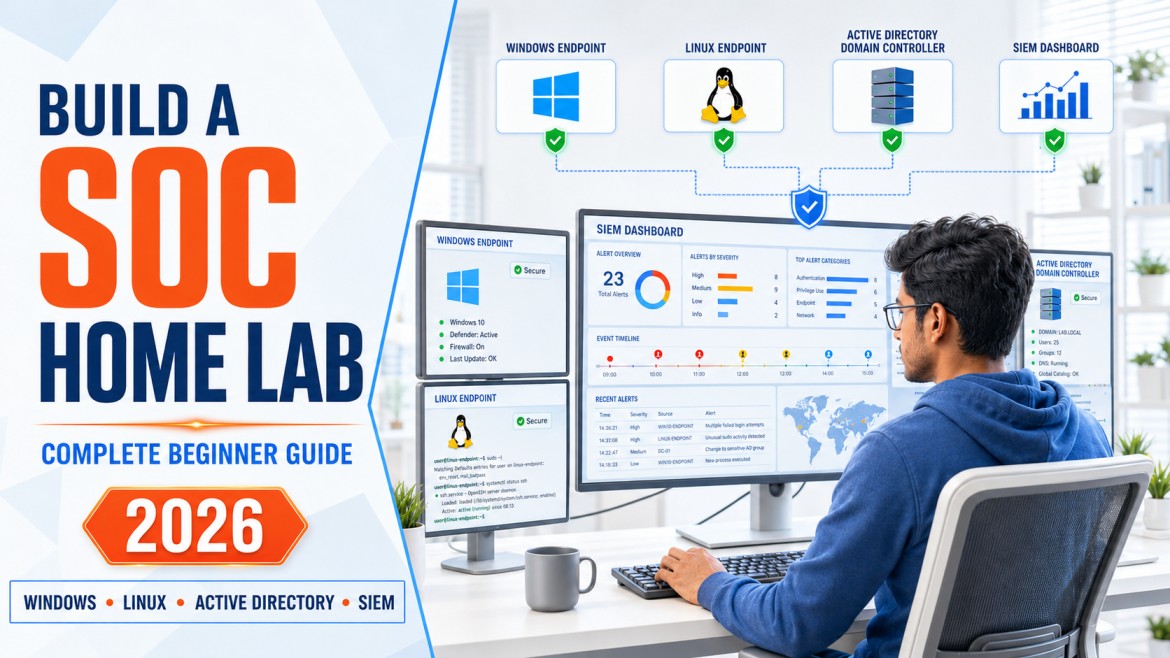
How to Build a SOC Home Lab: Complete Beginner Guide
Build a safe, practical Security Operations Center lab using Windows, Linux, Active Directory, Sysmon and a SIEM. Generate security events, create detections and practise real SOC investigation workflows.
One of the biggest challenges for aspiring SOC analysts is gaining practical experience before getting their first cybersecurity job.
Watching videos and reading about SIEM tools can help you understand concepts, but SOC work requires more than theoretical knowledge. You must learn how logs are generated, collected, searched, correlated and converted into meaningful security investigations.
A SOC home lab provides a safe environment where you can practise these activities without needing access to a company’s production network.
In this guide, you will create a small enterprise-style environment, collect endpoint and identity logs, generate safe test events, build simple detections and document your investigations as a cybersecurity portfolio project.
What You Will Learn
- What a SOC home lab is and why it is useful
- Which hardware and software components you need
- How to design a safe, isolated lab architecture
- How to install Windows, Linux and Active Directory systems
- How to use Sysmon for detailed Windows telemetry
- How to choose between Wazuh and Microsoft Sentinel
- How logs move from endpoints into a SIEM
- How to generate safe security events
- How to build five beginner detection scenarios
- How to map detections to MITRE ATT&CK
- How to document your project for GitHub and interviews
1. What Is a SOC Home Lab?
A SOC home lab is an isolated environment that simulates selected components of an organisation’s security-monitoring infrastructure.
It commonly contains endpoints, servers, user accounts, security logs and a SIEM platform. The learner generates controlled activity and then investigates the resulting events as a SOC analyst would.
A basic SOC home lab can help you practise:
- Windows and Linux administration
- Active Directory authentication
- Endpoint and identity logging
- SIEM searches and dashboards
- Detection-rule development
- Alert triage
- Incident timelines
- MITRE ATT&CK mapping
- Security reporting
2. Why Should You Build a SOC Home Lab?
Entry-level SOC interviews often include practical questions:
- How would you investigate repeated failed logins?
- What does Windows Event ID 4625 mean?
- How do logs reach a SIEM?
- What would you check after a suspicious PowerShell alert?
- How would you investigate a new administrator account?
- What information should an incident ticket contain?
A home lab gives you practical examples to support your answers. Instead of saying that you have studied SIEM, you can explain how you collected logs, tested a detection and investigated an alert.
Develop practical skills
Learn how systems, logs, agents, detections and investigations connect.
Build a portfolio
Create diagrams, detection rules, investigation reports and dashboards.
Prepare for interviews
Use real lab examples to explain how you approached security problems.
Choose a specialisation
Discover whether you enjoy SOC, detection engineering, DFIR or IAM.
This lab is also a natural continuation of the cybersecurity projects for beginners guide.
3. Safety, Legal and Ethical Rules
The purpose of this lab is defensive learning. Keep all activity inside systems that you own and control.
- Use an isolated virtual network
- Test only your own virtual machines
- Use simulated events and benign administrative commands
- Take snapshots before making major changes
- Do not store real personal or company data in the lab
- Use unique test passwords that are not used elsewhere
- Shut down the lab when it is not required
Do not download unknown malware simply to make the lab appear advanced. Beginners can learn substantial SOC skills through authentication events, account changes, PowerShell logging, process activity and safe test files.
4. Hardware Requirements
Lab requirements depend on the number of virtual machines and the selected SIEM. Start small and expand gradually.
| Resource | Minimum learning setup | More comfortable setup |
|---|---|---|
| Processor | Modern 4-core CPU with virtualisation support | 6 or more cores |
| Memory | 16 GB RAM | 24–32 GB RAM |
| Storage | Approximately 150 GB free SSD space | 250 GB or more SSD space |
| Host OS | Supported Windows, Linux or macOS system | Current, fully patched host OS |
| Network | Internet for controlled software installation | Separate isolated and update networks |
Low-resource alternative
If your computer has limited memory, start with two virtual machines:
- One Windows endpoint
- One Linux server running Wazuh
Add Active Directory only after the basic logging path is working.
5. Recommended SOC Home-Lab Architecture
Suggested virtual machines
| Virtual machine | Suggested purpose | Initial allocation |
|---|---|---|
| DC01 | Windows Server, Active Directory and DNS | 2 virtual CPUs, 4–6 GB RAM |
| WIN11-01 | Domain-joined Windows client with Sysmon | 2 virtual CPUs, 4 GB RAM |
| LINUX-01 | Linux endpoint and log source | 2 virtual CPUs, 2–4 GB RAM |
| SIEM-01 | Wazuh all-in-one lab deployment | Follow current Wazuh requirements |
These allocations are starting points, not universal specifications. Adjust them according to official requirements and available resources.
6. Software and Tools
| Tool | Purpose | Beginner learning goal |
|---|---|---|
| Virtualisation platform | Runs multiple isolated operating systems | Create, network and snapshot virtual machines |
| Windows Server | Provides Active Directory and DNS | Understand domains, users, groups and authentication |
| Windows client | Generates endpoint and user activity | Investigate logons, processes and policy activity |
| Linux | Provides another endpoint and log source | Understand Linux authentication and system logs |
| Sysmon | Records detailed Windows system activity | Investigate processes, connections and file activity |
| Wazuh | Open-source security monitoring and analytics | Collect events, review alerts and build dashboards |
| Microsoft Sentinel | Cloud-native SIEM | Learn KQL, analytics rules and cloud SIEM workflows |
| MITRE ATT&CK | Knowledge base of adversary behaviour | Map observed behaviour to tactics and techniques |
Wazuh or Microsoft Sentinel?
| Area | Wazuh | Microsoft Sentinel |
|---|---|---|
| Deployment | Can be deployed locally in the lab | Cloud-based SIEM using Azure services |
| Learning focus | Agents, local infrastructure and open-source monitoring | KQL, cloud data connectors, analytics and Azure workflows |
| Cost consideration | Software is open source; hardware resources are required | Cloud ingestion and retention may create charges |
| Beginner fit | Good for a fully local home lab | Good for learners targeting Microsoft security roles |
Begin with one SIEM. Trying to install several platforms at once often creates confusion without improving investigation skills.
Prepare the Host System
- Confirm that hardware virtualisation is supported and enabled.
- Install a supported virtualisation platform.
- Create a dedicated folder for the SOC lab.
- Confirm that sufficient memory and storage are available.
- Update and secure the host operating system.
- Download operating systems only from official sources.
Create a naming standard
Use clear names such as:
- DC01: Domain controller
- WIN11-01: Windows workstation
- LINUX-01: Linux endpoint
- SIEM-01: Wazuh server
Create an Isolated Virtual Network
Place the lab systems on a private virtual network. They should be able to communicate with one another without becoming directly accessible from untrusted external networks.
Example addressing plan
| System | Example address | Role |
|---|---|---|
| DC01 | 10.10.10.10 | Active Directory and DNS |
| WIN11-01 | 10.10.10.20 | Windows endpoint |
| LINUX-01 | 10.10.10.30 | Linux endpoint |
| SIEM-01 | 10.10.10.40 | Security monitoring |
The addresses above are only examples. Do not reuse a range that conflicts with your existing network.
Validate connectivity
Confirm that lab systems can communicate with the required internal services. Then document which communication is necessary and which access should remain blocked.
Install Windows Server
- Create a Windows Server virtual machine.
- Install a supported evaluation or licensed version.
- Rename the server to DC01.
- Assign a static private IP address.
- Install available security updates.
- Set the correct time and timezone.
- Take a clean snapshot.
Configure Active Directory and DNS
- Install the Active Directory Domain Services role.
- Create a new test forest and lab domain.
- Confirm that DNS is installed and functioning.
- Create OUs for users, workstations, servers and administrators.
- Create test users and groups.
- Create separate normal and administrative test accounts.
- Apply a basic password and account-lockout policy.
- Enable appropriate Windows audit policies.
Example structure
Study the identity and authentication concepts in Active Directory for Cybersecurity: Complete Beginner Guide .
Add Windows and Linux Endpoints
Windows client
- Create and update the Windows client virtual machine.
- Configure its DNS server to use the domain controller.
- Join it to the test domain.
- Move the computer account into the workstation OU.
- Sign in with a normal domain user.
- Confirm that Group Policy applies.
Linux endpoint
- Create a Linux virtual machine.
- Install current security updates.
- Create a normal test user.
- Verify authentication and system logging.
- Configure only the services required for the lab.
Generate normal baseline activity
- Successful logins
- Normal web access
- File creation and modification
- Approved administrative activity
- System startup and shutdown
A SOC analyst must understand normal activity before attempting to identify abnormal activity.
Install and Configure Sysmon
Microsoft Sysmon is a Windows service and driver that records detailed system activity in the Windows Event Log. It can provide information about process creation, network connections and other endpoint behaviour.
Download Sysmon only from the official Microsoft Sysinternals Sysmon page .
Useful Sysmon event categories
| Sysmon event | Activity | SOC value |
|---|---|---|
| Event ID 1 | Process creation | Shows executable, parent process and command line. |
| Event ID 3 | Network connection | Connects processes with network destinations when enabled. |
| Event ID 7 | Image loaded | Can support library and module investigations. |
| Event ID 11 | File created | Helps track dropped or newly
Related articles
|