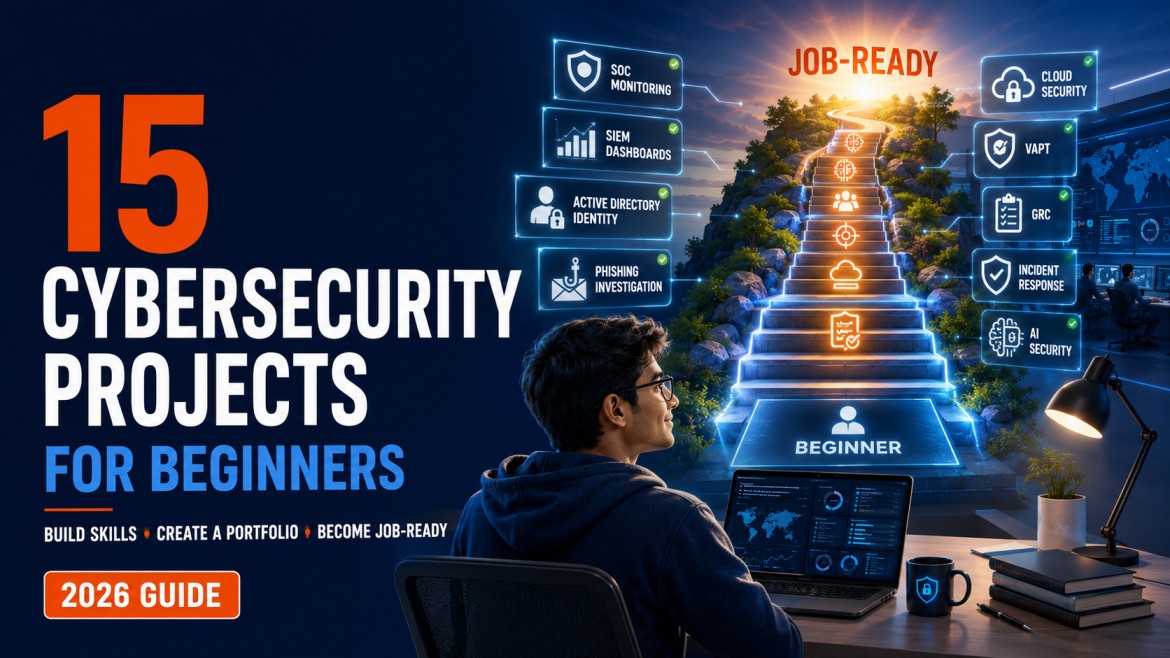
15 Cybersecurity Projects for Beginners to Build a Job-Ready Portfolio
Build practical cybersecurity experience through beginner-friendly projects covering SOC, SIEM, Active Directory, phishing, VAPT, cloud security, GRC, incident response and AI governance.
Cybersecurity beginners often face a frustrating problem:
“Every job asks for experience, but how can I gain experience before getting my first cybersecurity job?”
The solution is not to collect certifications endlessly. Certifications can validate knowledge, but employers also want evidence that you can apply that knowledge.
A well-designed cybersecurity project allows you to demonstrate that you can set up a security environment, analyse logs, investigate suspicious activity, identify vulnerabilities, document risks and recommend practical controls.
You do not need access to a company’s production network to build these skills. A properly isolated home lab, intentionally vulnerable application, sample logs and simulated business scenarios can provide valuable practical experience.
What You Will Learn
- How to build a safe cybersecurity home lab
- How to investigate phishing emails and Windows security events
- How to create an Active Directory security project
- How to develop and document SIEM detection rules
- How to perform an authorised vulnerability assessment
- How to analyse network traffic and threat intelligence
- How to create cloud, GRC and ISO 27001 projects
- How to assess Agentic AI security risks
- How to present projects on GitHub, LinkedIn and a resume
Why Cybersecurity Projects Matter
The NIST NICE Workforce Framework for Cybersecurity describes cybersecurity work through tasks, knowledge and skills. This is a useful way to think about your portfolio.
A strong portfolio project should not merely say:
“Installed a SIEM tool.”
It should demonstrate:
- What security or business problem you wanted to solve
- How you designed the lab or assessment
- What data you collected
- Which activity you investigated
- What you discovered
- Which controls you recommended
- What evidence you produced
Before You Begin: Build Safely and Legally
Only perform cybersecurity testing on:
- Systems that you personally own
- Isolated virtual machines created for learning
- Intentionally vulnerable applications
- Authorised training platforms
- Environments where you have explicit written permission
Never scan, attack or test:
- Public websites without permission
- College or company networks
- Cloud systems you do not own
- Your employer’s infrastructure without approval
- Another person’s device
- Random public IP addresses
What Every Portfolio Project Should Contain
- Project title
- Business or security problem
- Objective
- Architecture or process diagram
- Tools used
- Implementation steps
- Evidence collected
- Findings
- Security recommendations
- Skills demonstrated
- Sanitised screenshots
- Lessons learned
Build a Cybersecurity Home Lab
Objective
Create an isolated virtual environment where you can safely practise Windows security, Linux, networking, log analysis and incident investigation.
Suggested components
- One Windows Server virtual machine
- One Windows client virtual machine
- One Linux virtual machine
- A supported virtualisation platform
- An isolated virtual network
- Optional SIEM or log-management platform
- Sysmon for enhanced Windows telemetry
Activities
- Create a private virtual network.
- Install Windows Server and a Windows client.
- Install a Linux virtual machine.
- Configure IP addressing and DNS.
- Generate normal login and network activity.
- Install Sysmon on the Windows endpoint.
- Forward security logs to a SIEM.
- Create a basic security-events dashboard.
Portfolio evidence
- Lab architecture diagram
- Virtual-machine inventory
- Network configuration
- Log-source list
- Screenshots of collected events
- Security-controls summary
Explore CybersecurityTRAIN practical labs if you need guided exercises alongside your home environment.
Investigate a Phishing Email
Objective
Analyse a simulated or safely obtained phishing email and determine whether it is malicious.
What to examine
- Sender and reply-to addresses
- Display-name mismatch
- Return path
- Email headers
- SPF, DKIM and DMARC results
- URLs and domain reputation
- Attachment names and file hashes
- Urgency, impersonation and social-engineering indicators
Investigation process
- Preserve the original email safely.
- Review the sender and reply-to information.
- Examine the email headers.
- Extract URLs without opening them directly.
- Analyse domains and hashes using approved tools.
- Identify the likely phishing technique.
- Map relevant behaviour to MITRE ATT&CK.
- Write a verdict and recommended response.
Deliverable
Create a phishing-investigation report containing:
- Executive summary
- Indicators of compromise
- Header findings
- URL and attachment analysis
- Risk rating
- Recommended containment
- User-awareness advice
Use the phishing email investigation guide as your project reference.
Analyse Windows Security Event Logs
Objective
Generate and investigate Windows events related to authentication, accounts, privileges and suspicious processes.
| Event ID | Activity | Investigation value |
|---|---|---|
| 4624 | Successful logon | Identifies successful access, account and logon type. |
| 4625 | Failed logon | Supports password-attack and access-failure analysis. |
| 4648 | Explicit credentials used | May reveal run-as or lateral administrative activity. |
| 4672 | Special privileges assigned | Helps identify privileged sessions. |
| 4688 | Process created | Connects user activity with commands and processes. |
| 4720 | User account created | Detects authorised or suspicious account creation. |
| 4732 | User added to a local security group | Highlights potential privilege changes. |
| 4740 | Account locked out | May indicate password attacks or stale credentials. |
| 4768 / 4769 | Kerberos tickets requested | Supports domain-authentication investigations. |
| 1102 | Audit log cleared | High-priority activity because evidence may be removed. |
Activities
- Enable appropriate Windows audit policies.
- Generate successful and failed logins.
- Create, disable and re-enable a test account.
- Add a test user to a security group.
- Run PowerShell and administrative commands.
- Review the resulting events.
- Build an activity timeline.
- Explain which events would require investigation.
Read Windows Event IDs Every SOC Analyst Should Know before starting.
Build and Secure an Active Directory Lab
Objective
Create a small Windows domain and demonstrate identity administration, Group Policy and security monitoring.
Activities
- Install Active Directory Domain Services.
- Create a test forest and domain.
- Build OUs for users, computers and administrators.
- Create test users and security groups.
- Join a Windows client to the domain.
- Create password and account-lockout policies.
- Apply a basic security GPO.
- Generate domain-authentication events.
- Monitor account and group changes.
- Document security-hardening recommendations.
Suggested business scenario
Create fictional departments such as:
- Finance
- Human Resources
- SOC
- IT Administration
Give each group access only to the resources required for its role. Then demonstrate how an incorrect group assignment could create excessive access.
Portfolio evidence
- Active Directory architecture
- OU design
- Group-membership matrix
- GPO screenshots
- Authentication-event analysis
- Hardening checklist
Create SIEM Detection Rules
Objective
Collect security events and build detections for suspicious activity.
Possible detections
- Multiple failed logins followed by a successful login
- One source attempting to access several accounts
- A user added to a privileged group
- PowerShell using encoded commands
- Security logs being cleared
- A new administrative account being created
- Unusual logins outside expected hours
Detection-development process
- Define the behaviour you want to detect.
- Identify the required log source.
- Locate the relevant fields and Event IDs.
- Write the detection query.
- Generate safe test activity.
- Validate the detection.
- Identify possible false positives.
- Document the analyst’s investigation steps.
| Detection field | Example |
|---|---|
| Name | Multiple failed logins followed by success |
| Data source | Windows Security logs |
| Events | 4625 and 4624 |
| Severity | Medium or high, depending on context |
| Possible false positive | User repeatedly entered an incorrect password |
| Analyst action | Verify the source, user and subsequent activity |
Learn the fundamentals through the SIEM tools guide and Microsoft Sentinel tutorial for beginners .
Perform an Authorised Vulnerability Assessment
Objective
Scan an isolated lab system, validate selected findings and create a professional vulnerability report.
Activities
- Define the authorised scope.
- Identify lab assets.
- Perform basic service discovery.
- Run a vulnerability scanner.
- Review and validate findings.
- Remove obvious false positives.
- Assign severity based on context.
- Recommend remediation.
- Retest after applying fixes.
Deliverable
- Scope and methodology
- Asset inventory
- Executive summary
- Technical findings
- Evidence and severity
- Business impact
- Remediation
- Retest status
Test an Intentionally Vulnerable Web Application
Objective
Learn how common web vulnerabilities appear and how they should be documented. Use only intentionally vulnerable training applications such as OWASP Juice Shop .
Areas to study
- Broken access control
- Authentication weaknesses
- Input validation
- Injection
- Security misconfiguration
- Sensitive-data exposure
- Session management
- Insecure design
Activities
- Install the vulnerable application locally.
- Record the authorised testing scope.
- Identify one or two beginner-level vulnerabilities.
- Capture safe, sanitised evidence.
- Explain the root cause.
- Describe the likely business impact.
- Recommend secure development controls.
Produce a sanitised penetration-testing report. Avoid publishing harmful payloads or instructions that could be readily misused against real systems.
Analyse Network Traffic with Wireshark
Objective
Capture and analyse network traffic generated inside your own lab.
Activities
- Capture DNS queries and responses.
- Observe a TCP handshake.
- Compare encrypted and unencrypted protocols.
- Apply Wireshark display filters.
- Identify source and destination systems.
- Review normal protocol behaviour.
- Investigate a simulated suspicious connection.
- Build a short network timeline.
Concepts to demonstrate
- IP addresses and ports
- TCP flags
- DNS requests
- HTTP headers
- TLS sessions
- Repeated connection attempts
- Unusual outbound destinations
Deliverable
Create a network-analysis report explaining:
- What happened
- Which systems communicated
- Which protocols were used
- Whether the activity was expected
- Which additional logs would be required
Create a Threat-Intelligence Report
Objective
Research a publicly documented threat and convert the information into actionable security intelligence.
Choose one topic
- A ransomware group
- A phishing campaign
- An information-stealing malware family
- A cloud-focused threat
- An identity-based attack campaign
Report structure
- Threat overview
- Targeted industries
- Initial-access methods
- Attacker behaviour
- Indicators of compromise
- MITRE ATT&CK mapping
- Detection opportunities
- Mitigation recommendations
- Source assessment
- Intelligence limitations
MITRE ATT&CK is a globally accessible knowledge base of adversary tactics and techniques based on real-world observations. Use the MITRE ATT&CK Enterprise Matrix to map behaviours accurately.
You can also review our MITRE ATT&CK beginner guide .
Develop a Ransomware Incident-Response Playbook
Objective
Create a practical playbook explaining how a security team should respond to suspected ransomware.
Preparation
- Define roles and escalation paths
- Identify critical assets
- Validate backups
- Establish communication channels
- Prepare evidence-collection procedures
Identification
- Confirm the nature of the alert
- Identify affected users and devices
- Determine the apparent initial access
- Look for encryption and data exfiltration
Containment
- Isolate affected systems
- Disable compromised accounts
- Block malicious indicators
- Preserve evidence
- Prevent further lateral movement
Eradication and recovery
- Remove persistence
- Reset affected credentials
- Patch exploited weaknesses
- Restore from validated backups
- Monitor for recurrence
Deliverable
Develop a five-to-eight-page playbook containing a decision flow, roles, escalation matrix, containment checklist and lessons-learned process.
Review Cloud IAM Permissions
Objective
Analyse a small test cloud environment and identify excessive identity permissions.
Areas to review
- Human users and service accounts
- Administrative roles
- Inactive identities
- Access keys
- Multifactor authentication
- Role assignments
- Publicly exposed resources
- Logging configuration
- Separation of duties
Activities
- Build a small test cloud environment.
- Create different test roles.
- Assign controlled permissions.
- Intentionally create one excessive permission.
- Identify and explain the risk.
- Replace it with a least-privilege role.
- Document the before-and-after access.
| Identity | Required access | Current access | Gap | Recommendation |
|---|---|---|---|---|
| Reporting service | Read reporting data | Full administrative access | Excessive privileges | Replace with a read-only custom role |
If cloud security is your preferred career path, follow the Cloud Security Career Roadmap .
Build a Cybersecurity Risk Register
Objective
Identify, evaluate and treat cybersecurity risks for a fictional small business.
Example environment
Assume a 50-person organisation uses:
- Microsoft 365
- Cloud file storage
- Employee laptops
- Remote access
- A customer web application
- Third-party payroll software
Possible risks
- Phishing and ransomware
- Weak access controls
- Data leakage
- Unpatched systems
- Third-party compromise
- Lost laptops
- Inadequate backups
- Excessive administrative access
- Unauthorised AI usage
Risk-register fields
- Risk ID and affected asset
- Threat and vulnerability
- Existing controls
- Likelihood and impact
- Inherent risk
- Recommended treatment
- Risk owner and target date
- Residual risk
Use the Cybersecurity Risk Register guide for the project structure.
Conduct an ISO 27001 Gap Assessment
Objective
Assess a fictional organisation’s information-security practices against selected ISO 27001 requirements.
Suggested assessment areas
- Information-security policies
- Asset management
- Access control
- Supplier security
- Incident management
- Business continuity
- Risk assessment
- Security awareness
- Logging and monitoring
- Corrective actions
Deliverables
- Scope statement
- Interview questionnaire
- Evidence-request list
- Gap-assessment workbook
- Findings summary
- Corrective-action plan
- Management presentation
Example finding
Observation: Dormant user accounts are not periodically reviewed.
Risk: Former employees or unused accounts may retain inappropriate access.
Recommendation: Establish a documented joiner, mover and leaver process with periodic access recertification.
This project is valuable for learners following the GRC Career Roadmap .
Build a Basic Security Log Analyser
Objective
Use Python or PowerShell to automate a simple defensive security task.
Possible project ideas
- Count failed logins by username
- Identify repeated source IP addresses
- Extract indicators from a log file
- Flag logins outside approved hours
- Detect changes to a monitored directory
- Compare file hashes
- Convert raw events into a summary report
Example logic
- Read a sanitised authentication log.
- Count failed logins by account and source.
- Apply a configurable threshold.
- Produce a CSV report.
- Explain why flagged activity may require investigation.
Portfolio evidence
- Sanitised source code
- Sample input
- Sample output
- README instructions
- Detection logic
- Known limitations
- Improvement roadmap
Perform an Agentic AI Security Risk Assessment
Objective
Assess the security and governance risks of an AI agent that can access corporate applications and take limited actions.
Example scenario
A fictional company wants to deploy an AI agent that can:
- Read internal documents
- Summarise emails
- Create service tickets
- Search customer records
- Generate reports
- Take actions through connected tools
Risks to assess
- Excessive agent permissions
- Prompt injection
- Sensitive-data disclosure
- Unapproved actions
- Weak user verification
- Insecure integrations
- Insufficient logging
- Third-party data retention
- Lack of human approval
- Agent identity confusion
- Inadequate incident response
Recommended controls
- Least-privilege access to tools and data
- Data classification and handling rules
- Human approval for sensitive actions
- Input and output filtering
- Strong identity and authentication controls
- Complete activity logging
- Secure secrets management
- Testing before production
- Emergency disablement capability
- Periodic access review
Deliverable
- AI agent data-flow diagram
- Asset and information inventory
- Threat scenarios
- AI risk register
- Control recommendations
- Human-oversight matrix
- Incident-response process
Connect this project with the article on Shadow AI risks and controls .
How to Choose the Right Cybersecurity Project
Do not try to complete all 15 projects immediately. Select projects based on your target cybersecurity role.
| Target role | Recommended projects |
|---|---|
| SOC Analyst | Home lab, phishing, Windows logs, SIEM detections and network analysis |
| VAPT Analyst | Vulnerability assessment, web application testing and Active Directory lab |
| GRC Analyst | Risk register, ISO 27001 gap assessment and AI risk assessment |
| Cloud Security Analyst | Cloud IAM review, logging project and cloud risk assessment |
| IAM Analyst | Active Directory lab, cloud IAM review and account monitoring |
| Incident Responder | Phishing, network analysis, threat intelligence and ransomware playbook |
| AI Security or Governance | Agentic AI assessment, Shadow AI controls and risk register |
Recommended beginner sequence
- Build a cybersecurity home lab.
- Analyse Windows security events.
- Investigate a phishing email.
- Analyse network traffic.
- Create SIEM detection rules.
- Build an Active Directory lab.
- Choose one specialised project based on your target role.
If you are still deciding which role to pursue, follow the Cybersecurity Roadmap 2026 .
How to Publish Cybersecurity Projects on GitHub
Create one repository for each major project or maintain one organised portfolio repository.
Suggested repository structure
Your README should explain
- Project objective
- Business or security problem
- Lab architecture
- Tools used
- Implementation steps
- Detection or assessment method
- Findings
- Recommendations
- Skills demonstrated
- Ethical and legal boundaries
Never upload
- Real company or customer information
- Passwords or access tokens
- Private keys or API credentials
- Sensitive vulnerability details
- Malicious payloads
- Confidential screenshots
How to Add Cybersecurity Projects to Your Resume
Avoid a vague statement such as:
“Worked on cybersecurity projects.”
Use evidence-based statements such as:
- Built an isolated Windows security lab and collected authentication, process and account-management events for investigation.
- Developed SIEM detections for repeated login failures, privileged-group changes and suspicious PowerShell activity.
- Investigated a simulated phishing email using header, URL, domain and attachment-hash analysis.
- Created a cybersecurity risk register and treatment plan for a fictional cloud-enabled organisation.
- Conducted a simulated ISO 27001 gap assessment and prepared a prioritised corrective-action plan.
How to Present a Cybersecurity Project in an Interview
Situation
What security or business problem did the project address?
Task
What were you trying to build, investigate, detect or assess?
Action
Which tools, logs, methods and decisions did you use?
Result and learning
What did you discover, improve or recommend, and what would you change next time?
Interviewers may ask detailed follow-up questions. Understanding your work is more valuable than presenting a large project copied from the internet.
Prepare further with the cybersecurity interview questions for freshers .
Common Cybersecurity Project Mistakes
Copying a project without understanding it
Following a tutorial while learning is acceptable. Copying another person’s screenshots, findings or explanations is not.
Focusing only on tools
A project should explain the security problem and your reasoning—not only which buttons you clicked.
Publishing offensive details carelessly
Keep testing inside authorised environments. Do not publish real credentials, sensitive targets or harmful instructions.
Ignoring documentation
Professional cybersecurity work includes reports, timelines, risk explanations, evidence and recommendations.
Completing too many shallow projects
Three relevant, well-documented projects are usually more valuable than numerous exercises you cannot explain.
Making unrealistic claims
A lab investigation does not make someone an experienced incident responder. Describe your practical experience honestly.
Frequently Asked Questions
Which cybersecurity project is best for beginners?
A small home lab followed by Windows log analysis is an excellent starting point. It teaches operating systems, networking, logging and investigation without requiring advanced offensive skills.
Can cybersecurity projects help me get a job?
Projects can strengthen your profile by demonstrating initiative and applied skills. They do not guarantee employment, but they provide useful evidence to discuss during interviews.
How many projects should I include on my resume?
Two to four relevant, well-documented projects are generally sufficient. Select projects aligned with the target job rather than listing every exercise you completed.
Do I need expensive cybersecurity tools?
No. Many useful beginner projects can be completed with virtual machines, built-in operating-system tools, community editions, sample logs and intentionally vulnerable applications.
Should I upload cybersecurity projects to GitHub?
GitHub can help you present documentation, queries and defensive code. Remove credentials, private data, malicious payloads and confidential information before publishing.
Can a non-technical student complete cybersecurity projects?
Yes. Risk assessment, policy review, ISO 27001 gap analysis, compliance and AI governance projects are suitable for learners interested in governance and business-focused roles.
Which projects are best for SOC analyst interviews?
Phishing investigation, Windows event analysis, SIEM detections, network-traffic analysis and an Active Directory home lab are especially relevant to entry-level SOC interviews.
Which cybersecurity project is best for GRC?
Start with a cybersecurity risk register and then conduct an ISO 27001 gap assessment. These demonstrate risk identification, control assessment and professional reporting.
Can I describe home-lab work as professional experience?
No. Describe it accurately as a personal project, internship exercise, academic project or practical lab. Do not represent it as employment experience.
How long should a cybersecurity project take?
A small project may take a few days. A SIEM implementation, Active Directory environment or complete home lab may take several weeks. Quality and understanding matter more than speed.
Can I use AI to create my project report?
AI may assist with structure, grammar or brainstorming, but the project, evidence, analysis and conclusions must reflect your own work. Never upload sensitive information to an unapproved AI service.
What should I do if a project does not work?
Document the problem, troubleshooting steps and lessons learned. Cybersecurity professionals regularly solve configuration and data problems. A well-documented failure can still demonstrate valuable analytical skills.
Conclusion
Cybersecurity projects bridge the gap between understanding a concept and applying it.
You do not need to complete every project in this guide. Select three or four that match your target role, document them professionally and prepare to explain every decision.
A strong beginner portfolio should demonstrate:
- Foundational cybersecurity knowledge
- Practical investigation or assessment
- Ethical and legal behaviour
- Clear technical documentation
- Understanding of business risk
- Honest self-assessment
- Willingness to learn and improve
Start with one manageable project. Complete it properly, document what you learned and build the next project on top of those skills.
Build Practical Cybersecurity Experience
CybersecurityTRAIN.com helps learners progress through awareness, skills, practical labs, internships, certification guidance and placement readiness.
WhatsApp or call: +91 98857 89887 | Email: trainings@thecyberseal.com
Career support may include resume guidance, interview preparation, LinkedIn optimisation and role-focused mentoring. Employment outcomes depend on individual skills, performance and market conditions.