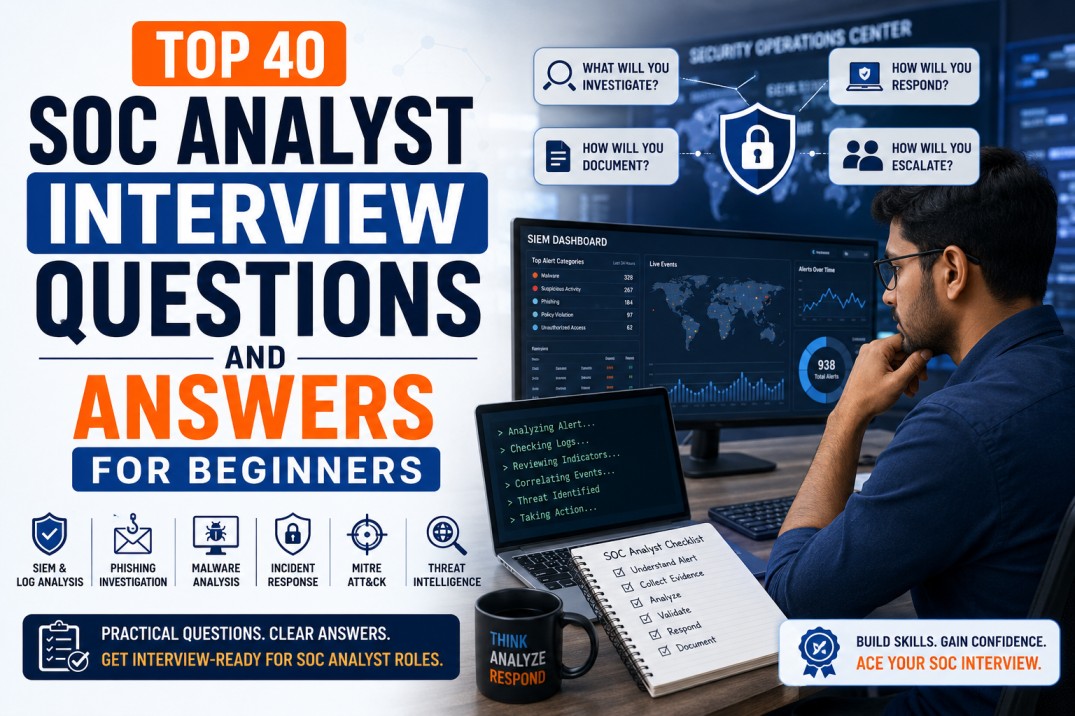
Top 40 SOC Analyst Interview Questions and Answers for Beginners
Preparing for your first SOC Analyst interview? This practical guide covers 40 beginner-friendly questions and answers on SIEM, phishing, incident response, malware, EDR, Windows logs, MITRE ATT&CK, threat intelligence, alert triage and SOC documentation.
A SOC Analyst interview is not only a theory test. Interviewers want to know whether you can think like a real security analyst: read alerts, ask the right questions, investigate evidence, understand risk, document clearly and escalate when needed.
If you are a beginner, you do not need to know everything. But you should be able to explain the basics of SOC operations, SIEM, logs, phishing investigation, malware alerts, incident response, threat intelligence and ticket documentation with confidence.
Simple interview rule: Do not memorize answers blindly. Understand the investigation approach. A good SOC answer explains what you will check, why you will check it, and what action you will take next.
This article gives you practical SOC Analyst interview questions and answers that can help freshers, beginners, IT support professionals and cybersecurity learners prepare for entry-level SOC roles.
What Interviewers Expect from a Beginner SOC Analyst
For an entry-level SOC Analyst role, interviewers usually do not expect you to be an expert threat hunter or malware reverse engineer. They expect strong fundamentals, curiosity, discipline and a structured investigation mindset.
Technical Understanding
- Networking basics
- Windows and Linux basics
- Security concepts
- SIEM and log basics
- Common attack types
- Basic incident response
Analyst Mindset
- Ability to analyze alerts
- Clear documentation
- Logical investigation steps
- Understanding of escalation
- Attention to detail
- Willingness to learn
MITRE ATT&CK is also useful for SOC interviews because it helps analysts describe attacker tactics and techniques in a structured way. For example, MITRE describes phishing as electronically delivered social engineering that adversaries use to gain access to victim systems. :contentReference[oaicite:1]{index=1}
SOC Fundamentals Questions
1. What is a SOC?
AnswerA Security Operations Center, or SOC, is a team or function responsible for monitoring, detecting, analyzing and responding to cybersecurity threats. The SOC uses tools such as SIEM, EDR, email security, threat intelligence and ticketing systems to protect the organization from security incidents.
2. What does a SOC Analyst do?
AnswerA SOC Analyst monitors security alerts, investigates suspicious activity, reviews logs, validates whether alerts are true positive or false positive, documents findings, escalates incidents and supports containment or response actions.
3. What is the difference between L1, L2 and L3 SOC Analysts?
AnswerL1 analysts usually handle initial monitoring, alert triage and escalation. L2 analysts perform deeper investigation, correlation and containment recommendations. L3 analysts handle advanced investigation, threat hunting, detection improvement, malware analysis and complex incident response.
4. What is alert triage?
AnswerAlert triage is the process of reviewing a security alert to determine its priority, validity, severity and required action. The analyst checks the source, affected asset, user, timestamp, indicators, related logs and business impact before deciding whether to close, escalate or investigate further.
5. What is the difference between an event, alert and incident?
AnswerAn event is any observable activity in a system, such as a login or file access. An alert is a notification generated when an event or group of events matches a suspicious rule or behavior. An incident is a confirmed or suspected security event that requires investigation and response.
6. What is the difference between false positive and true positive?
AnswerA true positive is a valid alert that correctly identifies suspicious or malicious activity. A false positive is an alert that appears suspicious but is actually benign after investigation.
7. What is the CIA triad?
AnswerThe CIA triad stands for Confidentiality, Integrity and Availability. Confidentiality protects data from unauthorized access, integrity ensures data is accurate and not modified without authorization, and availability ensures systems and data are accessible when needed.
8. What is defense in depth?
AnswerDefense in depth is a layered security approach where multiple controls are used together. For example, email security, endpoint protection, MFA, firewall, SIEM monitoring, user awareness and backups all work together to reduce risk.
SIEM and Log Analysis Questions
9. What is SIEM?
AnswerSIEM stands for Security Information and Event Management. It collects logs from multiple sources, correlates events, generates alerts, supports investigations and helps SOC teams detect suspicious behavior.
10. What logs are important for SOC Analysts?
AnswerImportant logs include authentication logs, Windows event logs, firewall logs, proxy logs, DNS logs, EDR logs, VPN logs, email security logs, cloud logs, web server logs and identity provider logs.
11. What is log correlation?
AnswerLog correlation means connecting events from different sources to understand a bigger security story. For example, failed VPN login attempts, successful login from a new country, impossible travel and suspicious mailbox rule creation may together indicate account compromise.
12. What is a use case in SIEM?
AnswerA SIEM use case is a detection scenario that the SOC wants to monitor. Examples include brute-force login attempts, malware detection, suspicious PowerShell execution, impossible travel login, data exfiltration or privilege escalation.
13. What is a brute-force attack and how would you investigate it?
AnswerA brute-force attack is an attempt to guess passwords by trying many combinations. I would check failed login count, source IP, target account, successful login after failures, geolocation, user history, MFA logs, account lockout status and whether the same source targeted multiple users.
14. What is impossible travel?
AnswerImpossible travel occurs when the same user account logs in from two geographically distant locations within a time window that makes physical travel impossible. It may indicate credential compromise, VPN usage or proxy-based activity. The analyst should validate with user context and identity logs.
15. What are Windows Event IDs useful for SOC Analysts?
AnswerWindows Event IDs help analysts identify activities such as successful login, failed login, account lockout, new service creation, process creation and privilege use. They are useful for investigating authentication attacks, lateral movement, malware execution and privilege abuse.
16. What is the difference between firewall logs and proxy logs?
AnswerFirewall logs show network traffic allowed or blocked based on source, destination, port and protocol. Proxy logs show web activity such as URLs visited, categories, user identity, HTTP methods, file downloads and web access decisions.
Phishing Investigation Questions
17. How do you investigate a phishing email?
AnswerI would collect the original email with full headers, check sender and reply-to addresses, analyze SPF/DKIM/DMARC results, inspect links safely, review attachments in a sandbox if needed, check threat intelligence sources, identify other recipients, confirm whether the user clicked or entered credentials, classify severity and take containment actions.
18. What are SPF, DKIM and DMARC?
AnswerSPF checks whether the sending server is authorized to send email for a domain. DKIM verifies that the email was signed by the sending domain. DMARC uses SPF and DKIM alignment to help detect spoofing and define how receivers should handle failed messages.
19. If SPF, DKIM and DMARC pass, is the email always safe?
AnswerNo. Passing SPF, DKIM and DMARC does not guarantee the email is safe. Attackers may use compromised legitimate accounts, approved third-party senders or lookalike domains with proper authentication. Content, links, attachments and user context still need analysis.
20. What indicators do you check in a phishing email?
AnswerI check sender address, reply-to address, sending IP, domain reputation, URLs, attachments, file hashes, subject, email body, authentication results, brand impersonation signs, user interaction and whether other users received the same email.
21. What would you do if a user clicked a phishing link?
AnswerI would check whether the user entered credentials, review proxy logs, browser activity, login history, MFA events and endpoint telemetry. If credentials were submitted, I would reset the password, revoke sessions, check for suspicious inbox rules, review recent login activity and escalate based on severity.
22. What is business email compromise?
AnswerBusiness Email Compromise, or BEC, is a targeted email fraud where attackers impersonate executives, vendors or trusted business contacts to request payments, gift cards, bank detail changes or sensitive information.
Incident Response Questions
23. What is incident response?
AnswerIncident response is the structured process of preparing for, detecting, analyzing, containing, eradicating and recovering from cybersecurity incidents. NIST guidance helps organizations analyze incident-related data and determine appropriate response actions. :contentReference[oaicite:2]{index=2}
24. What are the main phases of incident response?
AnswerThe commonly taught phases include preparation, detection and analysis, containment, eradication, recovery and post-incident activity. The exact structure may vary by organization, but the goal is to respond in a controlled and repeatable way.
25. What is containment?
AnswerContainment means limiting the spread or impact of an incident. Examples include isolating an infected endpoint, disabling a compromised account, blocking malicious IPs or domains, quarantining emails or restricting access to affected systems.
26. What is eradication?
AnswerEradication means removing the root cause of the incident. This may include removing malware, closing vulnerabilities, deleting malicious persistence mechanisms, disabling attacker-created accounts or fixing misconfigurations.
27. What is the difference between incident and problem?
AnswerAn incident is an event that requires immediate response because it may affect confidentiality, integrity or availability. A problem is the underlying cause that may lead to one or more incidents. For example, a malware alert is an incident; weak endpoint control may be the problem.
28. What should be included in an incident report?
AnswerAn incident report should include summary, timeline, affected systems, users, indicators, detection source, impact, root cause if known, containment actions, eradication and recovery steps, evidence, severity, lessons learned and recommendations.
Malware and EDR Questions
29. What is malware?
AnswerMalware is malicious software designed to harm systems, steal data, disrupt operations, gain unauthorized access or support attacker objectives. Examples include viruses, worms, trojans, ransomware, spyware and backdoors.
30. What is ransomware?
AnswerRansomware is malware that encrypts files or disrupts systems and demands payment for restoration. Modern ransomware may also include data theft and extortion, so analysts should check encryption activity, suspicious processes, data transfer, backups and lateral movement.
31. What is EDR?
AnswerEDR stands for Endpoint Detection and Response. It monitors endpoint activity such as processes, file changes, network connections, registry changes and command execution to detect and respond to suspicious behavior.
32. How would you investigate a malware alert from EDR?
AnswerI would check the affected host, user, detection name, file path, hash, process tree, parent process, command line, network connections, persistence indicators, timestamp, EDR action taken and whether similar indicators appear on other systems.
33. What is a file hash and why is it useful?
AnswerA file hash is a unique fingerprint of a file, such as MD5, SHA-1 or SHA-256. It is useful for checking reputation, matching malware samples, searching across systems and sharing indicators of compromise.
34. What is PowerShell and why is it important in SOC investigations?
AnswerPowerShell is a powerful Windows scripting and administration tool. Attackers may abuse it for execution, download, persistence or defense evasion. SOC Analysts should review PowerShell command lines, encoded commands, parent processes and user context.
MITRE ATT&CK and Threat Intelligence Questions
35. What is MITRE ATT&CK?
AnswerMITRE ATT&CK is a knowledge base of adversary tactics and techniques based on real-world observations. SOC teams use it to understand attacker behavior, map alerts, improve detections and communicate threats clearly.
36. What are tactics and techniques in MITRE ATT&CK?
AnswerA tactic is the attacker’s objective, such as Initial Access, Execution or Credential Access. A technique is how the attacker achieves that objective, such as phishing, command-line execution or credential dumping.
37. What is threat intelligence?
AnswerThreat intelligence is information about threats, attackers, indicators, tactics, techniques, procedures and vulnerabilities that helps security teams make better detection and response decisions.
38. What are indicators of compromise?
AnswerIndicators of compromise, or IOCs, are pieces of evidence that may indicate malicious activity. Examples include malicious IP addresses, domains, URLs, file hashes, registry keys, file paths, email sender addresses and command-line patterns.
Scenario-Based SOC Interview Questions
39. Scenario: You receive an alert for multiple failed logins followed by a successful login. What will you do?
AnswerI would check the username, source IP, destination system, failed login count, successful login timestamp, geolocation, user’s normal login behavior, MFA status, device used and whether the same source IP targeted other users. If suspicious, I would escalate, reset credentials if needed, revoke sessions and block the source if appropriate.
40. Scenario: An EDR alert shows suspicious PowerShell execution. What will you check?
AnswerI would check the command line, encoded command usage, parent process, user account, script path, network connections, file downloads, process tree, endpoint history, related alerts, file hashes and whether the activity matches known administrative work or suspicious behavior. If malicious, I would contain the endpoint and escalate based on process.
How to Answer SOC Interview Questions Professionally
Many beginners know definitions but struggle to explain their thinking. Use a structured answer style.
Use This Answer Formula
- Define: Explain the concept simply.
- Investigate: Mention what evidence you will check.
- Validate: Explain how you will confirm true positive or false positive.
- Respond: Mention containment or escalation if needed.
- Document: Explain what you will record in the ticket.
Example: Instead of saying “I will block the IP,” say “I will first validate the alert by checking logs, user behavior, threat intelligence and related events. If confirmed malicious, I will follow the response process to block the IP, escalate the incident and document actions.”
Final SOC Interview Preparation Checklist
- Revise networking basics: IP, DNS, HTTP, HTTPS, ports and protocols
- Understand common attacks: phishing, malware, brute force, ransomware and BEC
- Practice explaining SIEM, EDR, firewall, proxy and email security logs
- Learn basic Windows Event IDs
- Practice phishing email investigation workflow
- Understand incident response phases
- Learn MITRE ATT&CK basics
- Practice scenario-based answers
- Prepare 2–3 small SOC projects or case studies
- Practice writing a clear SOC ticket summary
Best beginner project before interview
Create a sample phishing investigation report, a brute-force login investigation report and a malware alert investigation report. These three examples can help you explain practical SOC thinking during interviews.
Useful External Resources
Related Career Guides
Final Thoughts
A beginner SOC Analyst interview is not about proving that you know every tool in the market. It is about proving that you understand how to investigate security alerts logically and professionally.
Focus on fundamentals, explain your investigation steps, use examples and show that you can document clearly. If you can explain phishing investigation, brute-force analysis, SIEM alert triage, malware alert handling and basic incident response, you will be much more confident in SOC interviews.
Final career message: Learn the concepts, practice real scenarios, document your findings and think like an investigator. That is how you become interview-ready for SOC Analyst roles.
Want to Become Job-Ready for SOC Analyst Roles?
At CybersecurityTRAIN.com, we help students and working professionals build practical SOC skills through hands-on training in SIEM, alert triage, phishing investigation, incident response, MITRE ATT&CK, threat intelligence and SOC ticket documentation.
If you are preparing for SOC Analyst interviews, explore our practical SOC training program and speak with our training advisor.
Explore SOC Analyst Training Explore Job-Ready Blue Team TrainingCall or WhatsApp: +91 98857 89887
Frequently Asked Questions
1. What are the most common SOC Analyst interview questions?
Common questions cover SOC responsibilities, SIEM, alert triage, phishing investigation, incident response, Windows logs, EDR, malware alerts, MITRE ATT&CK, threat intelligence and SOC ticket documentation.
2. Can a fresher become a SOC Analyst?
Yes. Freshers can become SOC Analysts if they build strong fundamentals in networking, operating systems, cybersecurity basics, SIEM, log analysis, phishing investigation and incident response.
3. Do SOC Analysts need coding?
Coding is not mandatory for entry-level SOC roles. However, basic scripting in Python or PowerShell can help with log analysis, automation and advanced investigation as you grow.
4. What should I learn first for SOC interviews?
Start with networking basics, Windows logs, SIEM concepts, phishing investigation, incident response lifecycle, malware basics, EDR concepts and MITRE ATT&CK fundamentals.
5. What is the best way to answer SOC scenario questions?
Use a structured method: collect evidence, analyze logs, validate whether it is true positive, determine impact, take response action, escalate if needed and document everything clearly.
6. Which tools should a beginner SOC Analyst know?
Beginners should understand SIEM, EDR, email security tools, threat intelligence platforms, ticketing systems, VirusTotal, urlscan.io and basic log analysis tools.
7. Is SOC Analyst a good career path?
Yes. SOC Analyst is a strong cybersecurity entry point because it builds practical skills in monitoring, detection, investigation, incident response and threat analysis.
8. How should I prepare for an L1 SOC Analyst interview?
Prepare basic security concepts, SIEM workflow, phishing investigation steps, brute-force analysis, Windows Event IDs, incident response, escalation process and SOC ticket writing.