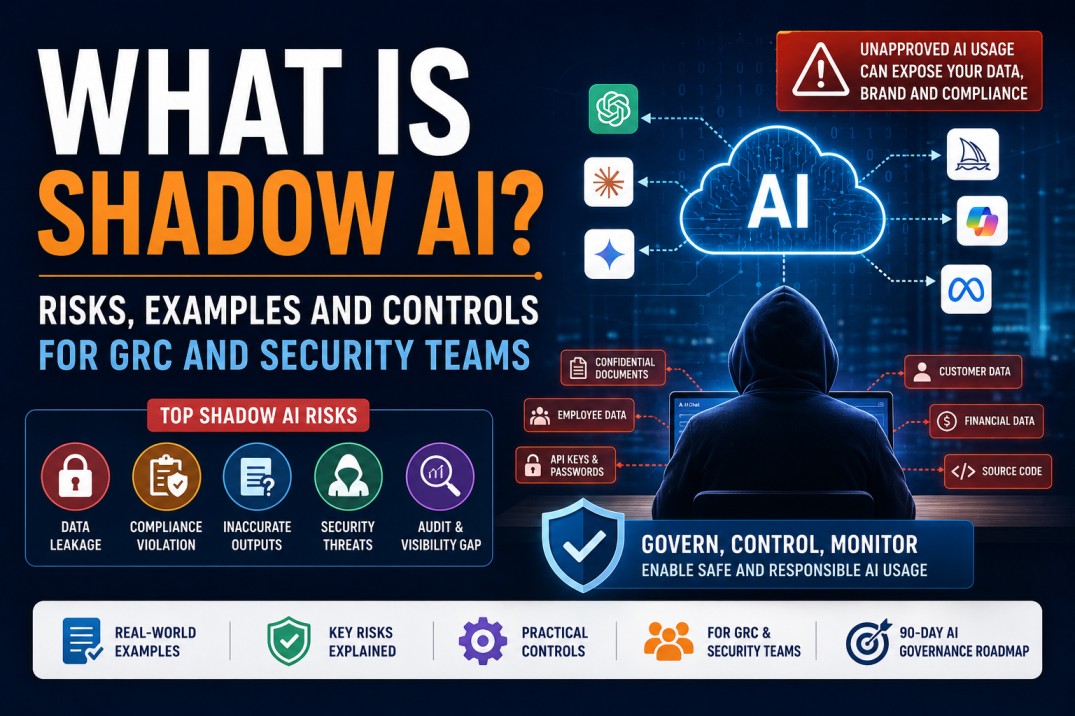
What Is Shadow AI? Risks, Examples and Controls for GRC and Security Teams
Employees are using AI tools to save time, write emails, summarize documents, analyze data and create code. But when AI tools are used without approval, visibility or controls, they can create serious cybersecurity, privacy, compliance and business risks.
Artificial Intelligence has quickly become part of daily work. Employees use AI tools to draft emails, summarize meeting notes, write reports, review code, create presentations, analyze logs, generate policies and speed up routine tasks. Used properly, AI can improve productivity and decision-making.
```But there is a growing problem: many employees are using AI tools without approval from IT, security, legal, compliance or risk teams. This is called Shadow AI.
Simple definition: Shadow AI is the use of AI tools, chatbots, plugins, browser extensions, copilots, automation agents or AI-enabled applications without formal approval, governance, visibility or security controls.
For GRC and security teams, Shadow AI is not just a technology issue. It is a business risk. It can expose sensitive data, create compliance violations, generate inaccurate outputs, introduce unapproved code, weaken audit readiness and make it difficult to understand where company data is going.
```What Is Shadow AI?
```Shadow AI is similar to Shadow IT, but the risk can be more complex. Shadow IT usually means employees use unapproved software or cloud services. Shadow AI means employees use unapproved AI tools that may process, summarize, transform, store or learn from sensitive business information.
Examples of Shadow AI include:
- An employee pasting customer data into a public chatbot to create a summary
- A developer using an unapproved AI coding assistant with proprietary source code
- A sales team uploading contracts into an unknown AI document analyzer
- An HR team using AI to screen resumes without privacy or bias review
- A manager using an AI meeting-summary tool without checking data retention terms
- A support engineer pasting logs containing customer identifiers into a public AI tool
- A team using browser AI extensions that can access webpage content
- An employee using AI agents to automate tasks without approval or access control review
Why it matters
Shadow AI creates a visibility gap. If security and GRC teams do not know which AI tools are being used, what data is being shared and who approved the usage, they cannot properly manage risk.
Why Shadow AI Is Growing So Quickly
```Shadow AI is growing because AI tools are easy to access, easy to use and often free or low-cost. Employees do not always see them as “systems” that need approval. They see them as productivity helpers.
1 Productivity Pressure
Employees want faster emails, reports, analysis, documentation and presentations. AI gives quick results, so people use it even when there is no official process.
2 Easy Access
Many AI tools are available through browsers, mobile apps, extensions, SaaS platforms and plugins. Employees can start using them without IT involvement.
3 Lack of Clear Policy
If the organization has not clearly defined what AI tools are allowed and what data is prohibited, employees make their own decisions.
4 Low Risk Awareness
Employees may not realize that pasted content can include confidential data, customer information, intellectual property, secrets or regulated information.
GRC lesson: If AI usage is not governed, employees will still use AI. The question is whether the organization will guide it safely or allow it to grow invisibly.
Shadow AI vs Approved AI Usage
```Not all AI usage is bad. The issue is whether AI is used with proper approval, governance and controls.
| Area | Approved AI Usage | Shadow AI Usage |
|---|---|---|
| Tool Approval | Reviewed and approved by IT, security, privacy, legal or risk teams. | Used without formal approval or review. |
| Data Handling | Allowed data types are defined and restricted. | Employees may paste sensitive or regulated data unknowingly. |
| Visibility | Security team has visibility into tool usage and access. | Usage may be invisible to security, GRC and management. |
| Contracts and Terms | Vendor terms, retention, training usage and privacy conditions are reviewed. | Terms may be unknown or unsuitable for business data. |
| Access Control | Access is controlled based on role and business need. | Anyone may use the tool without role-based restrictions. |
| Auditability | Usage can be logged, monitored and reviewed. | Evidence may not be available during audit or investigation. |
Real Examples of Shadow AI Risk
```Shadow AI risk becomes easier to understand when we look at practical examples.
Example 1: Customer Data in Public AI Tool
A support employee copies customer chat history into a public AI tool to summarize the issue. The text includes names, emails, account details and sensitive case information. This can create privacy and compliance risk.
Example 2: Proprietary Code Exposure
A developer uses an unapproved AI coding tool and pastes internal source code. The organization may lose control over intellectual property and could introduce insecure AI-generated code.
Example 3: Confidential Contract Review
A business team uploads vendor contracts to an unknown AI document analyzer. The tool’s retention, access and training policies are not reviewed.
Example 4: AI-Generated Policy Without Review
A team creates a security policy using AI and publishes it without legal, compliance or security review. The policy may be incomplete, inaccurate or misaligned with business requirements.
Example 5: AI Meeting Bot Recording Sensitive Calls
An employee invites an AI meeting assistant into internal calls. The meeting includes customer escalations, financial details or legal discussions. The recording and transcript handling are unclear.
Example 6: AI Browser Extension Reading Web Pages
A browser extension with AI features can read webpage content. If used on internal portals, ticketing systems or dashboards, it may access sensitive business information.
What Data Should Employees Never Paste Into Public AI Tools?
```One of the most important controls is employee awareness. People must know what data is not allowed in public or unapproved AI tools.
High-Risk Data That Should Not Be Shared With Unapproved AI Tools
- Customer names, phone numbers, email addresses or account details
- Passwords, API keys, tokens, private keys or secrets
- Source code or proprietary scripts
- Internal security logs containing customer or system identifiers
- Incident reports, vulnerability details or attack indicators from live environments
- Contracts, pricing, financial data or business plans
- Employee HR data, salary data or health-related information
- Legal documents or privileged communication
- Unreleased product information or intellectual property
- Regulated data such as payment, healthcare or personal data
Simple rule for employees: If you would not post it publicly or send it to an unknown third party, do not paste it into an unapproved AI tool.
Key Shadow AI Risks for GRC and Security Teams
```Shadow AI creates multiple risk categories. GRC teams should treat it as a cross-functional risk involving security, privacy, legal, compliance, audit, HR, procurement and business teams.
| Risk Area | How Shadow AI Creates Risk | Business Impact |
|---|---|---|
| Data Leakage | Sensitive data is entered into AI tools without approval or retention review. | Privacy violations, customer trust loss, regulatory exposure. |
| Compliance Violation | Regulated data may be processed outside approved systems or jurisdictions. | Audit findings, contractual breaches, penalties. |
| Intellectual Property Risk | Source code, product plans or confidential designs may be exposed. | Loss of competitive advantage and legal disputes. |
| Inaccurate Decisions | AI-generated answers may be wrong, incomplete or biased. | Poor business decisions and operational errors. |
| Security Weakness | AI-generated code, scripts or configurations may introduce vulnerabilities. | Increased attack surface and control failures. |
| Auditability Gap | AI usage may not be logged, reviewed or documented. | Difficulty proving compliance or investigating incidents. |
| Vendor Risk | Unknown AI vendors may lack proper security, privacy or contract controls. | Third-party exposure and unmanaged legal obligations. |
Shadow AI and OWASP LLM Risks
```Shadow AI becomes more serious when organizations start using AI-enabled applications, plugins or agents. OWASP’s Top 10 for Large Language Model Applications highlights risks such as prompt injection and sensitive information disclosure. Prompt injection involves manipulating model behavior through crafted inputs, and sensitive information disclosure can expose confidential information through model outputs or application behavior.
Important AI Application Risks for Security Teams
- Prompt injection
- Sensitive information disclosure
- Insecure plugin or extension design
- Excessive agency or over-permissioned AI agents
- Unvalidated AI-generated outputs
- Data poisoning or untrusted training data
- Weak access controls around AI tools
Security takeaway
AI tools should not be treated as harmless productivity apps. If they can access sensitive data, generate code, call plugins, query systems or automate actions, they need security review and governance.
Controls GRC and Security Teams Should Implement
```The goal is not to ban AI completely. The goal is to enable safe, approved and controlled AI usage.
1 AI Usage Policy
Define approved tools, prohibited data types, allowed use cases, approval process, user responsibilities and consequences of misuse.
2 AI Tool Inventory
Create and maintain an inventory of approved AI tools, owners, users, data types, risk ratings and renewal dates.
3 Data Classification
Map what types of data can and cannot be used with AI tools based on sensitivity and regulatory obligations.
4 Vendor Risk Review
Review AI vendor security, privacy, data retention, training usage, breach notification, access control and compliance posture.
5 DLP and CASB/SASE Controls
Use data loss prevention, proxy, CASB or SASE controls to detect or restrict sensitive data being sent to unapproved AI tools.
6 Employee Awareness
Train employees with practical examples of safe and unsafe AI usage. Awareness should be simple, role-based and repeated.
7 Logging and Monitoring
Monitor access to AI websites, AI APIs, browser extensions and unusual data transfers where legally and operationally appropriate.
8 Approval and Exception Process
Allow teams to request AI tools through a formal process. If an exception is granted, define compensating controls and expiry date.
AI Usage Policy Checklist
```An AI usage policy should be simple enough for employees to understand and strong enough for security, legal, privacy and audit teams to rely on.
| Policy Area | What to Define |
|---|---|
| Purpose | Why the organization allows AI and what business outcomes it supports. |
| Approved Tools | List of approved AI tools and approved use cases. |
| Prohibited Data | Data that must never be entered into unapproved AI tools. |
| Acceptable Use | What employees are allowed to do with AI tools. |
| Human Review | Requirement to validate AI outputs before business use. |
| Code Usage | Rules for AI-generated code, review, testing and secure development. |
| Vendor Approval | Process for requesting new AI tools or plugins. |
| Logging and Monitoring | How AI usage may be monitored in line with company policy and law. |
| Incident Reporting | How employees should report accidental data exposure or misuse. |
| Disciplinary and Exception Handling | How violations and approved exceptions are handled. |
Policy tip: Avoid creating a policy that only says “do not use AI.” Employees need safe alternatives, approved tools and clear examples.
How SOC and Security Teams Can Detect Shadow AI
```Detection should be balanced with privacy, legal and HR requirements. Security teams should work with GRC, legal and leadership before implementing monitoring.
Possible Detection Sources
- Web proxy logs showing access to public AI platforms
- CASB/SASE reports showing unsanctioned SaaS or AI tools
- DLP alerts for sensitive data sent to AI domains
- DNS logs showing repeated access to AI services
- Browser extension inventory
- Endpoint software inventory
- Cloud app discovery reports
- API gateway logs for AI API usage
- Procurement and expense records for AI subscriptions
- User reports and helpdesk requests related to AI tools
Best practice
Start with visibility before enforcement. First understand which AI tools are being used, by whom, for what purpose and with what data. Then apply risk-based controls.
Shadow AI Risk Assessment Template
```GRC teams can use a simple risk assessment approach before approving an AI tool.
| Assessment Question | Why It Matters |
|---|---|
| What business use case does this AI tool support? | Ensures the tool has a clear business purpose. |
| What data will users enter into the tool? | Identifies confidentiality, privacy and compliance risks. |
| Does the vendor use customer data for model training? | Determines whether sensitive data may be reused or retained. |
| Where is the data stored and processed? | Supports privacy and data residency review. |
| What access controls are available? | Ensures only authorized users can access the tool. |
| Are logs and audit trails available? | Supports monitoring, investigations and audit evidence. |
| Can the tool integrate with SSO and MFA? | Improves identity security and access governance. |
| What happens if the AI output is wrong? | Identifies operational, legal and decision-making risks. |
| Who owns the risk? | Defines accountability and approval responsibility. |
| What controls are required before approval? | Documents the risk treatment plan. |
90-Day Shadow AI Governance Roadmap
```Organizations should manage Shadow AI with a practical, phased approach instead of waiting for a perfect AI governance program.
| Timeline | Focus Area | Practical Output |
|---|---|---|
| Days 1–15 | Discovery and stakeholder alignment | Identify business, IT, security, legal, privacy, HR and compliance stakeholders. |
| Days 16–30 | AI usage visibility | Create an initial inventory of AI tools from proxy, CASB, endpoint, procurement and user surveys. |
| Days 31–45 | AI usage policy | Publish a simple interim AI usage policy with allowed and prohibited data examples. |
| Days 46–60 | Risk assessment and approval process | Create an AI tool intake form, risk assessment checklist and approval workflow. |
| Days 61–75 | Technical controls | Implement DLP, proxy, CASB/SASE, SSO/MFA and logging controls for priority risks. |
| Days 76–90 | Training and governance reporting | Launch employee awareness training and report AI risk status to leadership. |
Role of GRC Teams in Managing Shadow AI
```GRC teams are well-positioned to manage Shadow AI because the issue involves governance, risk, compliance, controls, policies and reporting.
GRC Teams Should Own or Support:
- AI risk register
- AI usage policy
- AI control framework
- AI tool approval workflow
- Compliance mapping
- Vendor risk assessment
- Audit evidence collection
- Risk acceptance and exception process
- Management reporting
- Employee awareness requirements
GRC Mindset
Do not treat Shadow AI only as a blocking problem. Treat it as a governance problem: identify use cases, classify data, assess risk, define controls, enable safe usage and monitor continuously.
Role of Security Teams in Managing Shadow AI
```Security teams help translate AI governance into technical controls and monitoring.
Security Teams Should Support:
- AI tool discovery through proxy, DNS, CASB/SASE and endpoint telemetry
- DLP policies for sensitive data
- Blocking or controlling high-risk AI tools
- SSO and MFA integration for approved AI tools
- Browser extension control
- AI API monitoring
- Incident response for AI-related data exposure
- Threat modeling for AI-enabled applications
- Secure configuration reviews
- Security awareness content for AI usage
Useful External Resources
```Use trusted resources to build your AI governance and AI security understanding:
```Related Career Guides
```Continue your cybersecurity and GRC learning with these related guides:
```Final Thoughts: Shadow AI Is a Governance Problem, Not Just a Tool Problem
```Shadow AI is growing because employees want speed and productivity. Banning AI completely may push usage further underground. The better approach is to create a safe path: approved tools, clear rules, data protection, monitoring, training and governance.
For GRC and security teams, this is an important opportunity. Organizations need professionals who understand AI risk, data protection, compliance, security controls and business enablement.
Final takeaway: Shadow AI cannot be managed only with fear or blocking. It must be managed with visibility, policy, risk assessment, technical controls, user education and continuous governance.
Want to Build AI Governance and GRC Skills?
At CybersecurityTRAIN.com, we help students and working professionals build practical cybersecurity and GRC skills through career-focused training in governance, risk management, compliance, CISM concepts, AI security awareness and real-world security scenarios.
If you want to move into GRC, AI governance or information security management, speak with our training advisor and get a practical roadmap based on your background.
Explore GRC with CISM Training Read AI Career RoadmapCall or WhatsApp: +91 98857 89887
Frequently Asked Questions
```1. What is Shadow AI?
Shadow AI is the use of AI tools, chatbots, plugins, browser extensions or AI-enabled applications without formal approval, visibility, governance or security controls.
2. Why is Shadow AI risky?
Shadow AI is risky because employees may share sensitive data with unapproved tools, create compliance violations, expose intellectual property, rely on inaccurate outputs or use tools that lack proper security controls.
3. Is all AI usage in companies unsafe?
No. AI can be useful when it is approved, governed and controlled. The problem is unapproved or unmanaged AI usage where security, privacy and compliance risks are not reviewed.
4. What data should not be pasted into public AI tools?
Employees should avoid pasting customer data, passwords, API keys, source code, confidential contracts, financial data, HR data, legal documents, incident reports, regulated data or sensitive business information into unapproved AI tools.
5. How can GRC teams manage Shadow AI?
GRC teams can manage Shadow AI by creating AI usage policies, maintaining an AI tool inventory, performing AI risk assessments, defining data usage rules, reviewing vendors, tracking exceptions and reporting AI risk to leadership.
6. How can security teams detect Shadow AI?
Security teams can use web proxy logs, DNS logs, CASB/SASE reports, DLP alerts, endpoint inventory, browser extension reviews, API logs and procurement records to identify AI tool usage.
7. Should companies ban AI tools completely?
A complete ban may not work because employees may continue using AI secretly. A better approach is to provide approved tools, clear policy, awareness training and risk-based controls.
8. What is an AI usage policy?
An AI usage policy defines approved tools, allowed use cases, prohibited data, human review requirements, vendor approval process, monitoring expectations and incident reporting requirements.
9. Is Shadow AI a compliance risk?
Yes. Shadow AI can become a compliance risk if regulated, personal, customer or confidential data is processed through unapproved tools without proper legal, privacy or security review.
10. What skills should GRC professionals learn for AI governance?
GRC professionals should learn AI risk assessment, data classification, AI usage policy, vendor risk review, privacy impact assessment, control mapping, audit evidence and management reporting for AI usage.
11. What is the difference between Shadow IT and Shadow AI?
Shadow IT is the use of unapproved technology or cloud services. Shadow AI is the use of unapproved AI tools that may process, transform, summarize or expose sensitive data and business decisions.
12. Which frameworks can help manage AI risk?
Organizations can refer to the NIST AI Risk Management Framework, NIST Cybersecurity Framework, OWASP Top 10 for LLM Applications, internal security policies and industry-specific compliance requirements.