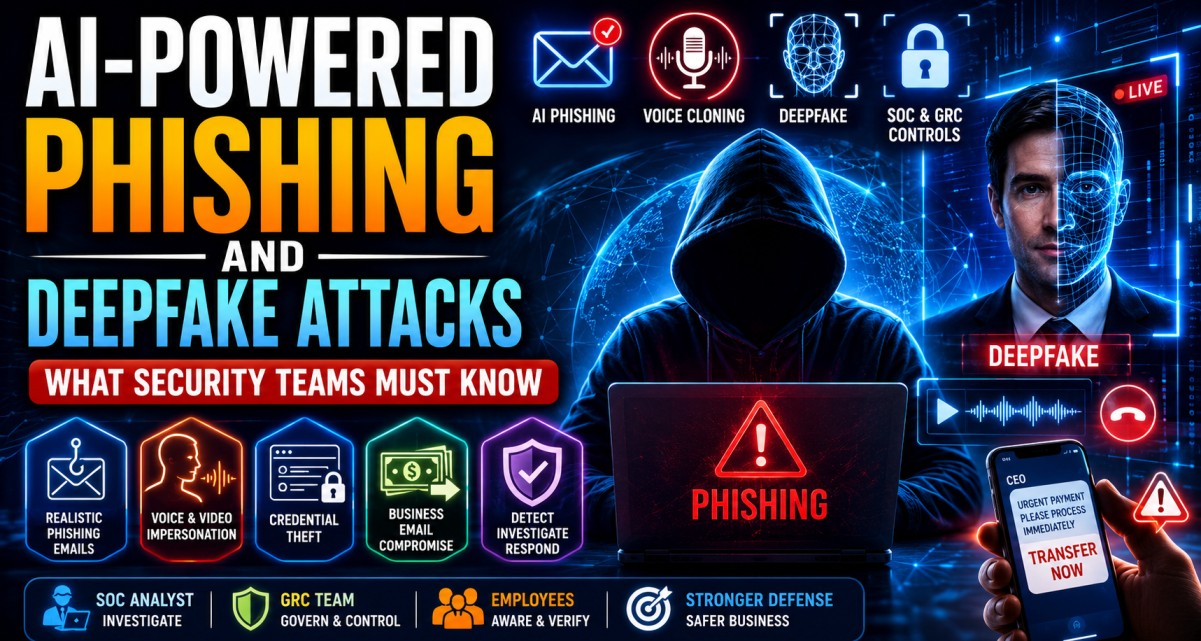
AI-Powered Phishing and Deepfake Attacks: What Security Teams Must Know
Phishing is no longer limited to poorly written emails and suspicious links. Attackers are now using generative AI, voice cloning, deepfake video, realistic chat messages and automated personalization to make social engineering attacks more convincing, scalable and difficult to detect.
For many years, phishing awareness training taught employees to look for spelling mistakes, strange greetings, suspicious attachments and poor formatting. That advice still helps, but it is no longer enough.
Generative AI can help attackers create professional emails, personalized messages, fake customer conversations, realistic invoices, cloned voices and even video impersonation. A phishing email can now sound like it was written by a real colleague. A phone call can sound like a known manager. A video message can look like a trusted executive.
Simple definition: AI-powered phishing is a social engineering attack where attackers use artificial intelligence to create, personalize, translate, automate or enhance phishing emails, messages, calls, websites, documents or impersonation attempts.
For SOC, GRC and security teams, this changes the defense strategy. Organizations must move from “spot the bad email” awareness to stronger identity verification, payment controls, reporting culture, technical monitoring and AI-aware incident response.
What Is AI-Powered Phishing?
AI-powered phishing is phishing enhanced by artificial intelligence. Attackers may use AI to write better emails, create fake login pages, translate messages into local languages, generate convincing business documents, summarize public information about targets, or automate conversations with victims.
MITRE ATT&CK classifies phishing under technique T1566, where adversaries use electronically delivered social engineering to gain access to victim systems. AI does not change the basic objective of phishing, but it can make phishing faster, more personalized and harder to identify.
How Attackers May Use AI in Phishing
- Write professional phishing emails without grammar mistakes
- Create personalized messages using LinkedIn or public company data
- Translate phishing campaigns into multiple languages
- Generate fake invoices, HR notices, legal notices or vendor messages
- Create convincing phishing websites and fake login pages
- Automate chatbot-style scam conversations
- Create voice messages that sound like executives or managers
- Generate fake video or audio instructions
- Improve business email compromise and payment fraud attempts
Example
An attacker uses public LinkedIn data to identify a finance manager, then generates a professional email pretending to be from the CFO. The email refers to a real business event and asks for urgent vendor payment confirmation. Because the wording is polished and relevant, the user may trust it.
What Are Deepfake Attacks?
Deepfake attacks use AI-generated or AI-manipulated audio, video, images or identities to impersonate a real person or create a fake but believable identity.
In cybersecurity, deepfakes are dangerous because trust is often based on voice, face, tone, authority or familiarity. If an attacker can imitate a CEO’s voice or create a realistic video call, employees may approve sensitive actions without verifying through a second channel.
Common Types of Deepfake Cyber Attacks
Voice Cloning Fraud
Attackers clone the voice of an executive, manager, vendor or family member to request money, credentials or sensitive information.
Video Impersonation
Attackers use AI-generated video to impersonate a leader or trusted person during a call or recorded message.
Fake Identity Creation
Attackers generate fake profile photos, resumes, interviews or social media identities to gain trust.
Deepfake Business Email Compromise
Attackers combine email, voice and video impersonation to pressure employees into payment, data sharing or access approval.
Important risk
Deepfake attacks are not only a future threat. Security teams should treat voice and video impersonation as part of modern social engineering and business fraud risk.
Why AI Makes Phishing More Dangerous
Traditional phishing often failed because messages were generic, poorly written or obviously suspicious. AI helps attackers remove many of those weaknesses.
| Risk Area | Traditional Phishing | AI-Powered Phishing |
|---|---|---|
| Language Quality | Often contains grammar mistakes and awkward wording. | Can be polished, professional and localized. |
| Personalization | Often generic and sent to many users. | Can reference job roles, projects, public posts and business context. |
| Scale | Manual effort limits customization. | AI can generate many customized messages quickly. |
| Impersonation | Mainly email display-name spoofing or lookalike domains. | Can include voice cloning, fake video, fake chat and realistic content. |
| Detection Difficulty | Often easier to detect through poor wording and templates. | Harder to detect because content appears natural and contextual. |
Security lesson: Awareness training must evolve. Employees should not rely only on spelling mistakes. They must verify unusual requests, especially when money, credentials, access or sensitive data is involved.
Realistic Examples of AI-Powered Phishing and Deepfake Attacks
Example 1: CEO Voice Fraud
A finance employee receives a call that sounds like the CEO asking for urgent payment to a vendor. The voice sounds familiar, the request feels urgent, and the attacker follows up with an email containing bank details.
Example 2: HR Policy Phishing
Employees receive a professional-looking HR email about updated salary, tax or work-from-home policy. The link leads to a fake login page that captures credentials.
Example 3: Fake Vendor Payment Change
An attacker uses AI-generated writing to impersonate a vendor and request bank account changes. The email references real invoice patterns and business language.
Example 4: Deepfake Video Meeting
An employee joins a video call where one or more participants appear to be senior leaders. The attackers request confidential information or payment approval.
Example 5: IT Support MFA Scam
A user receives a call from someone claiming to be IT support. The caller uses professional language and asks the user to approve MFA or share a reset code.
Example 6: AI-Generated Customer Complaint
A support team receives a convincing complaint with attached files. The message is crafted to create urgency and push the agent into opening a malicious attachment.
Business Risks Created by AI-Powered Phishing
AI-powered phishing and deepfake attacks create risk across security, finance, legal, compliance, HR and operations.
| Risk | How It Happens | Business Impact |
|---|---|---|
| Credential Theft | Users enter credentials on fake login pages. | Account compromise, data access, mailbox abuse. |
| Payment Fraud | Attackers impersonate executives or vendors to request payments. | Financial loss and vendor trust issues. |
| Data Leakage | Employees share confidential information with fake identities. | Privacy, legal and regulatory exposure. |
| Malware Infection | Users open AI-generated fake documents or links. | Endpoint compromise, ransomware or lateral movement. |
| Reputation Damage | Attackers impersonate brand, executives or employees. | Loss of customer and stakeholder confidence. |
| Compliance Failure | Fraud or data exposure is not properly controlled or reported. | Audit findings, penalties and contractual issues. |
How SOC Teams Should Investigate AI-Powered Phishing
AI-powered phishing investigation follows the same core SOC process as normal phishing, but analysts should pay more attention to impersonation, business context, multi-channel evidence and user interaction.
SOC Investigation Workflow
- Collect the original email, message, call details or video evidence
- Analyze sender address, reply-to, domain, headers and authentication results
- Inspect URLs safely using approved tools
- Analyze attachments in sandbox or approved malware analysis tools
- Check whether the message impersonates an executive, vendor, HR or IT support
- Search SIEM, email security and proxy logs for similar messages
- Check whether any user clicked, replied, downloaded or submitted credentials
- Review identity logs for suspicious login or MFA activity
- Check mailbox rules, forwarding rules and OAuth app grants if account compromise is suspected
- Escalate payment fraud, deepfake or executive impersonation cases quickly
- Document indicators, timeline, affected users, actions taken and recommendations
Important SOC point
In AI-powered social engineering, the technical indicator may not always look obviously malicious. The strongest signal may be business context: unusual urgency, payment change, executive pressure, MFA request or request to bypass normal process.
How GRC Teams Should Manage Deepfake and AI Social Engineering Risk
AI-powered phishing is not only a SOC problem. GRC teams must help define controls, policies, awareness, approval workflows, risk ownership and audit evidence.
GRC Responsibilities
- Add AI social engineering to the cybersecurity risk register
- Update phishing and fraud awareness training
- Define verification rules for payment and bank detail changes
- Review business email compromise response procedures
- Update incident response playbooks for deepfake and voice fraud
- Review third-party and vendor communication controls
- Ensure executive impersonation scenarios are included in tabletop exercises
- Track control effectiveness and awareness completion
- Align AI risk management with frameworks such as NIST AI RMF
- Report AI-enabled social engineering risk to leadership
GRC mindset
Do not treat deepfake attacks as only a technical detection problem. Treat them as a governance and process problem involving people, approval workflows, payments, access, vendors and escalation.
Controls to Reduce AI-Powered Phishing and Deepfake Risk
Organizations should use a mix of technical controls, process controls and human verification controls.
1 Multi-Factor Authentication
MFA reduces the impact of stolen passwords, but users must be trained not to approve unexpected MFA prompts.
2 Email Authentication
SPF, DKIM and DMARC help reduce spoofing and improve email trust controls.
3 Payment Verification
Bank detail changes and urgent payments should require independent verification through known channels.
4 Call-Back Procedure
Employees should verify unusual voice or video requests using a known official phone number, not the number provided by the requester.
5 Email Security and URL Protection
Email gateways, URL rewriting, attachment sandboxing and link analysis can reduce phishing delivery and click risk.
6 User Reporting Button
A simple phishing report button helps users report suspicious emails quickly to the SOC team.
7 Executive Impersonation Playbook
Security teams should prepare specific playbooks for CEO/CFO impersonation, vendor fraud and payment scams.
8 Awareness With Realistic Examples
Training should include AI-generated emails, voice cloning examples, deepfake scenarios and business process verification.
Employee Awareness Checklist
Employees are often the first line of detection. Awareness must be practical, not theoretical.
Teach Employees to Pause and Verify
- Do not trust urgent requests only because they appear to come from a senior person
- Verify payment changes through a known official channel
- Do not approve unexpected MFA prompts
- Do not share passwords, OTPs, reset codes or MFA codes
- Do not open unexpected attachments from unknown or unusual senders
- Check links before entering credentials
- Report suspicious emails, calls, messages and video requests
- Be careful with requests asking to bypass normal process
- Do not rely only on voice or video as proof of identity
- When in doubt, stop and contact security or management
Awareness message: AI can fake tone, language, voice and appearance. Process verification is stronger than emotional trust.
Red Flags of AI-Powered Phishing and Deepfake Scams
- Urgent request to transfer money or change bank details
- Request to keep the action confidential
- Unexpected voice call claiming to be a senior leader
- Video call with unusual behavior, delay or limited interaction
- Request to approve MFA or share OTP
- Message that bypasses normal approval workflow
- Sender asking to move conversation to personal email or messaging app
- Unusual attachment with invoice, legal notice, HR update or shared document
- Perfectly written message but unusual business context
- Pressure to act immediately without verification
90-Day Action Plan for Security Teams
Organizations can start reducing AI phishing and deepfake risk with a phased approach.
| Timeline | Focus Area | Practical Output |
|---|---|---|
| Days 1–15 | Risk identification | Add AI phishing, voice cloning and deepfake fraud to the risk register. |
| Days 16–30 | Policy and process review | Review payment approval, bank detail change, MFA reset and vendor verification processes. |
| Days 31–45 | SOC playbook update | Update phishing, BEC and executive impersonation playbooks for AI-enabled attacks. |
| Days 46–60 | Technical controls | Review email security, DMARC, MFA, suspicious login monitoring and phishing reporting workflow. |
| Days 61–75 | Awareness training | Launch AI phishing and deepfake awareness training with realistic examples. |
| Days 76–90 | Testing and reporting | Run tabletop exercises and report control gaps to leadership. |
SOC Playbook: AI-Powered Phishing Investigation
Security teams can use the following playbook structure for AI-enhanced phishing cases.
| Step | Action | Evidence to Collect |
|---|---|---|
| 1. Intake | Receive report from user, email security tool, SIEM or helpdesk. | Email, message, call details, screenshot, timestamp, user statement. |
| 2. Technical Analysis | Analyze sender, headers, links, attachments, domains and indicators. | URLs, hashes, sender IP, domain, SPF/DKIM/DMARC, threat intel results. |
| 3. Interaction Check | Check if user clicked, replied, opened attachment or shared credentials. | Proxy logs, EDR logs, identity logs, email logs, user confirmation. |
| 4. Scope | Search for other users who received the same or similar message. | Recipient list, delivery status, clicks, similar subjects, related indicators. |
| 5. Containment | Block indicators, purge emails, reset accounts or stop payment process. | Containment actions, approvals, tickets, affected assets. |
| 6. Escalation | Escalate BEC, payment fraud, deepfake or executive impersonation immediately. | Business impact, fraud amount, executive/vendor involved, timeline. |
| 7. Documentation | Document analysis, impact, response actions and lessons learned. | Final SOC ticket, timeline, root cause, recommendations. |
How AI Changes Cybersecurity Career Skills
AI-powered phishing and deepfake attacks create new skill requirements for SOC Analysts, GRC professionals and security leaders.
SOC Analysts
Need stronger phishing investigation, identity log analysis, email security, SIEM, threat intelligence and business context validation skills.
GRC Professionals
Need AI risk management, awareness governance, policy updates, control testing and fraud verification process knowledge.
Security Leaders
Need executive communication, tabletop exercises, cross-functional fraud controls and AI threat reporting.
Career insight: Professionals who understand AI-enabled social engineering will have an advantage because organizations need people who can connect technical alerts with real business risk.
Useful External Resources
Related Career Guides
Final Thoughts: AI Makes Trust Easier to Fake
AI-powered phishing and deepfake attacks are dangerous because they attack human trust. They can make a fake email sound professional, a fake voice sound familiar and a fake video appear believable.
Security teams must respond with layered controls: user awareness, strong authentication, email security, verification processes, SOC monitoring, GRC governance and incident response readiness.
Final takeaway: In the AI era, do not trust only the message, voice or video. Verify the request, follow the process, report suspicious activity and investigate with evidence.
Want to Learn Practical SOC and AI Security Skills?
At CybersecurityTRAIN.com, we help students and working professionals build practical cybersecurity skills through hands-on training in SOC operations, phishing investigation, SIEM, incident response, GRC, AI risk awareness and security governance.
If you want to become job-ready for modern cybersecurity roles, explore our SOC and GRC training programs and speak with our training advisor.
Explore SOC Analyst Training Explore GRC with CISM TrainingCall or WhatsApp: +91 98857 89887
Frequently Asked Questions
1. What is AI-powered phishing?
AI-powered phishing is a phishing attack where attackers use artificial intelligence to create, personalize, automate or improve phishing emails, messages, websites, calls or impersonation attempts.
2. What is a deepfake cyber attack?
A deepfake cyber attack uses AI-generated or manipulated audio, video or images to impersonate a trusted person and trick victims into sharing information, approving payments or taking unsafe actions.
3. Why is AI phishing harder to detect?
AI phishing can be harder to detect because messages may be grammatically correct, personalized, contextual and professional. Attackers can also use voice cloning or fake video to increase trust.
4. Can AI create fake CEO voice messages?
Yes. Voice cloning tools can generate realistic audio that sounds like a known person. Organizations should use verification processes before acting on urgent voice instructions.
5. How should SOC teams investigate AI phishing?
SOC teams should collect the original message, analyze sender and links, check user interaction, search for similar messages, review identity logs, check threat intelligence, contain indicators and document the case clearly.
6. How can GRC teams reduce deepfake risk?
GRC teams can reduce deepfake risk by updating policies, adding AI social engineering to the risk register, defining payment verification controls, training employees and testing response through tabletop exercises.
7. What controls help prevent AI-powered phishing?
Useful controls include MFA, email authentication, DMARC, secure email gateways, phishing reporting buttons, call-back verification, payment approval workflows, user awareness and SIEM monitoring.
8. Should employees trust video calls from executives?
Employees should not rely only on video or voice for high-risk requests. Unusual payment, access or data-sharing requests should be verified through approved channels.
9. What is the difference between phishing and business email compromise?
Phishing is a broader social engineering attack to steal credentials, deliver malware or trick users. Business email compromise is usually a targeted fraud involving payment, vendor or executive impersonation.
10. Is AI phishing important for SOC interviews?
Yes. SOC interviewers may ask about phishing investigation, AI-enabled social engineering, suspicious login analysis, user interaction checks and response actions.
11. What should employees do if they receive a suspicious AI-generated message?
They should not click links, open attachments, approve MFA or share sensitive data. They should report the message to the security team and verify any unusual request through a known official channel.
12. Can technical tools fully stop deepfake attacks?
No single tool can fully stop deepfake attacks. Organizations need layered defenses, including technical controls, identity verification, employee awareness, fraud controls, incident response and leadership support.