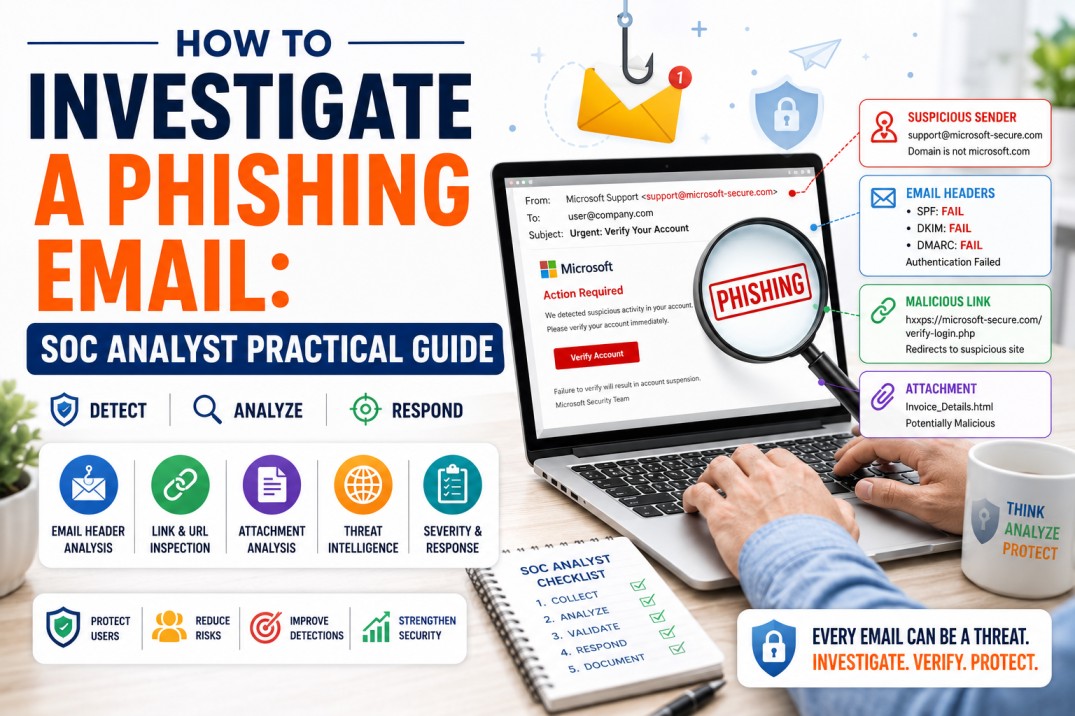
How to Investigate a Phishing Email: SOC Analyst Practical Guide
Phishing investigation is one of the most important practical skills for SOC Analysts. This guide explains how to analyze suspicious emails step by step, check headers, inspect links safely, review attachments, use threat intelligence, classify severity, and document a professional SOC ticket.
Phishing is one of the most common ways attackers try to enter an organization. A single email can lead to credential theft, malware infection, business email compromise, data leakage, ransomware, or unauthorized access.
```For a SOC Analyst, phishing investigation is not just about looking at an email and saying, “This looks suspicious.” A good analyst follows a structured process, collects evidence, checks technical indicators, validates risk, determines impact, and documents the case clearly.
Simple SOC rule: Never click suspicious links directly, never open unknown attachments on your workstation, and never investigate phishing emails casually. Use a safe and repeatable process.
This article will help beginners and SOC learners understand how phishing emails are investigated in real security operations environments.
```What Is a Phishing Email?
```A phishing email is a deceptive email designed to trick users into taking an unsafe action. The attacker may try to steal credentials, make the user open a malicious attachment, click a harmful link, approve a fake payment, share sensitive information, or install malware.
MITRE ATT&CK classifies phishing under technique T1566, where adversaries send electronically delivered social engineering messages to gain access to victim systems. Phishing can be broad and generic, or targeted as spear phishing against a specific person, company, department, or industry.
Common Types of Phishing Emails
Credential Theft
The email leads users to a fake login page that captures usernames, passwords or MFA codes.
Malicious Attachment
The email includes a file that may contain malware, macros, scripts or malicious payloads.
Business Email Compromise
The attacker impersonates an executive, vendor or customer to request payment, gift cards or sensitive information.
Fake Notification
The email pretends to be from Microsoft, Google, bank, courier, HR, payroll or IT support to create urgency.
Why Phishing Investigation Is Important for SOC Analysts
```Phishing emails can be the first stage of a larger attack. If a phishing email is not investigated properly, the organization may miss signs of credential compromise, malware execution, lateral movement, data theft or financial fraud.
A SOC Analyst investigates phishing to answer important questions:
- Is the email malicious, suspicious or benign?
- Who sent the email?
- Was the sender spoofed or compromised?
- Did the user click the link?
- Did the user enter credentials?
- Did the user open the attachment?
- Did other users receive the same email?
- Are any indicators already known as malicious?
- Is containment required?
- What evidence should be documented?
SOC mindset
The goal is not only to label an email as phishing. The goal is to understand exposure, impact, required response, and how to prevent similar emails from affecting more users.
Common Signs of a Phishing Email
```Phishing emails often contain warning signs. However, modern phishing emails can look very polished, especially with AI-generated content. SOC Analysts should not rely only on grammar mistakes.
Suspicious Sender
The sender address may look similar to a trusted domain but include small changes, extra characters, or unusual top-level domains.
Urgent Language
Words such as “urgent,” “immediate action,” “account suspended,” or “payment overdue” are used to pressure the user.
Unexpected Attachment
The email contains an invoice, resume, statement, ZIP file, HTML file, ISO file, macro-enabled document or unknown attachment.
Suspicious Link
The displayed link may look legitimate, but the real destination may point to a strange domain, shortened URL or lookalike site.
Credential Request
The email asks the user to log in, verify credentials, reset a password or approve MFA unexpectedly.
Mismatch in Context
The email does not match the user’s role, recent activity, expected vendor relationship or normal business process.
Step-by-Step Phishing Email Investigation Process
```Use the following process as a practical SOC investigation workflow.
1 Collect the Original Email
The first step is to collect the original email with full headers. A screenshot is not enough for proper investigation. You need the original message or exported email file so that you can inspect sender details, routing path, authentication results, links, attachments and metadata.
What to Collect
- Original email file, such as .eml or .msg
- Full email headers
- Sender and recipient details
- Subject line and timestamp
- URLs and attachments
- User report details
- Whether the user clicked or opened anything
Important: Ask users not to forward suspicious emails normally if your organization has a dedicated phishing report button or mailbox. Forwarding can modify headers and reduce investigation quality.
2 Analyze the Sender Address
Look carefully at the sender’s display name and actual email address. Attackers often use trusted brand names in the display name but send from unrelated or lookalike domains.
Check These Items
- Display name
- Actual sender email address
- Reply-to address
- Return-path address
- Domain spelling
- Domain age or reputation
- Whether the sender is expected by the recipient
Example
Display name: Microsoft Support
Actual sender: support-microsoft-alerts@example-random-domain.com
This mismatch is suspicious because the display name claims Microsoft, but the sending domain is unrelated.
3 Check Reply-To Address
Some phishing emails use a legitimate-looking sender but set the reply-to address to a different mailbox controlled by the attacker.
This is common in business email compromise attempts where the attacker wants the victim to reply outside the legitimate email thread.
Red Flag
The sender appears to be from a vendor or executive, but the reply-to address points to a personal Gmail, Outlook, ProtonMail or unrelated domain.
4 Analyze Email Headers
Email headers contain routing and authentication information. Header analysis helps determine whether the sender is legitimate, spoofed, relayed through suspicious servers, or failing authentication checks.
Important Header Fields
| Header Field | What It Tells You |
|---|---|
| From | The displayed sender address. Can be spoofed. |
| Reply-To | Where replies will go. Useful for detecting BEC attempts. |
| Return-Path | Where bounce messages go. Can reveal actual sending infrastructure. |
| Received | Shows mail server path. Helps identify origin and relays. |
| SPF | Checks whether the sending server is authorized to send for the domain. |
| DKIM | Checks whether the email was signed by the sending domain. |
| DMARC | Uses SPF/DKIM alignment to help detect spoofing. |
| Message-ID | Can show suspicious format or mismatch with sender domain. |
What to Look For
- SPF fail, DKIM fail or DMARC fail
- Sender domain mismatch
- Unusual sending IP address
- Suspicious relay path
- Message-ID domain mismatch
- Bulk mailer infrastructure used unexpectedly
Important: SPF, DKIM and DMARC pass results do not always mean the email is safe. Attackers can use compromised legitimate accounts or properly configured lookalike domains.
5 Analyze the Subject and Body
Review the content for social engineering techniques. Phishing emails often try to create urgency, fear, curiosity, authority or financial pressure.
Common Social Engineering Themes
- Password expiry
- Invoice payment
- Salary or HR update
- Courier delivery
- Shared document
- Account verification
- Security alert
- Legal notice
- Vendor bank detail change
- Gift card or urgent payment request
Analyst tip
Ask whether the message makes sense for the user’s role. A finance-related invoice may be normal for accounts payable but suspicious for an unrelated employee.
6 Inspect Links Safely
Never click a suspicious link directly from your system. Instead, extract the URL safely and analyze it using approved tools and isolated environments.
What to Check in URLs
- Real destination URL behind the visible link
- Domain spelling and lookalike characters
- Use of URL shorteners
- Newly registered or low-reputation domains
- HTTP instead of HTTPS
- Suspicious path or encoded parameters
- Redirect chains
- Brand impersonation
Tools such as VirusTotal can analyze suspicious URLs, domains, IP addresses and files with security engines and community signals.
Useful URL Analysis Sources
Safety warning
When analyzing URLs, do not submit sensitive internal URLs, tokens, customer data, or confidential query parameters to public analysis tools unless your organization policy allows it.
7 Analyze Attachments Safely
Attachments can contain malware, credential harvesting forms, scripts, macros or links to external payloads. Never open suspicious attachments on your normal workstation.
Attachment Types That Need Extra Care
- ZIP, RAR, 7z archives
- Macro-enabled Office documents
- HTML files
- ISO, IMG or VHD files
- JavaScript, VBScript or PowerShell files
- Executables
- Password-protected archives
- PDF files with embedded links or scripts
What to Check
- File name and extension
- File hash
- File size
- Whether the file type matches the claimed purpose
- Macro or script presence
- Known malware detections
- Sandbox behavior, if available
Best practice: Attachment analysis should be performed in a controlled sandbox or approved malware analysis environment, not on a production endpoint.
8 Use Threat Intelligence
Threat intelligence helps you determine whether indicators are already known as malicious, suspicious, newly observed, or clean.
Indicators to Check
- Sender domain
- Sender IP address
- Reply-to domain
- URLs
- File hashes
- Attachment names
- Brand impersonation patterns
- Similar messages reported by other users
Important
A clean result in one threat intelligence tool does not guarantee safety. New phishing URLs may not be detected immediately. Use multiple signals and analyst judgment.
9 Check If Other Users Received the Same Email
A phishing email reported by one user may be part of a wider campaign. The SOC Analyst should search email security tools, SIEM, mail logs or Microsoft 365/Google Workspace logs to identify other recipients.
Questions to Answer
- How many users received the email?
- Who clicked the link?
- Who opened the attachment?
- Was the email delivered, quarantined or blocked?
- Were any replies sent?
- Did any user submit credentials?
- Were similar emails received earlier?
Example
If 1 user reports a phishing email but 48 users received it, the incident scope is larger. The response may require message purge, URL block, user notification, password reset and additional monitoring.
10 Determine Whether the User Interacted
This is one of the most important parts of phishing investigation. The response depends heavily on whether the user interacted with the email.
| User Action | Possible Risk | Possible Response |
|---|---|---|
| Only received the email | Low to medium, depending on campaign severity | Quarantine/purge email and block indicators. |
| Clicked the link | Possible credential theft, drive-by download or session capture | Check proxy logs, browser history, login activity and endpoint telemetry. |
| Entered credentials | High risk of account compromise | Reset password, revoke sessions, check MFA, review login history. |
| Opened attachment | Possible malware execution | Check EDR, isolate endpoint if needed, collect process and file evidence. |
| Replied to attacker | Possible social engineering or BEC exposure | Review email thread, data shared, financial risk and fraud indicators. |
11 Classify the Email
After collecting evidence, classify the email based on risk and confidence.
| Classification | Meaning | Example |
|---|---|---|
| Benign | No malicious indicators found and business context is valid. | Legitimate vendor invoice expected by finance team. |
| Spam | Unwanted email but not clearly malicious. | Marketing email from unknown sender. |
| Suspicious | Some warning signs but not enough evidence of confirmed malicious activity. | Unknown sender with unusual link but no detections. |
| Phishing | Email is designed to steal information or trick the user. | Fake Microsoft login page asking for credentials. |
| Malware | Email contains or delivers malicious attachment or payload. | Attachment executes suspicious PowerShell activity. |
| BEC | Business email compromise or impersonation attempt. | Fake vendor bank account change request. |
12 Determine Severity
Severity should be based on impact, scope, user interaction, payload type and business risk.
| Severity | When to Use | Example |
|---|---|---|
| Low | No user interaction, low-confidence indicators, single recipient. | Spam-like email with suspicious wording but no malicious link. |
| Medium | Confirmed phishing but no credential entry or malware execution. | Multiple users received fake login email; no clicks observed. |
| High | User clicked link, entered credentials, opened risky attachment or many users targeted. | User entered credentials into fake Microsoft login page. |
| Critical | Confirmed compromise, malware execution, financial fraud attempt or executive/vendor impersonation with impact. | Compromised mailbox used to send internal phishing and payment request. |
13 Take Response Actions
Response actions depend on severity and organizational process. The NIST incident response lifecycle includes preparation, detection and analysis, containment, eradication and recovery, and post-incident activity. For phishing, the same structured thinking helps the SOC avoid random or incomplete response.
Common Response Actions
- Quarantine or purge the email from all mailboxes
- Block malicious sender, domain, URL or attachment hash
- Submit indicators to email security or proxy blocklists
- Reset password if credentials were entered
- Revoke active sessions and refresh tokens
- Check MFA status and suspicious login activity
- Isolate endpoint if malware execution is suspected
- Notify affected users
- Escalate to incident response team for high-risk cases
- Document lessons learned and detection improvements
Do not skip containment
If the email was delivered to multiple users, closing only the first reported ticket is not enough. Search, scope, contain and document the full campaign.
Phishing Investigation Checklist for SOC Analysts
```Quick Checklist
- Collect original email with full headers
- Check sender, reply-to and return-path
- Review SPF, DKIM and DMARC results
- Analyze subject and body for social engineering
- Extract and inspect URLs safely
- Analyze attachments in approved sandbox or tool
- Check domain, IP, URL and hash reputation
- Search for other recipients
- Confirm whether user clicked, opened or submitted credentials
- Classify as benign, spam, suspicious, phishing, malware or BEC
- Assign severity based on impact and scope
- Take containment and response actions
- Document findings in SOC ticket
- Recommend prevention or detection improvements
Sample SOC Ticket Format for Phishing Email
```Good documentation is a major SOC skill. A ticket should be clear enough that another analyst, manager or customer can understand what happened and what was done.
Ticket quality tip: Avoid writing only “phishing confirmed.” Explain why it was phishing, what evidence was found, who was affected and what actions were completed.
Common Mistakes New SOC Analysts Make
```Clicking Links Directly
Never click suspicious links from your normal system. Use approved analysis tools or isolated environments.
Ignoring Headers
The body may look convincing, but headers provide important technical evidence.
Checking Only One User
Always check whether the email was delivered to other users.
Trusting One Tool Completely
A clean VirusTotal result does not prove safety. New phishing URLs may not be detected yet.
Poor Documentation
Incomplete tickets create confusion and make handover difficult.
No User Interaction Check
Whether the user clicked or entered credentials completely changes the response priority.
How AI Is Changing Phishing Investigation
```AI is making phishing emails harder to detect because attackers can write polished, personalized and error-free messages. At the same time, defenders can use AI to summarize alerts, explain suspicious scripts, group related emails and draft incident summaries.
How SOC Analysts Can Use AI Safely
- Summarize sanitized email content
- Generate investigation checklists
- Explain suspicious commands or scripts
- Draft user awareness messages
- Convert findings into a professional ticket summary
- Map observed behavior to MITRE ATT&CK techniques
AI safety warning
Do not paste live customer data, credentials, confidential email content, internal logs or sensitive indicators into public AI tools unless your organization policy allows it.
Useful External Resources
```Use trusted resources to improve phishing investigation skills:
```Related Career Guides
```Continue your SOC and cybersecurity career learning with these related guides:
```Final Thoughts: Phishing Investigation Is a Core SOC Skill
```Phishing investigation is one of the best practical skills for anyone starting a SOC Analyst career. It teaches you how to analyze evidence, think like an investigator, use threat intelligence, understand user behavior, document findings and support incident response.
A good SOC Analyst does not panic when a phishing email is reported. They follow a process: collect, analyze, verify, scope, classify, respond and document.
Final takeaway: Learn the process, practice safely, document clearly and always think about impact. That is how you investigate phishing like a professional SOC Analyst.
Want to Build Practical SOC Analyst Skills?
At CybersecurityTRAIN.com, we help students and working professionals build real-world SOC skills through practical training in SIEM, phishing investigation, alert triage, threat intelligence, MITRE ATT&CK, incident response and SOC ticket documentation.
If you want to become job-ready for SOC Analyst roles, explore our SOC training program and speak with our training advisor.
Explore SOC Analyst Training Explore Job-Ready Blue Team TrainingCall or WhatsApp: +91 98857 89887
Frequently Asked Questions
```1. What is phishing email investigation?
Phishing email investigation is the process of analyzing a suspicious email to determine whether it is benign, spam, phishing, malware-related or business email compromise. It includes checking sender details, headers, links, attachments, threat intelligence and user interaction.
2. What should a SOC Analyst check first in a phishing email?
A SOC Analyst should first collect the original email with full headers, then review sender, reply-to, subject, body, links, attachments and authentication results such as SPF, DKIM and DMARC.
3. Should I click a suspicious link to check if it is phishing?
No. Never click suspicious links directly from your workstation. Use approved URL analysis tools, sandbox environments or browser isolation based on your organization’s process.
4. What are SPF, DKIM and DMARC?
SPF, DKIM and DMARC are email authentication mechanisms that help verify whether an email is authorized, signed and aligned with the sending domain. They help detect spoofing but do not guarantee that an email is safe.
5. Which tools are useful for phishing investigation?
Useful tools include SIEM, email security gateway, EDR, Microsoft Defender, VirusTotal, urlscan.io, AbuseIPDB, WHOIS, sandbox tools and threat intelligence platforms.
6. How do you know if a phishing email affected multiple users?
Search email security logs, SIEM, mail gateway, Microsoft 365 or Google Workspace logs for matching sender, subject, URL, attachment hash or message ID to identify other recipients.
7. What should be done if a user entered credentials on a phishing site?
The account password should be reset, active sessions should be revoked, MFA should be reviewed, suspicious login activity should be checked, and the case should be escalated according to incident response procedures.
8. What is the difference between spam and phishing?
Spam is unwanted or unsolicited email, usually marketing or nuisance content. Phishing is malicious and designed to trick users into revealing information, clicking harmful links, opening malicious attachments or performing unsafe actions.
9. What is business email compromise?
Business email compromise is a targeted email fraud where attackers impersonate executives, vendors or trusted parties to request payments, bank detail changes, sensitive information or urgent business actions.
10. How can beginners practice phishing investigation?
Beginners can practice by analyzing sample phishing emails, studying headers, checking URLs safely, reviewing threat intelligence results, mapping indicators to MITRE ATT&CK and writing sample SOC tickets.
11. What should be included in a phishing SOC ticket?
A phishing SOC ticket should include sender details, recipient, subject, timestamp, indicators, header analysis, URL and attachment analysis, user interaction, scope, threat intelligence results, severity, actions taken and final analyst summary.
12. Is phishing investigation important for SOC interviews?
Yes. Phishing investigation is one of the most common SOC interview topics because it tests practical thinking, log analysis, threat intelligence usage, incident response understanding and communication skills.