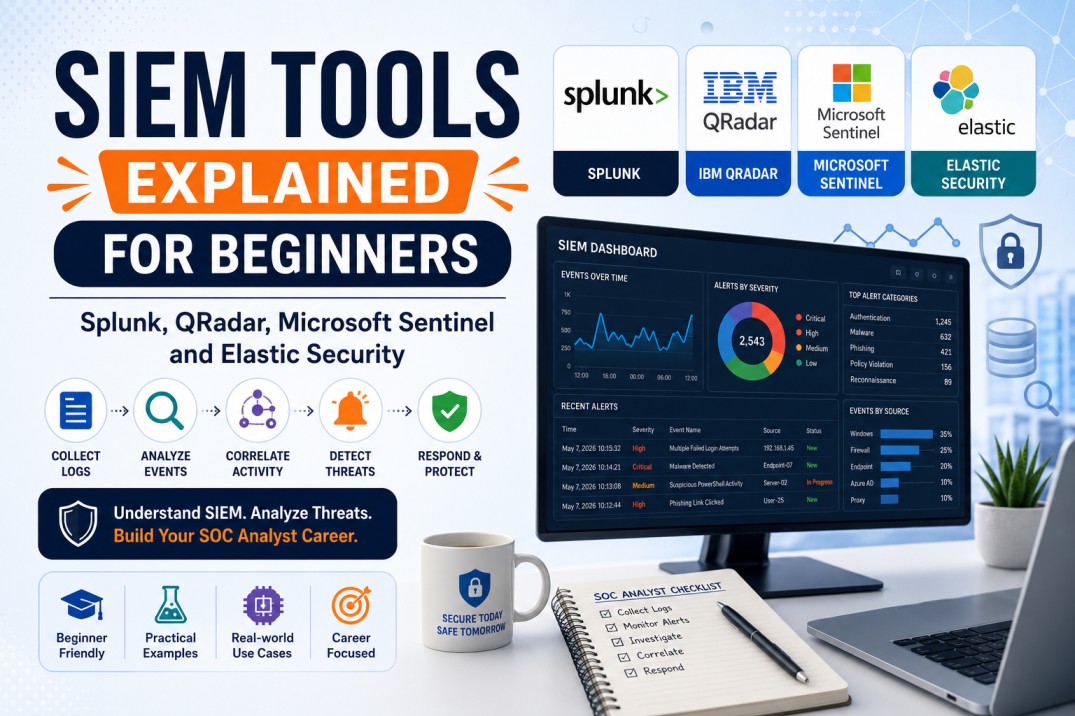
SIEM Tools Explained for Beginners: Splunk, QRadar, Microsoft Sentinel and Elastic
SIEM is one of the most important tools for SOC Analysts. This beginner-friendly guide explains what SIEM is, how it works, what logs it collects, common SOC use cases, and how popular SIEM platforms like Splunk, IBM QRadar, Microsoft Sentinel and Elastic Security are used in security operations.
If you are preparing for a SOC Analyst role, you will hear one tool category again and again: SIEM. Many beginners know that SIEM is important, but they are not always clear about what it actually does.
A SIEM is not just a dashboard. It is the central place where security teams collect logs, correlate activity, detect suspicious patterns, investigate alerts, track incidents and support compliance reporting. For SOC Analysts, learning SIEM is like learning the investigation console of cybersecurity operations.
Simple definition: SIEM stands for Security Information and Event Management. It helps security teams collect, analyze and correlate security events from multiple systems so they can detect and respond to threats faster.
This article explains SIEM in simple language and compares four widely discussed platforms: Splunk, IBM QRadar, Microsoft Sentinel and Elastic Security.
What Is SIEM?
SIEM stands for Security Information and Event Management. It is a cybersecurity platform that collects security logs and events from different systems and helps security teams detect suspicious activity.
For example, a company may have logs coming from firewalls, servers, cloud platforms, endpoints, identity systems, email security tools, VPNs, web proxies and applications. Without SIEM, those logs remain scattered. With SIEM, SOC Analysts can search, correlate and investigate them from one place.
Example
A user account has 50 failed login attempts, then one successful login from a new country, followed by mailbox rule creation. Separately, these events may look normal. Together, in a SIEM correlation, they may indicate account compromise.
Elastic describes SIEM solutions as tools that collect logs and events for security teams to analyze, helping organizations detect suspicious activity early and react quickly. :contentReference[oaicite:1]{index=1}
Why SIEM Is Important for SOC Analysts
A SOC Analyst’s job is to monitor, detect, investigate and escalate security events. SIEM supports all of these activities.
SOC Analysts Use SIEM To:
- Monitor security alerts
- Search logs during investigations
- Correlate events from multiple systems
- Identify suspicious user behavior
- Detect brute-force attacks
- Investigate phishing-related activity
- Track malware or endpoint alerts
- Review firewall, proxy and DNS activity
- Support incident response
- Create reports for compliance and management
Career tip: If you want to become a SOC Analyst, do not only learn SIEM screens. Learn what logs mean, how to ask investigation questions and how to connect events into an attack story.
How SIEM Works: Beginner-Friendly Explanation
Most SIEM platforms follow a similar flow: collect data, normalize it, correlate it, alert on suspicious activity and support investigation.
1 Log Collection
SIEM collects logs from servers, endpoints, firewalls, cloud platforms, identity systems and security tools.
2 Parsing and Normalization
SIEM converts different log formats into searchable fields such as username, IP address, event type, timestamp and action.
3 Correlation
SIEM connects related events from multiple sources to identify suspicious patterns.
4 Alerting
When events match detection rules, the SIEM generates an alert for SOC Analysts to review.
5 Investigation
Analysts search logs, check timelines, review related events and validate whether the alert is true positive or false positive.
6 Reporting
SIEM provides dashboards and reports for incident trends, compliance evidence, security posture and management visibility.
What Logs Are Sent to a SIEM?
SIEM becomes powerful when it receives useful logs from multiple systems. The quality of investigation depends heavily on the quality of logs.
| Log Source | Example Events | Why It Matters |
|---|---|---|
| Identity Logs | Login success, login failure, MFA events, password reset | Useful for account compromise and brute-force detection. |
| Windows Logs | Logon events, process creation, service creation, account changes | Useful for endpoint investigation and lateral movement detection. |
| Firewall Logs | Allowed traffic, blocked traffic, source/destination IP, ports | Useful for network traffic visibility and policy violations. |
| Proxy Logs | URLs visited, categories, downloads, blocked web traffic | Useful for phishing, malware download and web access investigation. |
| DNS Logs | Domain lookups, suspicious domains, command-and-control indicators | Useful for detecting malware communication and suspicious domains. |
| EDR Logs | Process tree, malware detection, file behavior, endpoint isolation | Useful for malware and endpoint attack investigation. |
| Email Security Logs | Phishing detections, blocked attachments, malicious links | Useful for phishing investigation and campaign scoping. |
| Cloud Logs | API calls, IAM changes, storage access, admin activity | Useful for cloud security monitoring and cloud account compromise. |
Beginner advice
Start by learning authentication logs, firewall/proxy logs, DNS logs and endpoint logs. These are commonly used in SOC investigations and interviews.
Common SIEM Use Cases for SOC Analysts
A SIEM use case is a detection scenario that the SOC wants to monitor. It is usually based on known risks, attacker behavior, compliance requirements or security policies.
Brute-Force Login Detection
Detects multiple failed login attempts against one or many accounts, especially if followed by a successful login.
Impossible Travel
Detects logins from geographically distant locations within an unrealistic time window.
Suspicious PowerShell
Detects encoded PowerShell, suspicious command-line usage, or abnormal script execution.
Malware Alert Correlation
Correlates EDR malware detections with user activity, network connections and file behavior.
Phishing Click Investigation
Checks whether users clicked a suspicious link, visited a malicious domain or downloaded a file.
Privilege Escalation
Detects suspicious admin group changes, new privileged accounts or abnormal privilege use.
Splunk Explained for Beginners
Splunk is widely used for log search, analytics and security monitoring. In security operations, Splunk Enterprise Security is Splunk’s SIEM solution. Splunk describes Enterprise Security as a SIEM solution and also highlights newer editions that extend into unified threat detection, investigation and response with SIEM, UEBA, SOAR and AI capabilities. :contentReference[oaicite:2]{index=2}
Why SOC Analysts Learn Splunk
- Powerful log search and investigation
- Flexible dashboard creation
- Strong ecosystem and enterprise adoption
- Useful for custom detection rules
- Supports many data sources
- Good for learning how logs and queries work
Important Splunk Concept: SPL
Splunk uses SPL, or Search Processing Language, to search and analyze data.
This type of query can help identify failed login attempts grouped by user and source IP.
Best for beginners who want: Strong log search skills, flexible querying, dashboards and enterprise SOC exposure.
IBM QRadar Explained for Beginners
IBM QRadar SIEM is an enterprise SIEM platform used for centralized security visibility, real-time threat detection, compliance support and faster response. IBM states that QRadar SIEM helps centralize security visibility, enable real-time threat detection, streamline compliance and help security teams respond faster. :contentReference[oaicite:3]{index=3}
Why SOC Analysts Learn QRadar
- Enterprise SIEM experience
- Offense-based alerting concept
- Log and flow correlation
- Useful dashboards for investigations
- Compliance-focused reporting
- Common in large organizations and managed security services
Important QRadar Concept: Offense
In QRadar, an offense is a correlated security issue created when events or flows match certain rules or suspicious patterns. A SOC Analyst reviews the offense, checks related events, validates evidence and decides whether escalation is required.
Important QRadar Concept: AQL
QRadar uses AQL, or Ariel Query Language, to search events and flows.
Best for beginners who want: Enterprise SOC experience, offense investigation, log-flow correlation and compliance-driven security monitoring.
Microsoft Sentinel Explained for Beginners
Microsoft Sentinel is Microsoft’s cloud-native SIEM. Microsoft describes Sentinel as a cloud-native SIEM solution that provides scalable security across multicloud and multiplatform environments, combining AI, automation and threat intelligence for detection, investigation, response and proactive hunting. :contentReference[oaicite:4]{index=4}
Why SOC Analysts Learn Microsoft Sentinel
- Strong cloud-native SIEM skills
- Useful for Microsoft 365, Azure and Entra ID environments
- Uses KQL, a valuable query language for security analysts
- Supports automation through playbooks
- Good for identity, cloud and endpoint investigation
- Increasingly relevant for modern SOC teams
Important Sentinel Concept: KQL
Microsoft Sentinel uses KQL, or Kusto Query Language, to search logs and build detections.
This query helps identify users and IP addresses with failed login activity.
Important Sentinel Concept: Analytics Rules
Analytics rules in Microsoft Sentinel are used to detect suspicious behavior and generate incidents. Analysts can investigate incidents, review entities, check timelines and trigger response workflows.
Best for beginners who want: Cloud security, Microsoft security ecosystem, KQL skills, identity investigation and modern SIEM automation.
Elastic Security Explained for Beginners
Elastic Security provides SIEM capabilities for detection, investigation and response. Elastic describes its SIEM as helping SOC analysts detect, investigate and respond faster with visibility, analytics and AI-enabled workflows. :contentReference[oaicite:5]{index=5}
Why SOC Analysts Learn Elastic Security
- Good for log search and visibility
- Useful for endpoint, cloud and network security data
- Strong open ecosystem around Elastic Stack
- Good for learning dashboards and detection rules
- Popular in labs, startups and technical security teams
- Useful for threat hunting and investigation practice
Important Elastic Concept: Elasticsearch and Kibana
Elastic Security is built on the Elastic Stack. Elasticsearch stores and searches data, while Kibana provides dashboards, visualization and investigation interface.
Important Elastic Concept: Detection Rules
Detection rules help identify suspicious activity in logs, endpoint data and cloud events. Analysts can review alerts, investigate timelines and build dashboards.
Best for beginners who want: Hands-on lab practice, log search, dashboards, open security data analysis and technical investigation skills.
SIEM Comparison Table: Splunk vs QRadar vs Microsoft Sentinel vs Elastic
| SIEM Tool | Best Known For | Query Language / Approach | Beginner Learning Value |
|---|---|---|---|
| Splunk | Powerful search, analytics, dashboards and flexible log investigation. | SPL | Great for learning log search, investigation and dashboarding. |
| IBM QRadar | Enterprise SIEM, offenses, log-flow correlation and compliance use cases. | AQL and offense workflow | Great for understanding enterprise SOC operations and alert correlation. |
| Microsoft Sentinel | Cloud-native SIEM for Microsoft, multicloud and multiplatform environments. | KQL | Great for cloud, identity, Microsoft 365 and modern SOC learning. |
| Elastic Security | Search-driven SIEM, dashboards, detection rules and open ecosystem. | Elastic Query Language / Kibana workflows | Great for hands-on labs, technical log analysis and threat hunting basics. |
Important note
There is no single “best” SIEM for every beginner. The right tool depends on your target job market, available labs, company environment and career goal.
Which SIEM Should Beginners Learn First?
Beginners often ask, “Should I learn Splunk, QRadar, Sentinel or Elastic first?” The better question is: “Which SIEM helps me understand SOC investigation fundamentals?”
Choose Splunk If
You want strong search skills, dashboarding, enterprise SOC exposure and flexible log investigation practice.
Choose Microsoft Sentinel If
You want cloud-native SIEM skills, Microsoft 365/Entra ID investigation, Azure security and KQL learning.
Choose QRadar If
You want enterprise SOC workflows, offense investigation, compliance reporting and managed security services exposure.
Choose Elastic If
You want hands-on lab-friendly log analysis, dashboards, technical searching and open ecosystem practice.
Best beginner strategy: Learn SIEM concepts first, then practice one SIEM deeply. Once you understand logs, correlation and investigation, switching tools becomes easier.
Important SIEM Skills for SOC Jobs
Recruiters and interviewers are not only checking whether you know tool names. They want to know if you can investigate alerts properly.
Beginner SOC Analysts Should Learn:
- How to search logs by user, IP, host, domain and timestamp
- How to analyze failed and successful login events
- How to investigate brute-force alerts
- How to review phishing-related web traffic
- How to read firewall, DNS and proxy logs
- How to correlate multiple events into one timeline
- How to identify true positive vs false positive alerts
- How to write basic queries
- How to document findings in a SOC ticket
- How to escalate incidents with evidence
SOC Analyst Mindset
SIEM is not only about searching logs. It is about asking the right questions: Who did it? From where? When? On which system? Was it normal? What happened before and after? What is the impact?
Beginner SIEM Projects to Build Practical Skills
If you are preparing for SOC interviews, build small projects. These can help you explain practical skills during interviews.
Project 1: Failed Login Dashboard
Create a dashboard showing failed logins by user, IP address, country and time period.
Project 2: Brute-Force Investigation
Analyze multiple failed login attempts followed by a successful login and write an investigation report.
Project 3: Phishing Click Analysis
Use proxy or DNS logs to identify whether a user visited a suspicious phishing URL.
Project 4: Malware Alert Timeline
Correlate endpoint alert, process execution, network connection and user activity into a timeline.
Project 5: Suspicious PowerShell Detection
Create a simple detection for encoded or suspicious PowerShell activity and document response steps.
Project 6: SOC Ticket Writing
Write a professional SOC ticket with alert summary, evidence, analysis, severity and recommendation.
Common SIEM Interview Questions for Beginners
| Question | What Interviewer Wants to Check |
|---|---|
| What is SIEM? | Basic understanding of log collection, correlation and alerting. |
| What logs are important for SOC Analysts? | Knowledge of authentication, firewall, proxy, DNS, EDR and cloud logs. |
| What is log correlation? | Ability to connect events from multiple sources. |
| How would you investigate a brute-force alert? | Practical investigation mindset. |
| What is the difference between true positive and false positive? | Understanding of alert validation. |
| What is a SIEM use case? | Understanding of detection scenarios. |
| What is SPL, KQL or AQL? | Awareness of SIEM query languages. |
| How do you document a SIEM alert? | Ticket documentation and communication skills. |
How AI Is Changing SIEM and SOC Operations
Modern SIEM platforms are increasingly adding AI, automation, threat intelligence and response capabilities. Microsoft says Sentinel combines AI, automation and threat intelligence for detection, investigation, response and proactive hunting. Splunk also describes newer Enterprise Security editions as bringing together SIEM, UEBA, SOAR and AI capabilities in a unified platform. :contentReference[oaicite:6]{index=6}
How AI Can Help SOC Analysts in SIEM
- Summarize alerts faster
- Recommend investigation steps
- Assist with query writing
- Group related alerts
- Enrich indicators with threat intelligence
- Generate incident timelines
- Draft incident summaries
- Reduce repetitive triage work
Important warning
AI can assist SOC Analysts, but it should not replace human validation. Analysts must verify AI-generated findings, especially before blocking, escalating or closing incidents.
Useful Official and External Resources
Related Career Guides
Final Thoughts: SIEM Is a Must-Learn Skill for SOC Analysts
SIEM is one of the most important skill areas for SOC Analysts because it teaches you how to work with logs, alerts, correlation, investigation and incident evidence.
Whether you learn Splunk, QRadar, Microsoft Sentinel or Elastic Security, the goal is the same: understand how to collect security data, search it, correlate it, detect suspicious behavior and document findings professionally.
Final career message: Learn SIEM concepts first. Practice one tool deeply. Build small investigation projects. Learn to explain alerts clearly. That is how you become stronger for SOC Analyst roles.
Want to Learn SIEM and Become Job-Ready for SOC Roles?
At CybersecurityTRAIN.com, we help students and working professionals build practical SOC skills through hands-on training in SIEM, log analysis, phishing investigation, incident response, MITRE ATT&CK, threat intelligence and SOC ticket documentation.
If you want to become job-ready for SOC Analyst roles, explore our practical SOC training program and speak with our training advisor.
Explore SOC Analyst Training Explore Job-Ready Blue Team TrainingCall or WhatsApp: +91 98857 89887
Frequently Asked Questions
1. What is SIEM in cybersecurity?
SIEM stands for Security Information and Event Management. It collects and analyzes logs from multiple systems to help security teams detect, investigate and respond to threats.
2. Why do SOC Analysts use SIEM?
SOC Analysts use SIEM to monitor alerts, search logs, correlate events, investigate suspicious activity, validate incidents and support response actions.
3. Which SIEM tool is best for beginners?
There is no single best SIEM for everyone. Splunk is good for search and dashboards, Microsoft Sentinel is good for cloud and Microsoft environments, QRadar is good for enterprise offense workflows, and Elastic is good for hands-on log analysis practice.
4. Is Splunk a SIEM tool?
Splunk Enterprise Security is commonly used as a SIEM solution for security monitoring, alerting, investigation and analytics.
5. Is Microsoft Sentinel good for SOC Analysts?
Yes. Microsoft Sentinel is useful for SOC Analysts, especially in organizations using Microsoft 365, Azure, Entra ID and Microsoft Defender technologies.
6. What is the difference between SIEM and SOC?
SOC is the security operations team or function. SIEM is one of the main tools used by the SOC to collect logs, detect alerts and support investigations.
7. Do I need coding to learn SIEM?
You do not need advanced coding for beginner SIEM learning. However, learning query languages such as SPL, KQL or AQL is important for searching and analyzing logs.
8. What logs should beginners practice with?
Beginners should practice with authentication logs, Windows logs, firewall logs, proxy logs, DNS logs, EDR logs and email security logs.
9. What is a SIEM use case?
A SIEM use case is a detection scenario such as brute-force login detection, impossible travel, suspicious PowerShell, malware alert correlation or privilege escalation.
10. Can SIEM help in phishing investigation?
Yes. SIEM can help identify whether users clicked phishing links, visited suspicious domains, downloaded files, logged in from unusual locations or received similar emails.