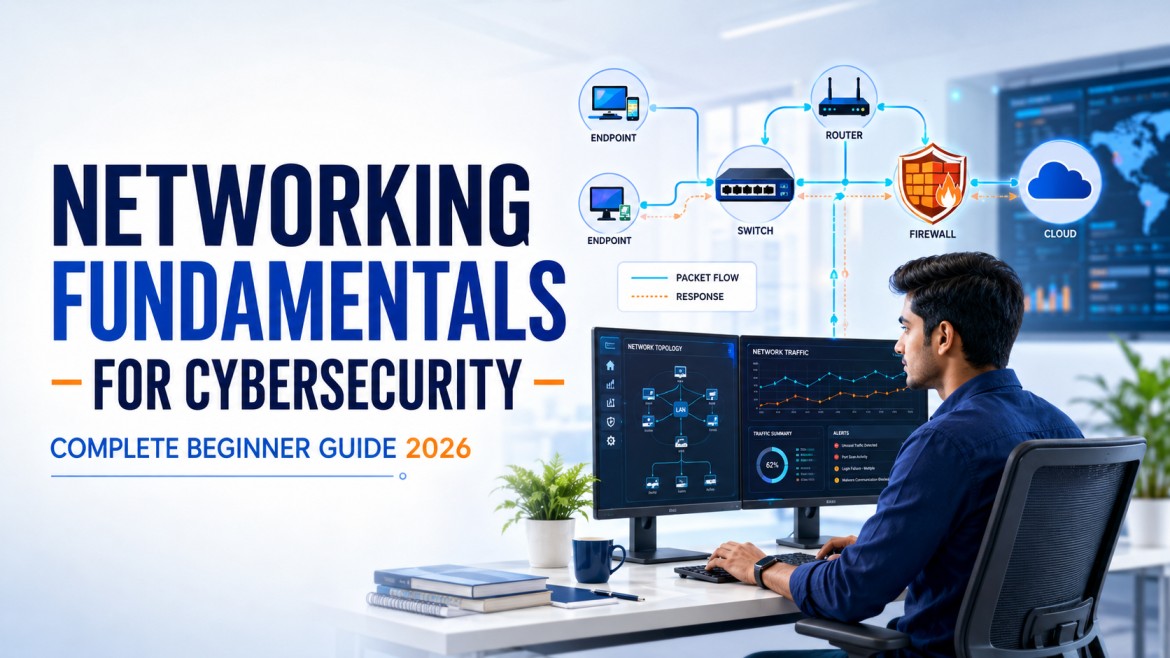
The Network Is Where Cybersecurity Becomes Visible
A process starts on an endpoint, a DNS query leaves the device, a session crosses a firewall, and a log reaches the SOC. When you understand that journey, alerts stop looking like random IP addresses and ports—and start telling a story.
Cybersecurity tools collect enormous amounts of network information. A firewall alert may show a source IP, destination IP, destination port, protocol, action and rule. A SIEM event may contain a domain name, proxy status, bytes transferred and session duration. An EDR alert may connect a process to a remote address. Without networking knowledge, these fields look like isolated technical values. With networking knowledge, they become evidence.
This guide builds the networking foundation required for SOC analysis, vulnerability assessment, penetration testing, cloud security, incident response and Zero Trust. It is designed for students, freshers and career changers who want practical understanding—not just definitions to memorise.
Why Networking Matters in Cybersecurity
Almost every modern cyber incident involves communication. Malware may contact command infrastructure. A compromised account may access an internal application. An attacker may enumerate an exposed service. A user may connect to a phishing domain. Sensitive data may leave through an approved cloud service. Even attacks that begin on an endpoint normally generate network evidence.
Networking knowledge helps a SOC analyst answer questions
- Is this IP address internal, private, public, loopback or link-local?
- Does the destination port match the expected application?
- Was the connection allowed, denied, reset or timed out?
- Did DNS resolution occur before the connection?
- Which process opened the session?
- Is the destination normal for this user, device and business function?
- Did the connection transfer an unusual amount of data?
- Does the traffic cross a trust boundary or network segment?
Networking knowledge also supports other cybersecurity paths
| Cybersecurity path | How networking is used |
|---|---|
| SOC and incident response | Analyse firewall, DNS, proxy, IDS/IPS, VPN, NetFlow and packet evidence. |
| VAPT | Understand reachable services, network exposure, segmentation and test scope. |
| Cloud security | Design virtual networks, subnets, routing, security groups, private connectivity and logging. |
| Identity and Zero Trust | Evaluate the identity, device, application, resource and context behind each access request. |
| Security architecture | Define trust zones, traffic flows, enforcement points, resilience and defence in depth. |
What Happens When You Open a Website?
Suppose you enter https://www.cybersecuritytrain.com in a browser. The page appears in seconds, but several networking and security events happen underneath. Understanding this journey is one of the fastest ways to make networking concepts practical.
- The device checks its network configuration. It needs an IP address, subnet mask or prefix, default gateway and DNS resolver. These values may be assigned through DHCP or configured manually.
- The browser and operating system resolve the name. A DNS query asks for the address associated with the hostname. Cached results may avoid a new external query.
- The device decides whether the destination is local or remote. The subnet mask or prefix helps make this decision. A remote destination is sent toward the default gateway.
- The device identifies the next-hop link-layer address. In IPv4 networks, ARP can map the gateway’s IP address to a MAC address. IPv6 uses Neighbor Discovery rather than ARP.
- A switch forwards the frame inside the local network. It uses MAC-address information to send the frame toward the appropriate port.
- A router forwards the packet between networks. It examines the destination IP address and selects a route. In many environments, NAT translates a private source address to a public address.
- A firewall or secure gateway applies policy. It may evaluate source, destination, port, protocol, user, device posture, application, URL category and threat intelligence.
- A transport session is created. For traditional HTTPS, TCP establishes a connection, usually to destination port 443. HTTP/3 can use QUIC over UDP, so analysts should not assume that all web traffic is TCP.
- Encryption is negotiated. TLS helps authenticate the server and protect data in transit. Security devices may log the server name, certificate information and policy result, depending on architecture and privacy controls.
- The application exchanges data. The browser sends an HTTP request and receives content. DNS, endpoint, firewall, proxy, VPN and cloud logs may each record a different part of the same journey.
The OSI Model Explained for Cybersecurity Beginners
The Open Systems Interconnection model divides communication into seven conceptual layers. Real implementations do not always fit perfectly into these boundaries, but the model provides a common troubleshooting language. When someone says “Layer 3 issue” or “Layer 7 control,” the OSI model helps you understand the area being discussed.
| Layer | Name | What it represents | Cybersecurity relevance |
|---|---|---|---|
| 7 | Application | User-facing network services and application protocols such as HTTP, DNS and SMTP. | Web attacks, phishing, malicious domains, API abuse, application-aware firewall rules. |
| 6 | Presentation | Data representation, encoding, compression and encryption concepts. | TLS, certificates, decoding, data formats and encrypted-traffic visibility. |
| 5 | Session | Creation, management and termination of conversations between applications. | Session misuse, token theft, unusual session duration and repeated reconnects. |
| 4 | Transport | End-to-end delivery using protocols such as TCP and UDP; ports identify services. | Port scanning, TCP flags, retransmissions, resets and connection patterns. |
| 3 | Network | Logical addressing and routing using IP. | Source and destination IPs, routing, ACLs, spoofing, segmentation and VPN tunnels. |
| 2 | Data Link | Local delivery using frames, MAC addresses, switches and VLANs. | ARP abuse, rogue devices, VLAN boundaries, switch-port controls and NAC. |
| 1 | Physical | Signals, cables, radio, interfaces and physical connectivity. | Rogue hardware, cable access, wireless interference and physical tampering. |
How analysts use the OSI model
If a device has no link, start at Layer 1. If it can reach local devices but not another network, review Layer 3 addressing and routing. If TCP connects but the application fails, investigate higher-layer configuration, encryption and application behaviour. The model prevents random troubleshooting by giving you an ordered path.
The TCP/IP Model and How It Relates to OSI
The TCP/IP model more closely reflects the protocol suite used on modern IP networks. Different training materials describe four or five layers; the important lesson is the function of each layer, not memorising one diagram as the only correct version.
| TCP/IP layer | Typical OSI mapping | Examples |
|---|---|---|
| Application | OSI Layers 5–7 | HTTP, DNS, SMTP, SSH, DHCP |
| Transport | OSI Layer 4 | TCP, UDP, QUIC |
| Internet | OSI Layer 3 | IPv4, IPv6, ICMP |
| Network access | OSI Layers 1–2 | Ethernet, Wi-Fi, ARP and physical media |
For cybersecurity work, learn to move between both views. A firewall analyst may talk about Layer 3 and Layer 4 policy, while an application-security engineer focuses on Layer 7 behaviour. A packet capture shows details from several layers at once.
MAC Addresses, IP Addresses, Ports and the Five-Tuple
Several identifiers work together during communication. Confusing them is one of the most common beginner mistakes.
MAC address
A Media Access Control address identifies a network interface at the data-link layer. Switches use MAC-address information for local frame forwarding. A MAC address is not a reliable global identity because it can change, be virtualised or be spoofed.
IP address
An IP address provides logical addressing used across networks. IPv4 addresses are 32 bits and IPv6 addresses are 128 bits. Security logs commonly use IP addresses to describe session endpoints, but shared systems, NAT, proxies and cloud services mean that one IP address does not always represent one person or device.
Port
A port is a transport-layer number associated with a service or application endpoint. Servers often listen on predictable ports, while clients typically use temporary source ports. IANA divides port numbers into System Ports (0–1023), User Ports (1024–49151) and Dynamic or Private Ports (49152–65535).
Protocol
The protocol tells you how the communication is structured. TCP and UDP can use the same numeric port for different services, so always record the transport protocol with the port.
The network five-tuple
A common way to identify a flow is:
Source IP + Source Port + Destination IP + Destination Port + ProtocolFor example:
10.10.20.45:51832 → 203.0.113.20:443 TCPThis tells you that a private internal host initiated a TCP connection from temporary source port 51832 to destination port 443. It does not prove which application ran, what data was exchanged or whether the traffic was safe. Those questions require endpoint, DNS, proxy, TLS and application context.
IP Addressing and Subnetting Without the Confusion
Private IPv4 ranges
Private addresses are used inside organisations and are not routed directly across the public Internet. The familiar private IPv4 ranges are:
10.0.0.0/8172.16.0.0/12192.168.0.0/16
Other ranges have special purposes. 127.0.0.0/8 is used for loopback. 169.254.0.0/16 is commonly associated with IPv4 link-local addressing when a device cannot obtain a normal address. Do not automatically classify every unfamiliar range as external or malicious.
What does CIDR notation mean?
CIDR notation shows how many leading bits identify the network. In 192.168.10.0/24, the first 24 bits represent the network portion. This commonly provides addresses from 192.168.10.0 through 192.168.10.255, with the usable host range depending on the network design.
Why subnetting matters to security
- It helps analysts determine whether communication is local or crosses a router or firewall.
- It supports segmentation between users, servers, management systems and sensitive workloads.
- It allows firewall and SIEM rules to describe groups of systems accurately.
- It helps define assessment scope and prevent accidental testing of unauthorised assets.
- It helps investigators identify unexpected movement between trust zones.
TCP vs UDP: The Difference Security Analysts Need to Know
| Area | TCP | UDP |
|---|---|---|
| Connection behaviour | Connection-oriented | Connectionless |
| Reliability features | Sequence numbers, acknowledgements, retransmission and ordered delivery | No built-in guarantee of delivery, ordering or retransmission |
| Overhead | Higher | Lower |
| Common examples | HTTPS, SSH, SMTP, SMB | Traditional DNS queries, DHCP, NTP, voice and streaming use cases |
| Analyst clues | SYN, ACK, FIN, RST, retransmissions and session state | Request/response timing, volume, direction and application context |
The TCP three-way handshake
- SYN: The client requests a connection.
- SYN-ACK: The server acknowledges and responds.
- ACK: The client acknowledges, and the connection can carry application data.
Repeated SYN packets without completed handshakes may indicate packet loss, filtering, a service problem or scanning. Context matters. A reset may indicate that a host actively rejected a connection, but middleboxes and applications can also generate resets.
Important Ports and Protocols for Cybersecurity Beginners
You do not need to memorise all 65,536 possible port numbers. Start with services that frequently appear in enterprise environments, security alerts and interviews.
| Port | Protocol/service | Why an analyst cares |
|---|---|---|
| 20/21 TCP | FTP | Legacy file transfer; credentials and data may be exposed when encryption is absent. |
| 22 TCP | SSH | Secure administration; review source, account, authentication result and command context. |
| 23 TCP | Telnet | Unencrypted remote access; normally high risk on modern enterprise networks. |
| 25 TCP | SMTP | Mail transfer; useful during phishing, spam and server-abuse investigations. |
| 53 UDP/TCP | DNS | Name resolution; domains, response codes, query volume and unusual record types can provide strong clues. |
| 67/68 UDP | DHCP | Assigns client network configuration; rogue DHCP behaviour can redirect traffic. |
| 80 TCP | HTTP | Unencrypted web traffic or redirect service; inspect destination and content controls. |
| 88 TCP/UDP | Kerberos | Enterprise authentication, especially in Active Directory environments. |
| 110 TCP | POP3 | Legacy email retrieval, commonly unencrypted unless separately protected. |
| 123 UDP | NTP | Time synchronisation; accurate time is essential for log correlation and authentication. |
| 135 TCP | Microsoft RPC endpoint mapper | Windows administration and service communication; important during lateral-movement reviews. |
| 137–139 TCP/UDP | NetBIOS services | Legacy Windows networking; exposure outside approved segments deserves review. |
| 143 TCP | IMAP | Email access; prefer encrypted alternatives where supported. |
| 389 TCP/UDP | LDAP | Directory queries and authentication-related activity. |
| 443 TCP/UDP | HTTPS and modern web traffic | Most web and API traffic; encryption means metadata and endpoint context become important. |
| 445 TCP | SMB | Windows file sharing, administration and lateral movement; restrict across trust boundaries. |
| 587 TCP | Mail submission | Authenticated email submission; investigate unusual clients and accounts. |
| 636 TCP | LDAPS | LDAP protected by TLS. |
| 993 TCP | IMAPS | Encrypted IMAP email access. |
| 1433 TCP | Microsoft SQL Server | Database access; Internet exposure or unexpected client systems can be high risk. |
| 3306 TCP | MySQL | Database service; validate whether the source and exposure match architecture. |
| 3389 TCP/UDP | Remote Desktop Protocol | Remote administration; monitor Internet exposure, MFA, source geography and failed logins. |
| 5432 TCP | PostgreSQL | Database service; restrict to approved application and administration paths. |
| 5985/5986 TCP | Windows Remote Management | Remote administration; correlate with user, device, authentication and endpoint telemetry. |
Network and Security Devices You Should Understand
Switch
A switch connects devices inside a local network and forwards frames using MAC-address information. Managed switches can support VLANs, port security, monitoring and other controls.
Router
A router forwards packets between IP networks using a routing table. The default gateway on an endpoint is normally the router or Layer 3 interface used to reach remote networks.
Firewall
A firewall enforces rules between network zones. Modern firewalls may evaluate applications, users, URLs, files and threats in addition to addresses and ports. Logs should record the rule, action and enough session context for investigation.
IDS and IPS
An intrusion detection system identifies suspicious patterns and produces alerts. An intrusion prevention system can operate inline and block or modify traffic. Signatures, anomaly detection and behaviour analytics all require tuning and context.
Proxy and secure web gateway
A proxy makes requests on behalf of clients. A secure web gateway can enforce web-access policy, inspect content, apply threat controls and produce logs that connect users to domains, URLs and actions.
Load balancer
A load balancer distributes traffic across servers or services. Analysts must understand whether logs show the original client, a proxy address or a translated connection.
VPN gateway
A VPN gateway creates protected tunnels for users, sites or workloads. During investigations, record the authenticated identity, assigned address, source location, device posture and session duration.
DNS and DHCP servers
DNS maps names to records used for communication. DHCP provides clients with network configuration. Both services are operationally critical and valuable sources of security evidence.
Network Segmentation, Least Privilege and Zero Trust
A flat network allows too many systems to communicate directly. Segmentation separates environments such as user devices, servers, management systems, development, production, guest access and sensitive databases. Firewalls, VLANs, cloud security groups and application-aware controls can restrict the allowed paths.
Segmentation questions every security learner should ask
- Which systems genuinely need to communicate?
- In which direction should the connection be initiated?
- Which protocol, port and application are required?
- Which identity or workload should receive access?
- What device or workload security state is required?
- Where will the decision and session be logged?
- How quickly can access be revoked during an incident?
Zero Trust is not simply “more firewalls.” NIST describes Zero Trust as shifting protection away from static network perimeters toward users, assets and resources. Network location alone should not create automatic trust. Access decisions should consider identity, device, resource, policy and continuously evaluated context.
Essential Windows and Linux Networking Commands
The following read-only commands are appropriate for your own lab or systems you are authorised to administer. Output and privileges vary by operating system.
Windows commands
ipconfig /all
ping 192.168.1.1
tracert cybersecuritytrain.com
nslookup cybersecuritytrain.com
arp -a
route print
netstat -ano
PowerShell Get-NetIPConfiguration
PowerShell Get-NetRoute
PowerShell Get-NetTCPConnection| Goal | Useful command | What to record |
|---|---|---|
| Review configuration | ipconfig /all | IP, prefix or mask, gateway, DNS and DHCP details. |
| Test reachability | ping | Target, success, latency and packet loss. Remember that ICMP may be filtered. |
| Review path | tracert | Observed hops and where responses stop. A missing response is not always a failure. |
| Resolve DNS | nslookup | Resolver, query name, answer and response behaviour. |
| Map neighbours | arp -a | Local IPv4-to-MAC mappings and interface context. |
| Review connections | netstat -ano | Local/remote address, port, state and PID. |
Linux commands
ip address
ip route
ping -c 4 192.168.1.1
traceroute cybersecuritytrain.com
dig cybersecuritytrain.com
ip neigh
ss -tulpn
curl -I https://www.cybersecuritytrain.com
Learn to explain the output rather than memorising commands. For example, ss -tulpn can show listening and active sockets, but you still need to decide whether the process, address and port are expected for that system.
For more endpoint investigation practice, use our guides to PowerShell for SOC analysts and Linux commands for SOC analysts.
Wireshark for Cybersecurity Beginners
Wireshark captures and decodes network traffic. It helps you see the layers discussed in this article: Ethernet frames, IP packets, TCP or UDP details and application protocols. Packet captures can contain credentials, tokens, personal information and confidential business data, so collect them only with authorisation and protect them as sensitive evidence.
Useful Wireshark display filters
| Display filter | Purpose |
|---|---|
dns | Show decoded DNS traffic. |
tcp | Show TCP packets. |
udp | Show UDP packets. |
tls | Show decoded TLS protocol traffic. |
ip.addr == 192.168.56.10 | Show IPv4 traffic to or from one lab address. |
tcp.port == 443 | Show TCP traffic using port 443. |
tcp.flags.syn == 1 && tcp.flags.ack == 0 | Show initial TCP SYN packets. |
tcp.analysis.retransmission | Show traffic Wireshark identifies as TCP retransmissions. |
dns.flags.rcode != 0 | Show DNS responses with a non-zero response code. |
Capture filters and display filters are different
A capture filter controls which packets are collected. A display filter controls which captured packets are shown. Beginners often enter display-filter syntax in a capture-filter field or assume filtering the view deletes packets. The official Wireshark documentation provides separate syntax and guidance for both.
A safe first packet-analysis exercise
- Use your isolated lab and close unrelated applications.
- Start a capture on the correct lab interface.
- Run a DNS lookup for a known domain.
- Open the website in a browser.
- Stop the capture after a short period.
- Filter for
dns, then identify the query and response. - Filter for the returned IP address and identify the transport protocol.
- Document the source, destination, port, protocol and timestamps.
Common Network Threats and the Clues Analysts Review
| Threat or behaviour | What it means | Possible clues |
|---|---|---|
| Scanning and enumeration | Attempts to identify live hosts, services or accessible applications. | One source contacting many destinations or ports, short sessions and repeated failures. |
| Brute-force authentication | Repeated login attempts against a service. | Many failures, multiple usernames, unusual source location or a success after failures. |
| ARP spoofing or poisoning | Manipulation of local address resolution to redirect traffic. | Unexpected MAC changes, duplicate address warnings and unusual gateway mappings. |
| DNS abuse | Use of DNS for malicious resolution, redirection or covert communication. | Rare domains, unusual query length, high volume, repeated failures or unexpected resolvers. |
| Lateral movement | Movement from one system to another after initial access. | Unexpected SMB, RDP, WinRM, SSH or administration traffic between user and server zones. |
| Command-and-control beaconing | Regular communication between a compromised system and external infrastructure. | Highly periodic connections, rare destinations, low-volume repeated sessions and unusual processes. |
| Data exfiltration | Unauthorised transfer of information outside an approved boundary. | Large outbound volume, rare cloud destinations, unusual timing, compression or policy violations. |
| Denial of service | Traffic or requests intended to exhaust resources or availability. | Rapid volume increases, resource exhaustion, connection failures and service degradation. |
None of these clues proves an attack by itself. Software updates, monitoring tools, vulnerability scanners, backups and business applications can create similar patterns. Good analysis compares the activity with an approved baseline and corroborates it across multiple data sources.
Practical SOC Case Study: Investigating Repeated Outbound Traffic
A SIEM alert reports that workstation HR-LAP-22 at 10.10.20.45 connects to the same external address on TCP port 443 almost every 60 seconds. The sessions are small but continue throughout the night.
Weak conclusion
“Port 443 is normal HTTPS, so close the alert.”
Better investigation workflow
- Validate the event. Confirm timestamps, time zone, device, source IP, destination, protocol, action and log source.
- Identify the asset and user. Determine the owner, business role, operating system, sensitivity and whether the device should be active at that time.
- Resolve network identity. Check DHCP, VPN and endpoint records to ensure the source IP belonged to that device during the alert window.
- Review DNS activity. Identify the domain resolved before the connections, the resolver used and whether the domain is common in your environment.
- Find the initiating process. Use EDR or endpoint data to map the connection to a process, path, signer, parent process and user context.
- Measure periodicity. Calculate connection intervals. Extremely regular timing can be useful, but scheduled business software can also communicate periodically.
- Review volume and direction. Compare bytes sent and received, session duration and whether the pattern changed recently.
- Check destination context. Use approved threat-intelligence sources, passive DNS, certificate and hosting information without treating reputation as the only decision point.
- Search across the environment. Determine whether other approved systems communicate with the same destination using the same process.
- Classify and respond. Document evidence, confidence, affected scope and the reason for closure, escalation or containment.
Build a Safe Networking Home Lab
You can practise most concepts without touching an external target. Use an isolated virtual network with systems you own. A practical starting point is one Windows virtual machine, one Linux virtual machine and a monitoring option such as Wireshark or a lab SIEM.
Suggested beginner lab
- VirtualBox, VMware or another approved virtualisation platform
- One Windows evaluation or authorised lab VM
- One Ubuntu or other Linux lab VM
- Host-only or carefully controlled NAT networking
- Wireshark on the appropriate lab interface
- Optional Wazuh or Microsoft Sentinel integration for log practice
- A simple lab notebook for diagrams, commands and findings
Seven safe projects
- Draw the network: Record each VM, interface, IP address, prefix, gateway and DNS resolver.
- Compare routes: Review the Windows and Linux routing tables and explain the default route.
- Observe DNS: Generate a lookup, capture it and document the query, response and returned address.
- Observe TCP: Connect to a local test service and identify the SYN, SYN-ACK and ACK.
- Map process to connection: Use
Get-NetTCPConnection,netstatorssto identify the owning process. - Perform authorised discovery: Use Nmap only against your isolated lab range to identify your own active systems and services, then validate every result manually.
- Write an investigation: Create a timeline that connects a process, DNS lookup, network session and packet evidence.
For a more complete build, follow our SOC home lab beginner guide and explore the CyberSecurityTRAIN practical labs.
30-Day Networking Roadmap for Cybersecurity Beginners
Build the foundation
- LAN, WAN, Internet and common topologies
- Switches, routers, firewalls and access points
- OSI and TCP/IP models
- Frames, packets, segments and application data
- Draw your home or lab network
Master addressing and protocols
- IPv4, IPv6 and private address ranges
- CIDR and beginner subnet calculations
- MAC, ARP and Neighbor Discovery concepts
- TCP, UDP and ICMP
- DNS and DHCP workflows
Learn visibility and controls
- Windows and Linux networking commands
- Wireshark capture and display filters
- NAT, proxies and VPN concepts
- Firewall allow/deny logic
- VLANs and segmentation
Apply cybersecurity thinking
- Review DNS, firewall and endpoint evidence
- Practise the seven safe lab projects
- Write one complete investigation timeline
- Answer the interview questions below
- Publish a sanitised network diagram and lab report
If you are starting from zero, combine this plan with our cybersecurity roadmap for freshers. Students who need structured mentor support can also explore the online, hybrid and offline cybersecurity internship in Hyderabad.
Networking Interview Questions for Cybersecurity Freshers
1. What is the difference between a switch and a router?
A switch primarily forwards frames inside a local network using MAC-address information. A router forwards IP packets between different networks using a routing table.
2. What is the difference between a MAC address and an IP address?
A MAC address identifies an interface for local data-link communication. An IP address provides logical addressing used for communication across IP networks. Neither should be treated as a permanent user identity.
3. What is a default gateway?
It is the next-hop router or Layer 3 interface an endpoint uses to reach destinations outside its local subnet when no more specific route exists.
4. What is DNS?
The Domain Name System stores and retrieves information associated with domain names. A common use is resolving a hostname to an IP address, but DNS supports multiple record types and can use both UDP and TCP.
5. What is DHCP?
Dynamic Host Configuration Protocol provides clients with network settings such as an IP address, subnet information, gateway and DNS servers.
6. What is the difference between TCP and UDP?
TCP provides connection-oriented delivery with sequencing, acknowledgements and retransmission. UDP sends datagrams without those built-in reliability and ordering features, giving it lower overhead.
7. What is NAT?
Network Address Translation changes address information as traffic crosses a translation point. It commonly allows private internal addresses to communicate through a smaller set of public addresses. NAT is not a replacement for firewall policy.
8. What is a VLAN?
A virtual LAN creates a logical Layer 2 broadcast domain. VLANs help organise and separate traffic, but secure segmentation also requires correct routing, access control and monitoring.
9. What is the TCP three-way handshake?
It is the SYN, SYN-ACK and ACK exchange used to establish a TCP connection and synchronise initial sequence information.
10. Why is port 443 traffic not automatically safe?
Port 443 is commonly used for encrypted web traffic, but malicious applications can also use it. Encryption protects content in transit; it does not guarantee that the communicating process, user or destination is trustworthy.
11. What is the difference between an IDS and an IPS?
An IDS detects and alerts on suspicious activity. An IPS normally operates inline and can prevent or modify traffic according to policy. Product architectures vary.
12. How would you investigate an unfamiliar outbound connection?
Validate the event, identify the asset and user, map the connection to a process, review preceding DNS activity, examine destination and certificate context, compare volume and timing with a baseline, search for the pattern across the environment and document an evidence-based conclusion.
Frequently Asked Questions
Do I need networking knowledge before learning cybersecurity?
You can begin cybersecurity and networking together, but networking should be an early priority. It makes SOC alerts, VAPT findings, cloud controls and security architecture much easier to understand.
How much subnetting does a SOC analyst need?
A beginner should be able to identify private and public addresses, understand CIDR notation, determine whether two addresses are likely in the same subnet and interpret network ranges used in firewall and SIEM rules. Advanced speed calculations can come later.
Should I learn IPv6?
Yes. Modern endpoints and networks may use IPv4 and IPv6 simultaneously. Analysts must recognise IPv6 addresses, understand basic prefixes and ensure monitoring and controls cover IPv6 traffic.
Is Wireshark difficult for beginners?
The interface can look complex, but you can start with short captures and simple filters such as DNS, TCP and one IP address. Focus on answering one question at a time.
Can I learn networking without buying physical routers and switches?
Yes. Virtual machines, packet captures, operating-system commands and network simulators can teach the foundation. Physical equipment becomes useful when you want deeper switching, routing and wireless practice.
Is Nmap legal to use?
Nmap is a legitimate network-discovery and security-auditing tool. What matters is authorisation and scope. Use it only on systems you own or have explicit permission to assess.
Which networking topics are most important for SOC jobs?
Prioritise TCP/IP, DNS, DHCP, ports, subnetting, routing, NAT, firewalls, proxies, VPNs, packet analysis and the ability to connect network sessions with endpoint and identity context.
Which certification should I take for networking?
A certification can provide structure, but the right choice depends on your role and background. For cybersecurity employment, combine networking study with practical labs, security monitoring and incident analysis rather than relying on a certificate alone.
Official Learning and Reference Resources
- Microsoft Learn: Fundamentals of computer networking
- Cisco: Networking basics
- IANA Service Name and Transport Protocol Port Number Registry
- IETF RFC 9293: Transmission Control Protocol
- IETF RFC 768: User Datagram Protocol
- IETF RFC 1035: Domain Names—Implementation and Specification
- Wireshark User’s Guide
- Nmap Reference Guide
- NIST SP 800-115: Technical Guide to Information Security Testing and Assessment
- NIST SP 800-207: Zero Trust Architecture
Turn Networking Knowledge into Practical Cybersecurity Skills
CyberSecurityTRAIN provides mentor-led learning for freshers and working professionals through SOC, VAPT, cloud security, certification and internship paths. Build practical skills with labs, real investigation workflows, interview preparation and career guidance.
Explore SOC training Explore VAPT training Explore internships