Microsoft Sentinel vs Microsoft Defender XDR: Key Differences, Unified SOC Architecture & Workflow (2026)
Understand the exact differences between Microsoft Sentinel (Cloud SIEM + SOAR) and Microsoft Defender XDR—how they converge inside the unified Microsoft Defender portal, how to avoid paying twice for the same telemetry, and how SOC analysts investigate multi-domain attacks across both platforms.
00Overview & What You Will Learn
One of the most frequent questions asked in SOC analyst interviews and enterprise architecture reviews is: "If we already have Microsoft Defender XDR, why do we need Microsoft Sentinel—and what is the difference between them?"
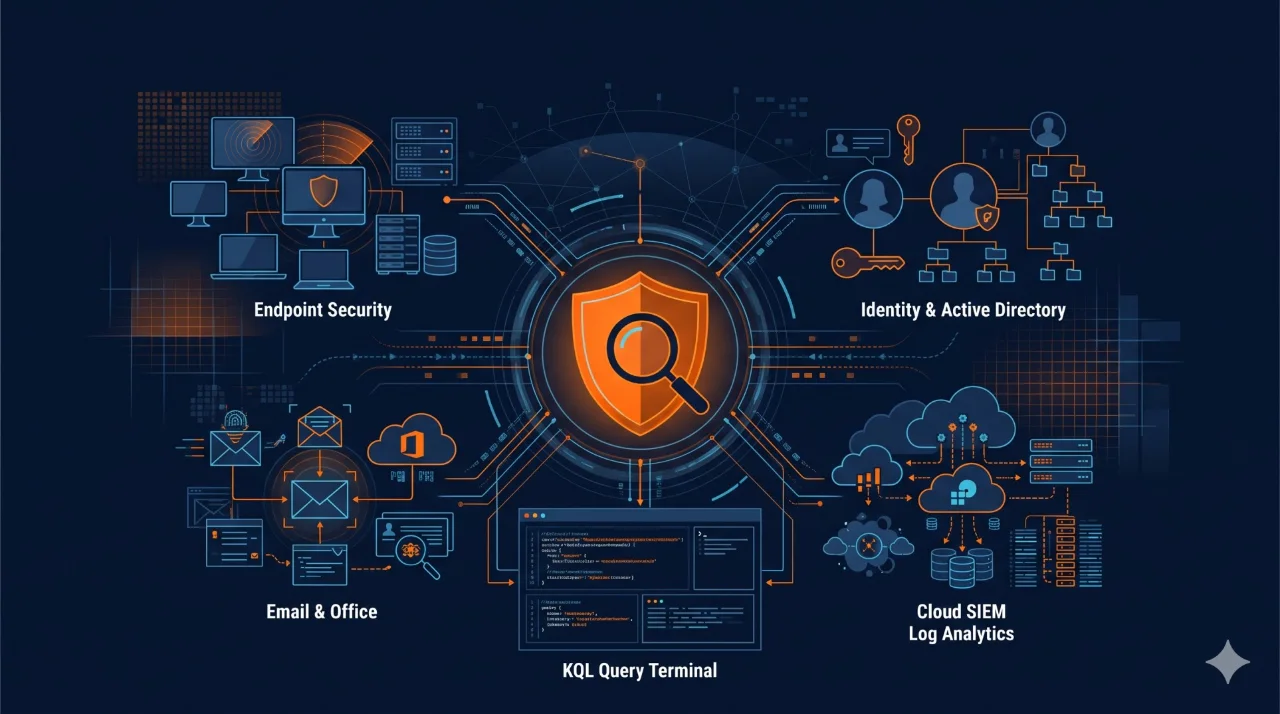
While both platforms run inside the unified Microsoft Defender portal (`security.microsoft.com`) and share Kusto Query Language (KQL) for threat hunting, they solve two distinct layers of security operations. Microsoft Defender XDR provides deep, real-time detection and automated containment across Microsoft-protected endpoints, identities, email, and SaaS apps. Microsoft Sentinel acts as the overarching Cloud SIEM and SOAR platform that ingests, correlates, and retains logs across your entire multi-cloud, network firewall, Linux, and third-party security ecosystem.
Complete Topic Map (Click Any Topic to Jump Directly)
Every topic listed under What You Will Learn in the static left menu has a dedicated section below:
01What Is Microsoft Sentinel (Cloud SIEM & SOAR)?
Microsoft Sentinel is a cloud-native Security Information and Event Management (SIEM) and Security Orchestration, Automation, and Response (SOAR) solution hosted on Azure and backed by a Log Analytics workspace.
Its core job is vendor-agnostic visibility, custom correlation, and long-term compliance retention. In a real enterprise, attacks rarely stay confined to Windows laptops—they traverse Palo Alto or Fortinet firewalls, Zscaler proxies (ZIA and ZPA), AWS CloudTrail, Linux servers, Oracle databases, and custom line-of-business APIs. Microsoft Sentinel ingests logs from over 300+ out-of-the-box Content Hub connectors (`Syslog`, `CommonSecurityLog`, `AWSCloudTrail`, `SecurityEvent`) so analysts can correlate events across the entire organization.
- Custom Analytics Rules: Write scheduled or near-real-time (NRT) KQL rules that correlate events across third-party and Microsoft tables.
- SOAR Playbooks (Azure Logic Apps): Automate multi-vendor actions—such as opening a ServiceNow ticket, posting an approval card in Microsoft Teams, blocking an IP on a Fortinet firewall, and disabling a user in Okta or Entra ID.
- Long-Term Audit & Compliance Retention: Retain logs for 1 to 12 years using Archive/Auxiliary tiers to satisfy RBI, PCI-DSS, HIPAA, GDPR, and ISO 27001 audit mandates.
02What Is Microsoft Defender XDR?
Microsoft Defender XDR (formerly Microsoft 365 Defender) is an integrated Extended Detection and Response (XDR) suite built directly into the Microsoft security stack. Rather than requiring you to build log parsers and correlation rules from scratch, Defender XDR natively collects high-fidelity sensor telemetry and correlates low-level alerts into unified attack stories across core Defender workloads:
- Microsoft Defender for Endpoint (MDE): Kernel-level process trees, command lines, network sockets, memory exploit protection, Live Response shell, and one-click device isolation.
- Microsoft Defender for Identity (MDI): Domain Controller packet inspection for on-premises Active Directory attacks (Kerberoasting, Pass-the-Hash, DCSync, golden ticket abuse) paired with Entra ID Identity Protection.
- Microsoft Defender for Office 365 (MDO): Phishing detonation (Safe Attachments), time-of-click URL rewriting (Safe Links), and automated mailbox remediation (Zero-hour Auto Purge / ZAP).
- Microsoft Defender for Cloud Apps (MDCA): SaaS CASB visibility, OAuth app governance, shadow IT discovery, and anomalous file download detection.
03SIEM vs XDR: Core Architectural Differences
Beginners often think SIEM and XDR compete with each other. In practice, they operate on different architectural philosophies—"Breadth of Ecosystem" (Sentinel SIEM) versus "Depth of Sensor Control" (Defender XDR):
- Defender XDR is your Sensor & Surgical Scalpel: It sits directly on endpoints, domain controllers, mailboxes, and cloud apps. It sees every raw process creation and network socket without per-GB ingestion fees and can isolate a machine or kill a malicious process in seconds.
- Microsoft Sentinel is your Central Nerve Center & Radar Tower: It ingests the high-value alerts from Defender XDR alongside logs from firewalls, VPNs, Zscaler, AWS, GCP, and Linux servers, allowing you to detect cross-vendor attacks, run enterprise SOAR playbooks, and retain evidence for years.
04Head-to-Head Comparison: Microsoft Sentinel vs Defender XDR
Use this 12-point architectural comparison table during SOC interviews and security architecture reviews:
| Comparison Dimension | Microsoft Sentinel (Cloud SIEM + SOAR) | Microsoft Defender XDR (Cross-Domain XDR) |
|---|---|---|
| Primary Category | Cloud-native SIEM & SOAR platform | Extended Detection & Response (XDR) suite |
| Telemetry Scope | Multi-vendor, multi-cloud (Microsoft + AWS, GCP, Firewalls, Linux, Zscaler, OT/IoT, custom apps) | Microsoft security ecosystem (Endpoint, Identity/AD, Office 365 Email, Cloud Apps, Defender for Cloud) |
| Detection Engineering | Custom KQL Analytics Rules (Scheduled, NRT, Fusion ML, Anomaly rules) | Built-in Microsoft threat intelligence detections + Custom Detection Rules on Advanced Hunting tables |
| Raw Log Retention | 90 days free interactive (with Sentinel) + up to 12 years in Archive/Auxiliary storage | Fixed 30 days of raw Advanced Hunting telemetry (180 days for alert/incident metadata) |
| Pricing & Licensing Model | Consumption-based per GB ingested (`Pay-As-You-Go` or Commitment Tiers + Basic/Auxiliary logs) | Seat/user-based licensing (included in Microsoft 365 E5 / E5 Security or standalone Defender licenses) |
| Native Remediation Actions | Executes via API connectors inside Azure Logic Apps playbooks | Direct sensor actions: Isolate Device, Restrict App Execution, Stop & Quarantine File, Disable User, Soft-Delete Email |
| Automation Engine | SOAR Playbooks (Azure Logic Apps with 1,000+ third-party IT/security connectors) | Automated Investigation & Response (AIR) + Automated Attack Disruption |
| Threat Hunting Language | KQL across all Log Analytics tables (`SecurityEvent`, `SigninLogs`, `CommonSecurityLog`, `Syslog`) | KQL across 30-day Advanced Hunting tables (`DeviceProcessEvents`, `EmailEvents`, `IdentityLogonEvents`) |
| Dashboards & Reporting | Fully customizable Azure Workbooks using KQL visualizations | Pre-built security posture, vulnerability management (TVM), and threat analytics reports |
| Compliance & Audit Readiness | High (designed for PCI-DSS, RBI, ISO 27001, SOC 2, HIPAA log retention and audit reporting) | Operational focus (30-day raw hunting window is too short for multi-year regulatory log audits) |
| Case Management & Threat Intel | Full STIX/TAXII Threat Intelligence management, custom tasks, watchlists, and Jupyter Notebooks | Unified Incident queue with automatic attack-story graph and entity timeline |
| Primary Console URL | Unified in `security.microsoft.com` (and Azure portal `portal.azure.com` for workspace admin) | `security.microsoft.com` (Microsoft Defender portal) |
05How the Unified SOC Operations Portal Works in 2026
Historically, SOC analysts had to keep two separate browser tabs open: `portal.azure.com` for Microsoft Sentinel and `security.microsoft.com` for Defender XDR. Today, Microsoft's Unified Security Operations Platform brings Microsoft Sentinel directly into the Microsoft Defender portal (`security.microsoft.com`).
When you onboard your primary Sentinel workspace to the unified Defender portal, three major operational upgrades happen immediately:
- One Unified Incident Queue: Sentinel incidents (from firewalls, AWS, or Linux) and Defender XDR incidents (from endpoints, email, and identity) appear in a single queue with unified severity, owner assignment, and attack-story visualization.
- Unified Advanced Hunting (KQL in One Place): Analysts can query both Defender XDR tables (`DeviceProcessEvents`, `EmailEvents`) and Microsoft Sentinel Log Analytics tables (`CommonSecurityLog`, `SigninLogs`, `AWSCloudTrail`) inside the exact same Advanced Hunting query editor without switching consoles.
- Shared Automation & Entity Context: Sentinel automation rules and Logic Apps playbooks can trigger directly on unified incidents containing both XDR and SIEM alerts.
06Data Ingestion, Log Retention & Avoiding Double-Ingestion Costs
Understanding what data goes into Defender XDR versus Microsoft Sentinel is critical for SOC architects because ingesting raw endpoint telemetry into Sentinel when it already lives in Defender XDR is the #1 cause of bloated SIEM bills.
- Free Ingestion into Microsoft Sentinel: Microsoft provides free Sentinel ingestion for Azure Activity Logs, Office 365 Audit Logs (`OfficeActivity`) (SharePoint, Exchange admin, Teams), and Security Alerts/Incidents from Defender XDR, Defender for Cloud, and M365 E5 benefit credits.
- Paid Ingestion into Microsoft Sentinel: `SigninLogs`, `AuditLogs`, Windows `SecurityEvent`, third-party `CommonSecurityLog` (firewalls/proxies), and raw `Device*` tables (if explicitly forwarded into Log Analytics).
07Alert Correlation & Bi-Directional Incident Synchronization
When Microsoft Sentinel and Defender XDR are connected, Bi-Directional Incident Synchronization keeps status, severity, comments, and owner assignments identical across both systems:
- How Correlation Works: Suppose Defender for Office 365 detects a phishing email click and Defender for Endpoint detects a suspicious PowerShell child process on the same laptop. Defender XDR automatically correlates both alerts into a single incident and syncs that incident to Sentinel.
- Adding Third-Party Context in Sentinel: If that same laptop then attempts an SSH brute-force attack against a Linux server or triggers a Zscaler ZIA firewall block (`CommonSecurityLog`), a Sentinel Analytics Rule correlates the firewall log with the host's IP/hostname, enriching the unified incident with the third-party evidence.
- Closing an Incident: When an L1 analyst closes the incident as `True Positive — Remediated` in the unified portal, the status updates in both Defender XDR and the underlying Sentinel workspace automatically.
08Threat Hunting & KQL Differences Across Sentinel and Defender XDR
Both platforms use KQL, which you can practice further using our 25 KQL Queries Every SOC Analyst Should Know in 2026 guide. However, when you write a cross-platform query in the unified Advanced Hunting console, keep these schema differences in mind:
// Cross-Platform KQL Example: Join Defender XDR Process Execution with Sentinel Firewall Logs
DeviceProcessEvents
| where Timestamp > ago(24h)
| where FileName in~ ("powershell.exe", "pwsh.exe", "rundll32.exe")
| where isnotempty(RemoteIP)
| project ProcessTime = Timestamp, DeviceName, AccountName, FileName, ProcessCommandLine, DestinationIP = RemoteIP
| join kind=inner (
    CommonSecurityLog
    | where TimeGenerated > ago(24h)
    | where DeviceVendor has_any ("Palo Alto", "Fortinet", "Zscaler")
    | project FirewallTime = TimeGenerated, SourceIP, DestinationIP, DestinationPort, DeviceAction, ApplicationProtocol
) on DestinationIP
| project ProcessTime, FirewallTime, DeviceName, AccountName, FileName, ProcessCommandLine, DestinationIP, DestinationPort, DeviceAction
09Automation: Sentinel SOAR Playbooks vs Defender XDR AIR
In interviews, candidates often confuse Automated Investigation and Response (AIR) in Defender XDR with SOAR Playbooks (Azure Logic Apps) in Microsoft Sentinel. Here is the exact distinction:
| Feature | Defender XDR: Automated Investigation & Response (AIR) | Microsoft Sentinel: Automation Rules & Logic Apps Playbooks (SOAR) |
|---|---|---|
| How It Is Built | Pre-built, autonomous playbooks engineered by Microsoft that run automatically when specific alerts fire. | Custom, visual low-code workflows built by your SOC team using Azure Logic Apps. |
| What It Does Best | Inspects running processes, scheduled tasks, registry keys, and email clusters; quarantines malware; soft-deletes phishing clusters; or triggers Automatic Attack Disruption (disabling compromised AD/Entra accounts and isolating ransomware hosts automatically). | Integrates with external IT & security tools: creates ServiceNow/Jira tickets, enriches IPs with VirusTotal/AbuseIPDB, posts adaptive cards in Slack/Teams, and blocks IPs on third-party firewalls. |
| Approval Model | Controlled via Action Center (`Pending Approval` vs `Full Automation` per device group). | Controlled via Logic Apps approval emails or Microsoft Teams adaptive card buttons. |
10Interactive Decision Matrix: Which Platform Should You Use?
Click the filter buttons below to see which real-world SOC tasks belong in Defender XDR, which belong in Microsoft Sentinel, and which require Both Together:
| Real-World SOC Task / Requirement | Recommended Platform | Why This Platform Is the Right Choice |
|---|---|---|
| Isolate a ransomware-infected Windows laptop from the network immediately | Defender XDR | MDE sensor enforces kernel-level network isolation in seconds while maintaining connection to the Defender cloud. |
| Trace a malicious Word macro spawning `powershell.exe -enc` | Defender XDR | `DeviceProcessEvents` captures the full parent-child process tree and command line natively. |
| Purge 400 delivered phishing emails from employee mailboxes | Defender XDR | Defender for Office 365 Explorer & Zero-hour Auto Purge (ZAP) soft-delete or quarantine the entire email cluster at once. |
| Detect on-premises Active Directory DCSync or Kerberoasting attacks | Defender XDR | Defender for Identity (MDI) inspects Domain Controller network traffic and Windows events in real time. |
| Ingest & correlate Palo Alto Firewall, Zscaler ZIA/ZPA, and AWS CloudTrail logs | Microsoft Sentinel | Sentinel provides native Content Hub connectors for third-party firewalls, SASE proxies, and multi-cloud logs. |
| Retain security logs for 1 to 7 years for RBI / PCI-DSS / ISO 27001 audits | Microsoft Sentinel | Defender XDR only retains raw hunting logs for 30 days; Sentinel Archive tier supports up to 12 years of retention. |
| Automatically create a ServiceNow incident and block an attacker IP on a Fortinet firewall | Microsoft Sentinel | Sentinel SOAR Playbooks (Logic Apps) provide pre-built connectors for ServiceNow, Jira, Fortinet, Palo Alto, and Zscaler. |
| Monitor Linux SSH brute-force attacks (`Syslog`) across 200 Ubuntu cloud servers | Microsoft Sentinel | Azure Monitor Agent (AMA) streams Linux `auth.log`/`Syslog` into Sentinel for KQL analytics rules. |
| Investigate a phishing attack that compromises an Entra ID account and exfiltrates data from an AWS S3 bucket | Both (Unified Portal) | Defender XDR traces the phishing email and Entra token theft; Sentinel correlates the AWS CloudTrail S3 download logs. |
| Prepare for the Microsoft SC-200 (Security Operations Analyst) Certification | Both (Unified Portal) | The SC-200 exam blueprint tests ~50% Microsoft Defender XDR and ~50% Microsoft Sentinel + KQL. |
11Real-World SOC Scenario: Investigating a Hybrid Multi-Stage Attack
Here is how an L1/L2 SOC analyst uses both Defender XDR and Microsoft Sentinel together during a single 20-minute investigation in the unified portal:
- Initial Alert (Defender for Office 365 & Endpoint): An employee opens a trojanized PDF invoice link (`UrlClickEvents`). Defender for Endpoint flags a suspicious `rundll32.exe` process establishing an outbound C2 connection to `198.51.100.44`.
- Identity Pivot (Defender for Identity & Entra ID): Within 6 minutes, Defender for Identity detects an anomalous Kerberos ticket request (Windows Event ID 4769) from that workstation targeting a cloud-synced admin account.
- Cross-Vendor Pivot (Microsoft Sentinel): The analyst opens Advanced Hunting in the unified portal and runs a KQL query across Sentinel's `CommonSecurityLog` (Zscaler ZIA / Palo Alto firewall) and `AWSCloudTrail` for `198.51.100.44`. They discover the same external IP just authenticated to an AWS IAM role and attempted to list S3 buckets.
- Coordinated Containment (XDR + Sentinel SOAR): The analyst uses Defender XDR to isolate the laptop and disable the compromised AD/Entra user, while triggering a Microsoft Sentinel Logic App playbook that blocks `198.51.100.44` on the perimeter firewall and revokes the AWS IAM session token.
125 Common Sentinel + Defender XDR Integration Mistakes to Avoid
- Mistake 1 — Paying Twice for Raw Defender XDR Tables: Forwarding raw `DeviceProcessEvents`, `DeviceNetworkEvents`, and `DeviceFileEvents` into Sentinel's paid Analytics tier when 30-day hunting in the unified portal already covers your operational needs.
- Mistake 2 — Running Duplicate Detection Rules: Enabling legacy Sentinel analytics rules that duplicate built-in Defender XDR alerts on the exact same sign-in or process telemetry, resulting in two duplicate incidents for every alert.
- Mistake 3 — Not Filtering Out Verbose Firewall Noise Before Ingestion: Sending every allowed DNS or HTTP log from a perimeter firewall into Sentinel's standard Analytics tier instead of using Data Collection Rules (DCR) transformations or Auxiliary/Basic logs.
- Mistake 4 — Leaving Defender XDR Action Center in Manual-Only Mode for High-Confidence Malware: Failing to configure full automation on high-confidence phishing cluster purges or endpoint malware remediation slows down Mean Time to Respond (MTTR).
- Mistake 5 — Ignoring Silent Log Connectors: Not monitoring the `Usage` and `Heartbeat` tables in Sentinel to detect when a critical firewall or domain controller stops sending logs.
13Which Should You Learn First for SOC Roles & SC-200 in 2026?
If you are a student, career switcher, or L1 SOC candidate following our Cybersecurity Career Roadmap 2026, follow this 4-step sequence:
- Step 1 — Master the Underlying Telemetry First (Weeks 1–2): Learn Active Directory fundamentals, Windows Security Event IDs (`4624`, `4625`, `4688`, `4720`, `4769`), and email header analysis.
- Step 2 — Learn Kusto Query Language (KQL) (Weeks 3–4): Practice filtering, `summarize`, and `join` using our 25 KQL Queries Every SOC Analyst Should Know in 2026 guide.
- Step 3 — Learn Microsoft Defender XDR Incident Triage (Weeks 5–6): Study how Defender XDR correlates endpoint, identity, and email alerts into attack stories and how to run Advanced Hunting queries.
- Step 4 — Learn Microsoft Sentinel SIEM & SOAR (Weeks 7–8): Practice data connectors, custom KQL analytics rules, workbooks, and Logic Apps playbooks with our Microsoft Sentinel Tutorial for Beginners.
14Top SOC Interview Questions on Microsoft Sentinel vs Defender XDR
Pair these seven focused questions with our Top 40 SOC Analyst Interview Questions and Answers before your next technical interview:
Q1: What is the primary difference between Microsoft Sentinel and Microsoft Defender XDR?
Answer: Microsoft Defender XDR is an Extended Detection and Response platform that provides deep sensor telemetry, pre-correlated incident stories, and direct remediation across Microsoft workloads (endpoints, identities, email, cloud apps). Microsoft Sentinel is a cloud-native SIEM and SOAR platform that ingests and correlates logs across the entire enterprise (including third-party firewalls, AWS, GCP, Linux, and custom apps), provides multi-year compliance log retention, and runs Logic Apps SOAR playbooks.
Q2: Does Microsoft Defender XDR replace the need for a SIEM like Microsoft Sentinel?
Answer: No. While Defender XDR covers Microsoft endpoints, identities, and Office 365 deeply, it does not ingest third-party firewall logs (Palo Alto, Fortinet, Zscaler), multi-cloud audit logs, or custom application logs, and its raw hunting retention is fixed at 30 days. Organizations need Sentinel for cross-vendor correlation, SOAR orchestration, and long-term compliance retention.
Q3: How long does Defender XDR retain raw Advanced Hunting data compared to Microsoft Sentinel?
Answer: Defender XDR retains raw Advanced Hunting telemetry (`DeviceProcessEvents`, `EmailEvents`, etc.) for 30 days (and alert/incident metadata for 180 days). Microsoft Sentinel provides 90 days of free interactive retention and up to 12 years of low-cost Archive/Auxiliary retention.
Q4: What happens when you onboard Microsoft Sentinel to the Unified Microsoft Defender Portal?
Answer: Sentinel incidents and Defender XDR incidents merge into a single unified incident queue at `security.microsoft.com`, bi-directional status sync is enabled automatically, and analysts can query both Defender XDR Advanced Hunting tables and Sentinel Log Analytics tables together in one KQL editor without paying to duplicate raw XDR tables into Sentinel.
Q5: Which Microsoft data sources are free to ingest into Microsoft Sentinel?
Answer: Azure Activity Logs, Office 365 Audit Logs (`OfficeActivity` for SharePoint, Exchange admin, and Teams), and security alerts/incidents from Microsoft Defender XDR and Defender for Cloud are ingested into Sentinel at no per-GB charge.
Q6: What is the difference between Automated Investigation and Response (AIR) and Sentinel Playbooks?
Answer: AIR is Defender XDR's built-in automated investigation engine that inspects endpoint processes, registry keys, and email clusters and takes native containment actions (such as isolating a host or soft-deleting phishing emails). Sentinel Playbooks are custom SOAR workflows built on Azure Logic Apps that orchestrate actions across third-party tools like ServiceNow, Jira, Teams, and perimeter firewalls.
Q7: How does Automatic Attack Disruption work in Microsoft Defender XDR?
Answer: When Defender XDR detects a high-confidence, in-progress human-operated attack (such as ransomware deployment or Business Email Compromise), it automatically contains the affected assets—for example, by disabling the compromised user account in Active Directory/Entra ID and isolating compromised endpoints from the network before encryption spreads.
15Frequently Asked Questions (FAQs)
1. Is Microsoft Sentinel moving into the Microsoft Defender portal permanently?
Yes. Microsoft has unified daily SOC operations—including incidents, hunting, and automation—into the Microsoft Defender portal (`security.microsoft.com`), while workspace infrastructure and billing settings remain accessible in the Azure portal.
2. Can small or mid-sized companies start with Defender XDR before adding Sentinel?
Yes. Organizations that are primarily Microsoft 365-centric often deploy Defender XDR first for endpoint, identity, and email protection, and then layer on Microsoft Sentinel when they need third-party firewall/cloud log correlation, SOAR ticketing integration, or >30-day compliance log retention.
3. Do both Sentinel and Defender XDR use the exact same KQL syntax?
Yes. Both run on the Kusto engine and use the exact same KQL operators (`where`, `extend`, `project`, `summarize`, `join`), though native Sentinel tables (`SecurityEvent`, `SigninLogs`) and Defender XDR tables (`DeviceProcessEvents`, `IdentityLogonEvents`) have different column names.
4. How does Microsoft Security Copilot work with Sentinel and Defender XDR?
Microsoft Security Copilot embeds directly inside the unified Defender portal, allowing analysts to generate incident summaries, translate natural language prompts into KQL queries, reverse-engineer malicious PowerShell scripts, and draft executive incident reports using context from both Defender XDR and Sentinel.
16Conclusion & Practical Next Steps
Microsoft Sentinel and Microsoft Defender XDR are not competing products—they are two halves of a modern, unified SOC architecture. Defender XDR gives you deep sensor visibility and instant containment across endpoints, identities, email, and cloud apps, while Microsoft Sentinel extends your reach across firewalls, multi-cloud infrastructure, long-term compliance logs, and enterprise SOAR automation.
Related CybersecurityTRAIN.com Guides & Courses
- SOC Analyst Training Program (Job-Ready Blue Team, SIEM & XDR Training)
- Microsoft Defender XDR for SOC Analysts: Complete Beginner Guide 2026
- Microsoft Sentinel Tutorial for Beginners 2026: Complete SOC Analyst Guide
- 25 KQL Queries Every SOC Analyst Should Know in 2026
- Windows Event IDs Every SOC Analyst Should Know
- Active Directory for Cybersecurity: Complete Beginner Guide 2026
- Top 40 SOC Analyst Interview Questions and Answers for Beginners
- Cybersecurity Internship in Hyderabad (Hands-On SOC & Blue Team Projects)
17Official Microsoft & Industry References
- Microsoft Learn — Microsoft Defender XDR Integration with Microsoft Sentinel (Unified SecOps Platform)
- Microsoft Learn — What Is Microsoft Sentinel?
- Microsoft Learn — What Is Microsoft Defender XDR?
- Microsoft Learn — Exam SC-200: Microsoft Security Operations Analyst Study Guide
- NIST SP 800-61 Rev. 2 — Computer Security Incident Handling Guide